
Problem
We are using the Power BI Connector for Jira Cloud, which also supports Tempo data. Until yesterday, we’ve been able to report on worklogs per user (author), but since this morning, all the users have changed to Timesheets by Tempo - Jira Time Tracking. Has anything changed yesterday/today that caused this, and how can I fix our reports to show user/author details?
Solution
The first thing to check is to verify the added Tempo token (client ID and client secret) used by the affected user for Tempo data exports. It can be done in the "API Integrations" addon's tab > the "Tempo" section:
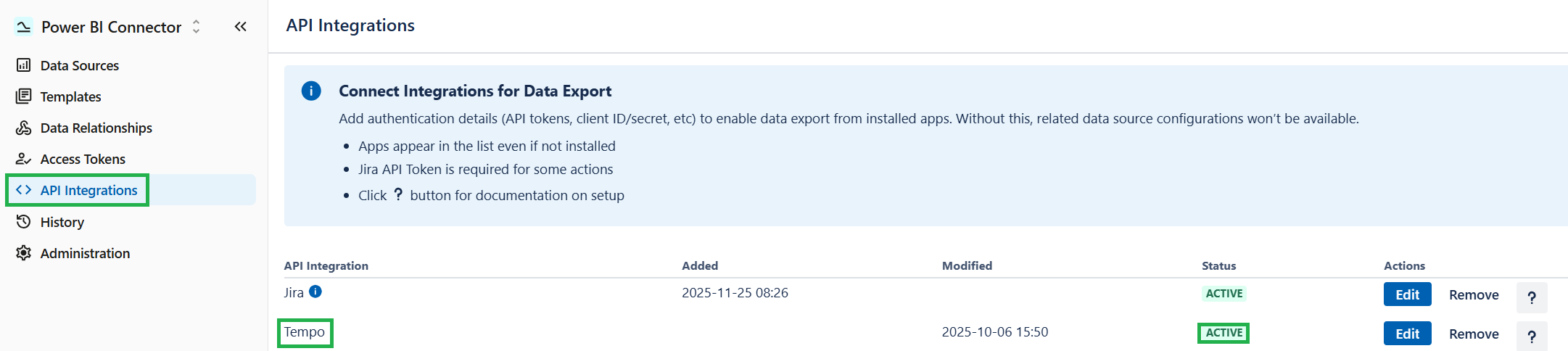
Even if the token is active, we still recommend creating a new one on the Tempo side and re-adding it to the application’s integration list.
Next, double-check the current user privileges in Jira and Tempo. To test the issue, it may be a good idea to temporarily set a full Tempo Team permission role for your user. If it does not work, the problem does not lie in the lack of permissions.
If nothing helps, please contact our Support team for further troubleshooting.