Notice on Drivers Installation
Important change: Driver installation required as of version released June 16, 2025
Administer Jira permissions are required to install database drivers.
Starting from June 16, 2025, the new version of SQL Connector for Jira will no longer include database drivers by default. Instead, users will need to install the necessary drivers manually.
What’s Changing?
Until now, database drivers were bundled with the SQL Connector. Moving forward, drivers will be installed separately by users.
Why This Change?
-
Gives you more control over driver versions.
-
Allows you to choose drivers that meet your organization’s security and compliance standards.
What to Expect?
-
If a required driver is missing, the related data sources will be highlighted in red.
-
Until the driver is installed, those data sources will not be available for use.
How to Install Drivers
-
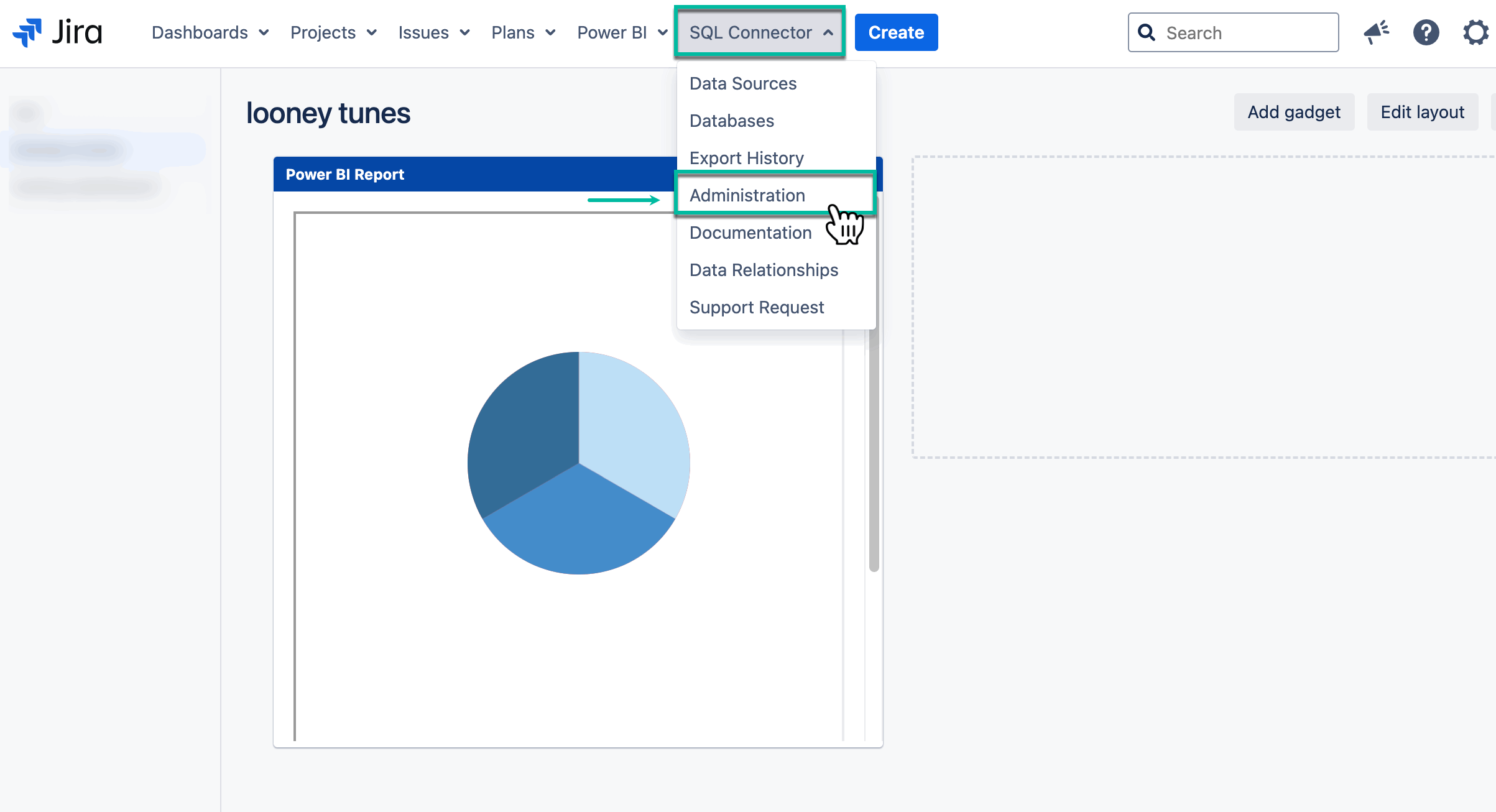
Select SQL Connector, and then select Administration.
-
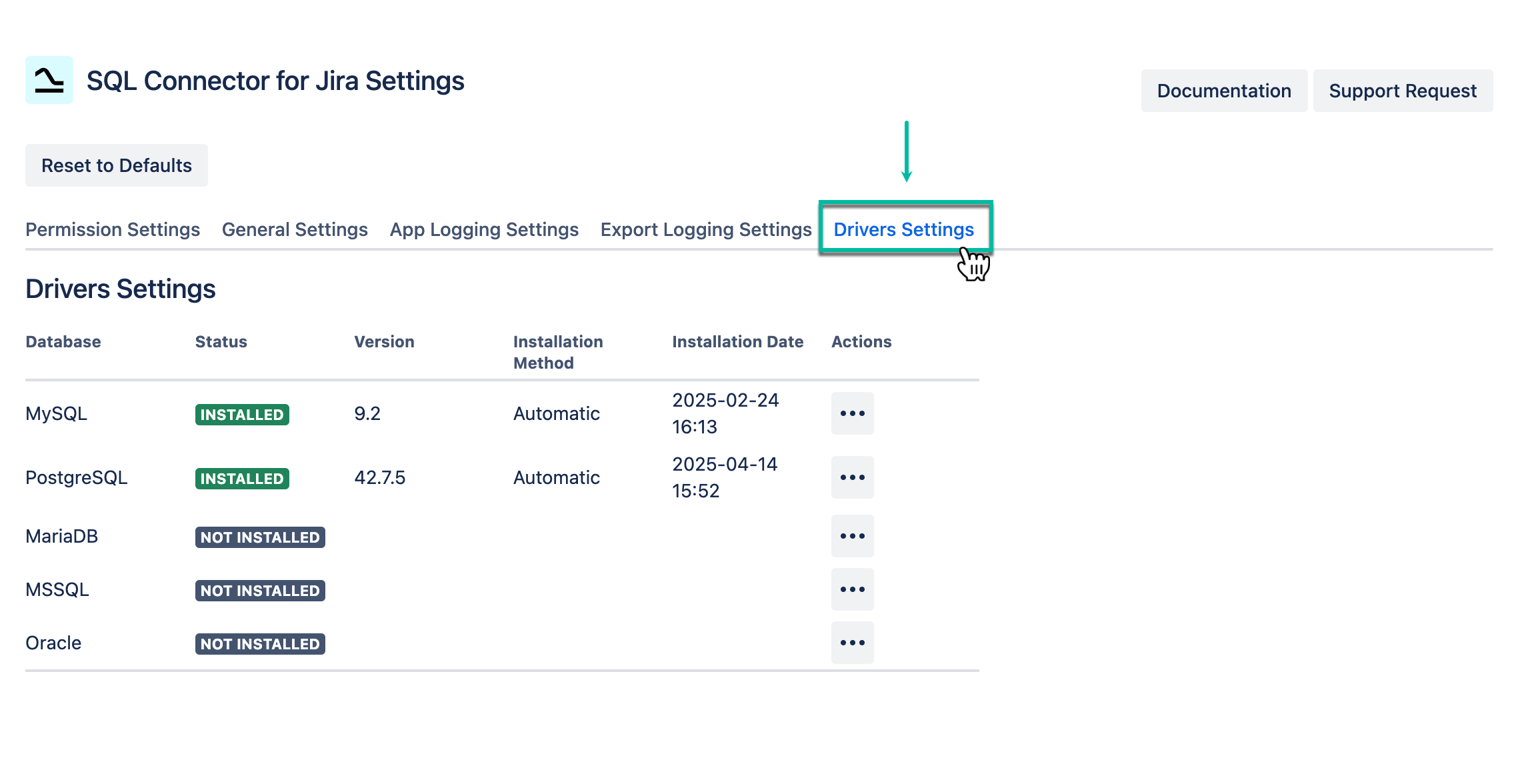
Select Drivers Settings.
-
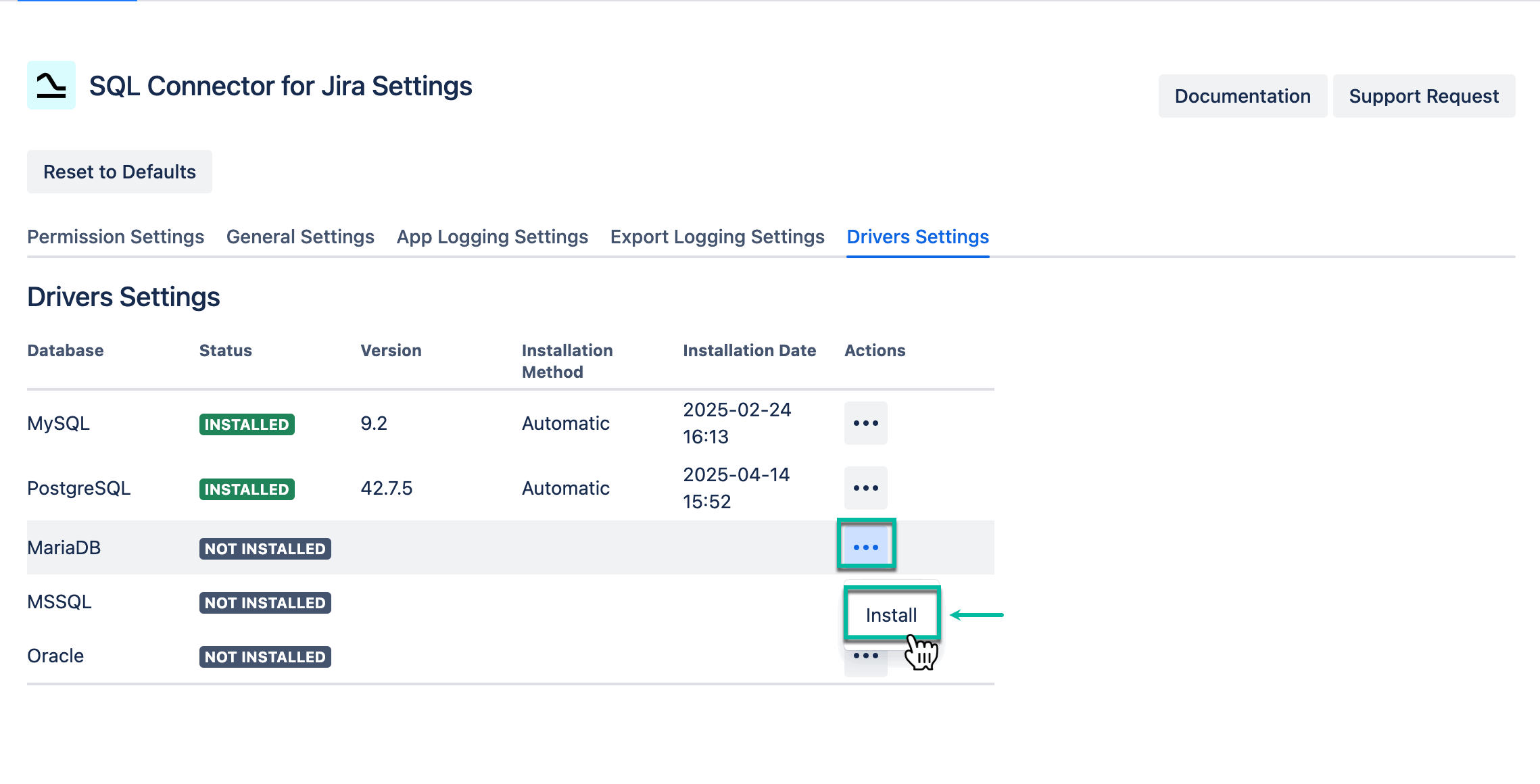
Select the ellipsis (next to the corresponding database), and then select Install.
-
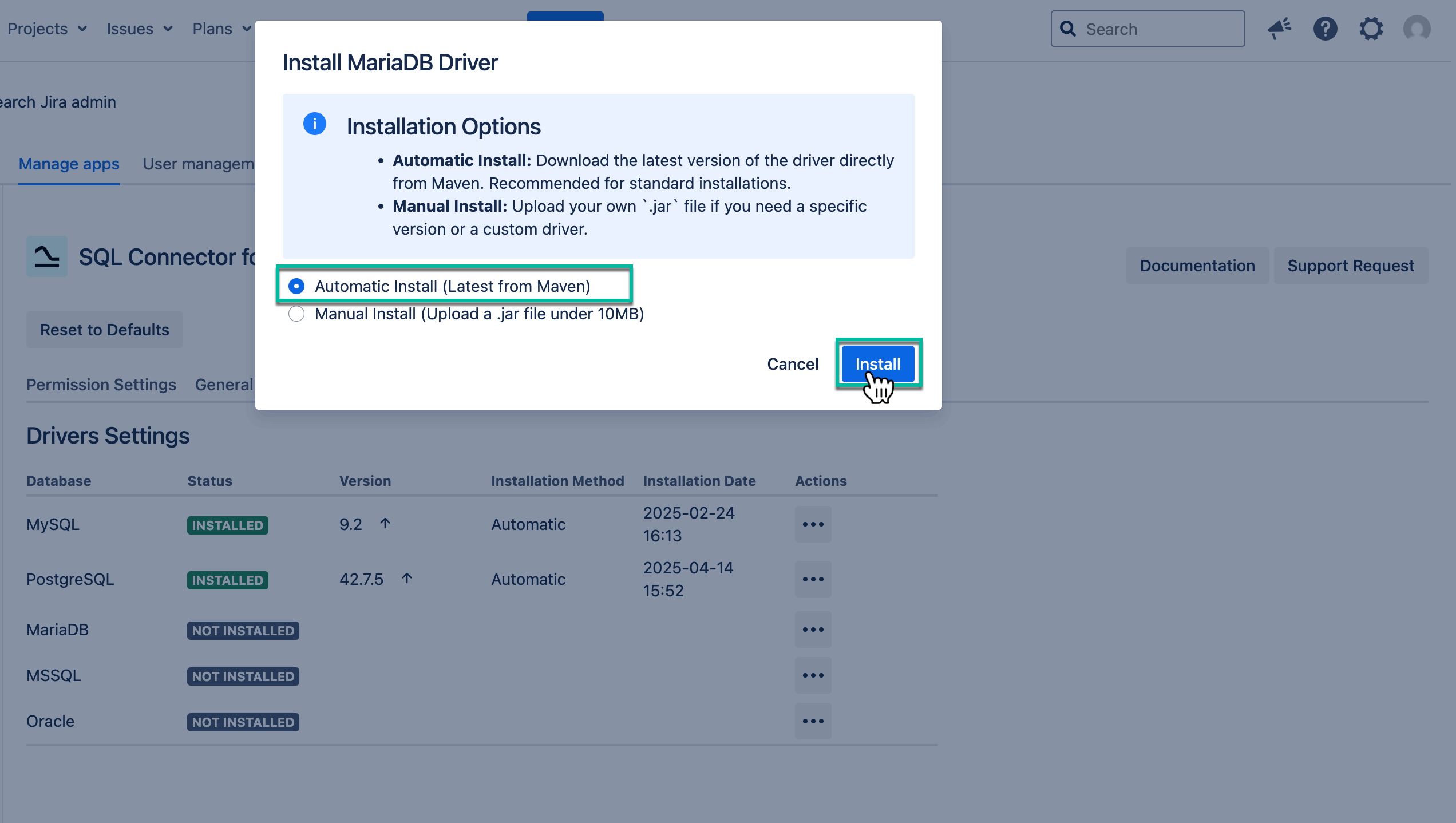
Select Automatic Install, and then select Install.
We recommend using automatic installation, which ensures the latest driver version is installed directly from Maven.
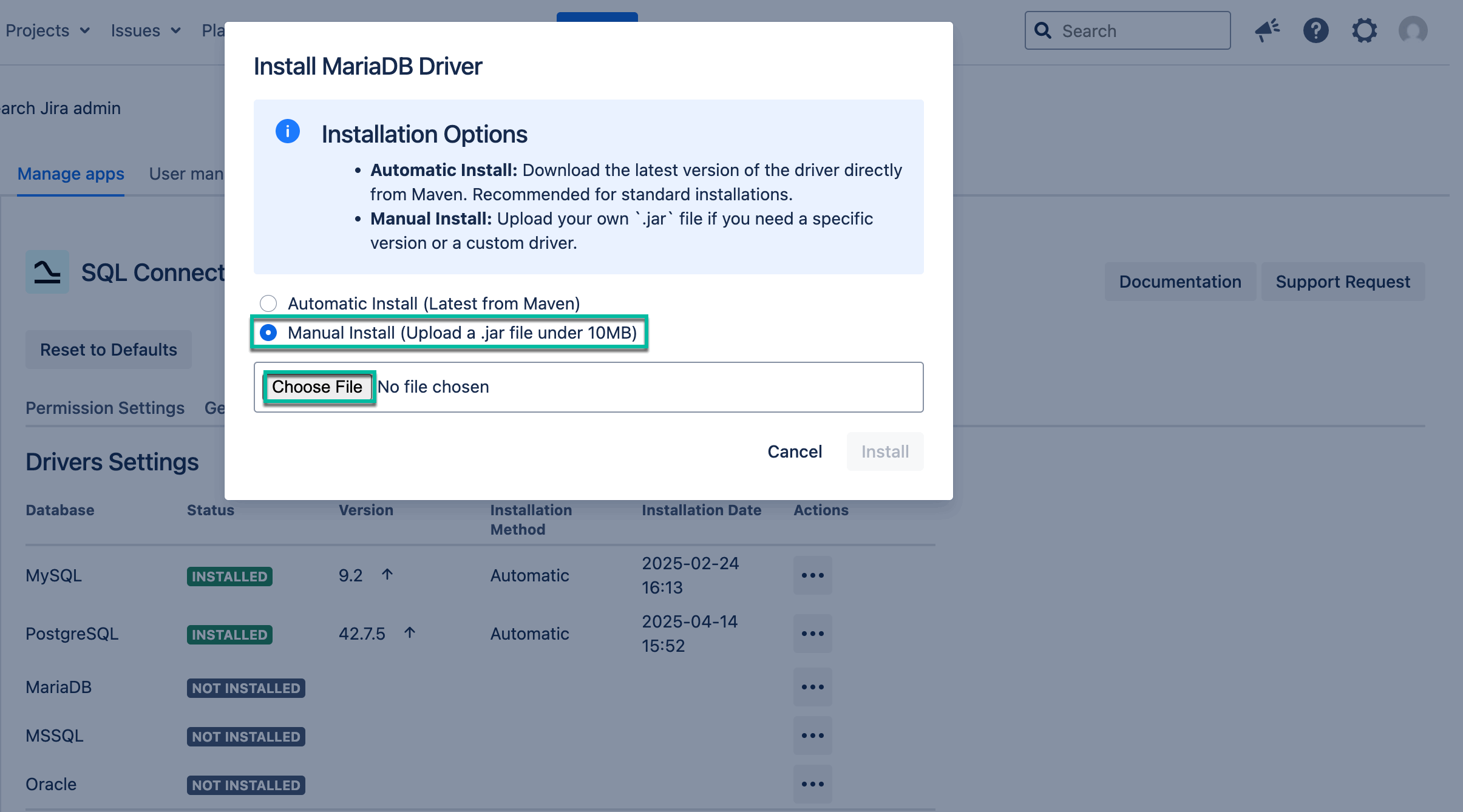
If you need a different driver version, use manual installation instead.
Manual Install
-
Select Manual Install, upload the corresponding .jar file from your machine, and then select Install.
-
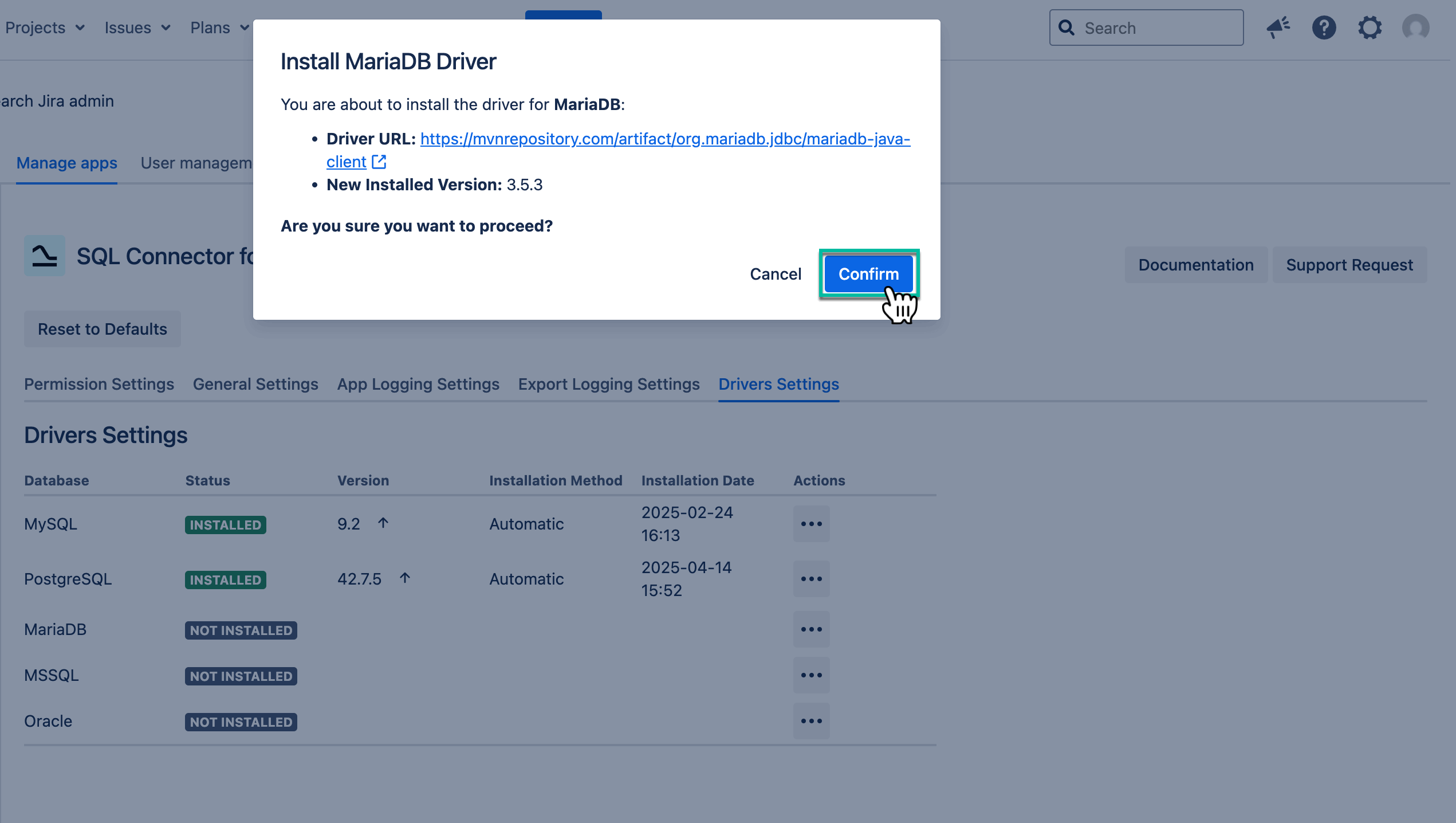
Select Confirm.
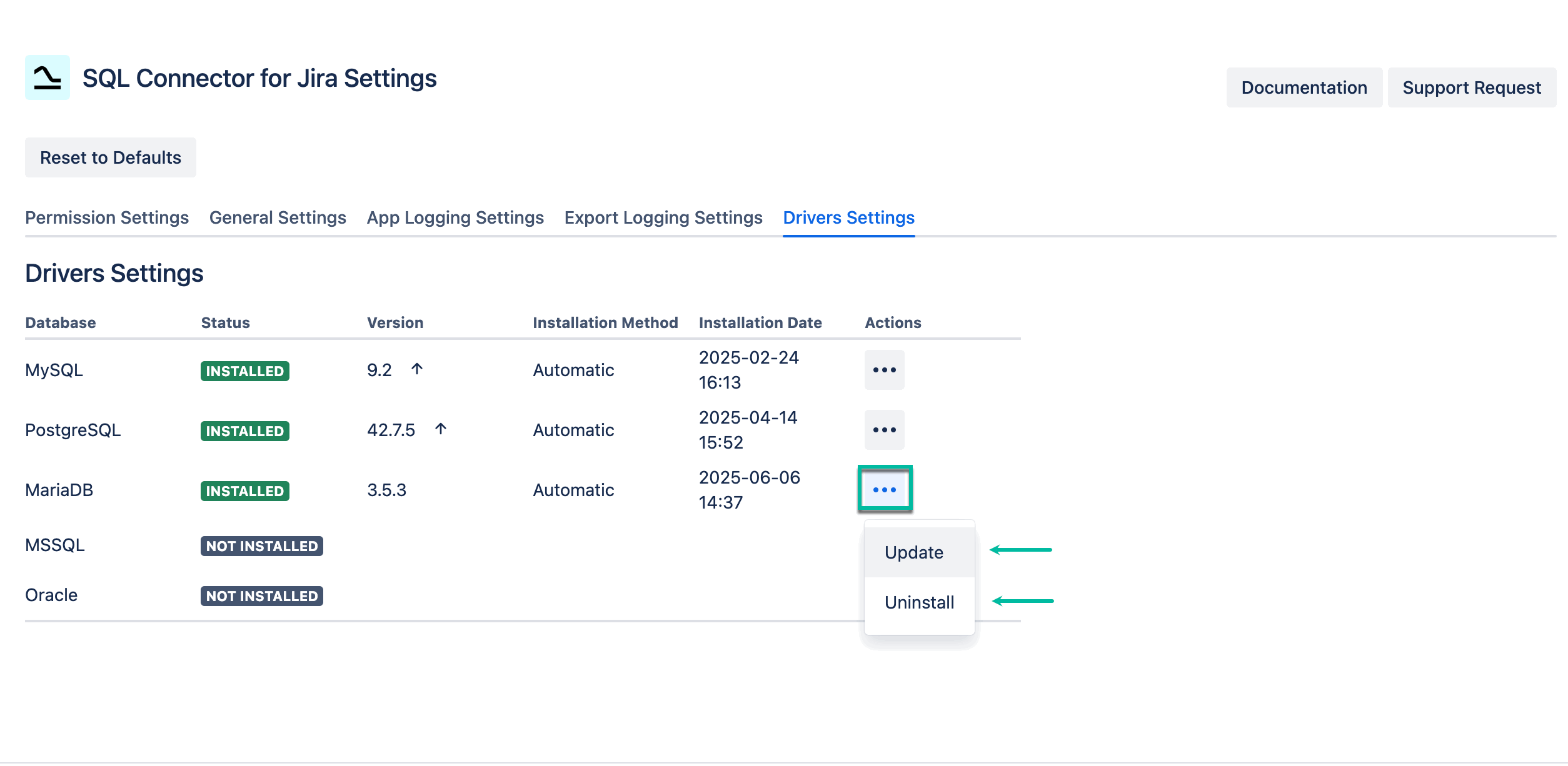
You can update or uninstall drivers at any time.