
The BigQuery Connector for Jira Cloud is designed to simplify data import into Google BigQuery.
Step 1: Grant Permissions
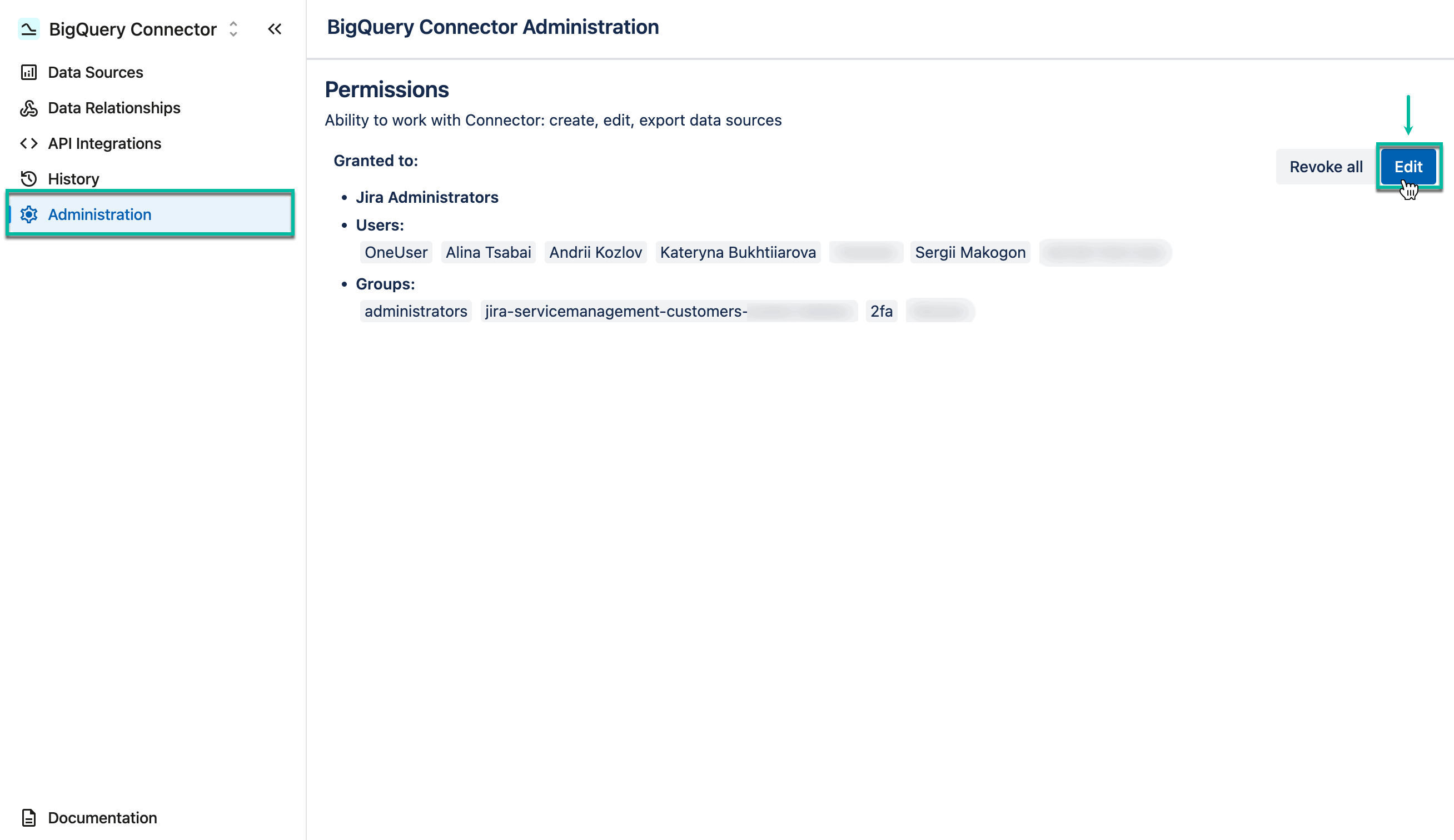
If you are a Jira Administrator
-
Grant permission to individual users or groups so they can create, edit, watch, and export data sources.
-
Administrators can work with the BigQuery Connector by default.
🔗 Learn how to grant permission
If you are a Regular User
-
Ask your Jira Administrator to grant the required permission.
Step 2: Create a Service Account Key
-
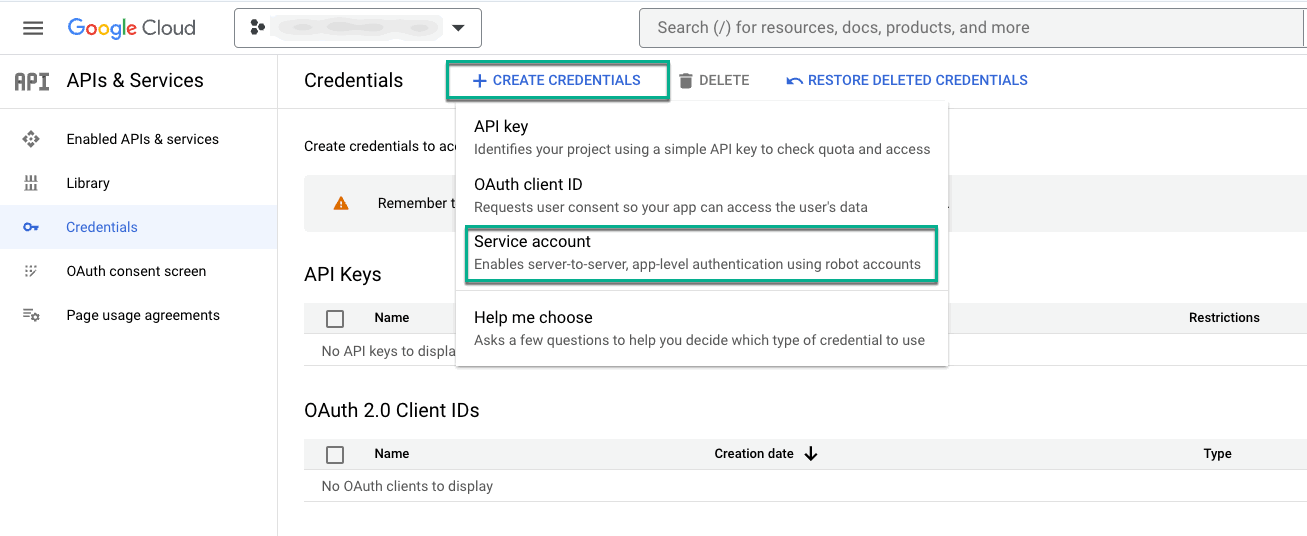
Before importing Jira data to BigQuery, create the service account key in the Google Cloud Platform, which is required to authenticate in BigQuery.
-
If you don’t have a project in the Google Cloud Platform, you have to create a billing one to export data.
🔗 Learn how to create service account key
Step 3: Create a Data Source
-
Think about the report you want to build or the analysis you want to run.
-
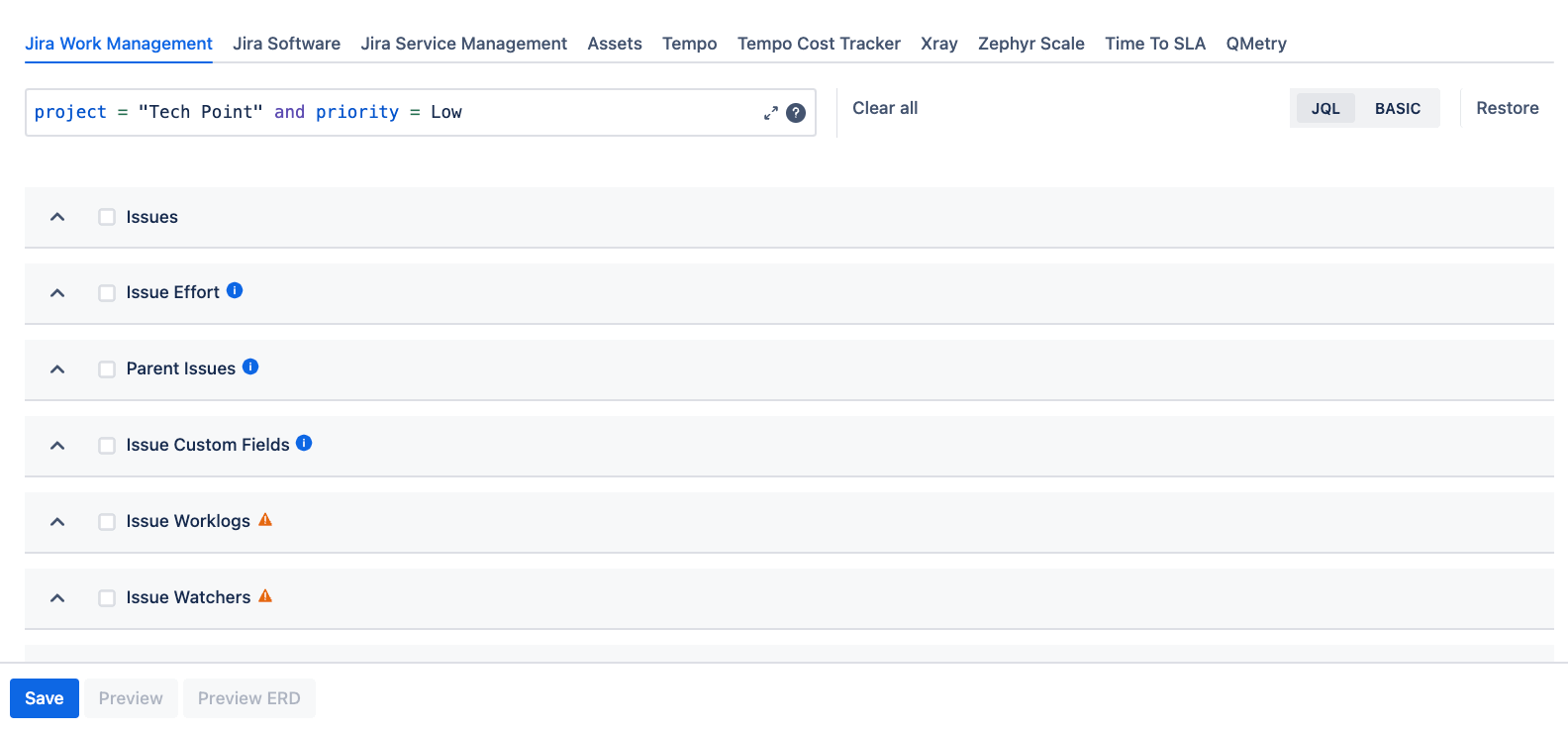
Select the corresponding Jira fields through the BigQuery Connector. This set of fields is called a data source.
🔗 Learn on how to create data source
-
Apply filters (such as project, issue type, or other criteria) to include only relevant data.
-
Without filters, the BigQuery Connector will export all data from your Jira instance.
-
🔗 Learn on how to apply filters
Step 4: Import Data to BigQuery
-
Connect to BigQuery using the service account key you created.
-
Import the datasets included in your data source.
🔗 Learn on how to import data to BigQuery
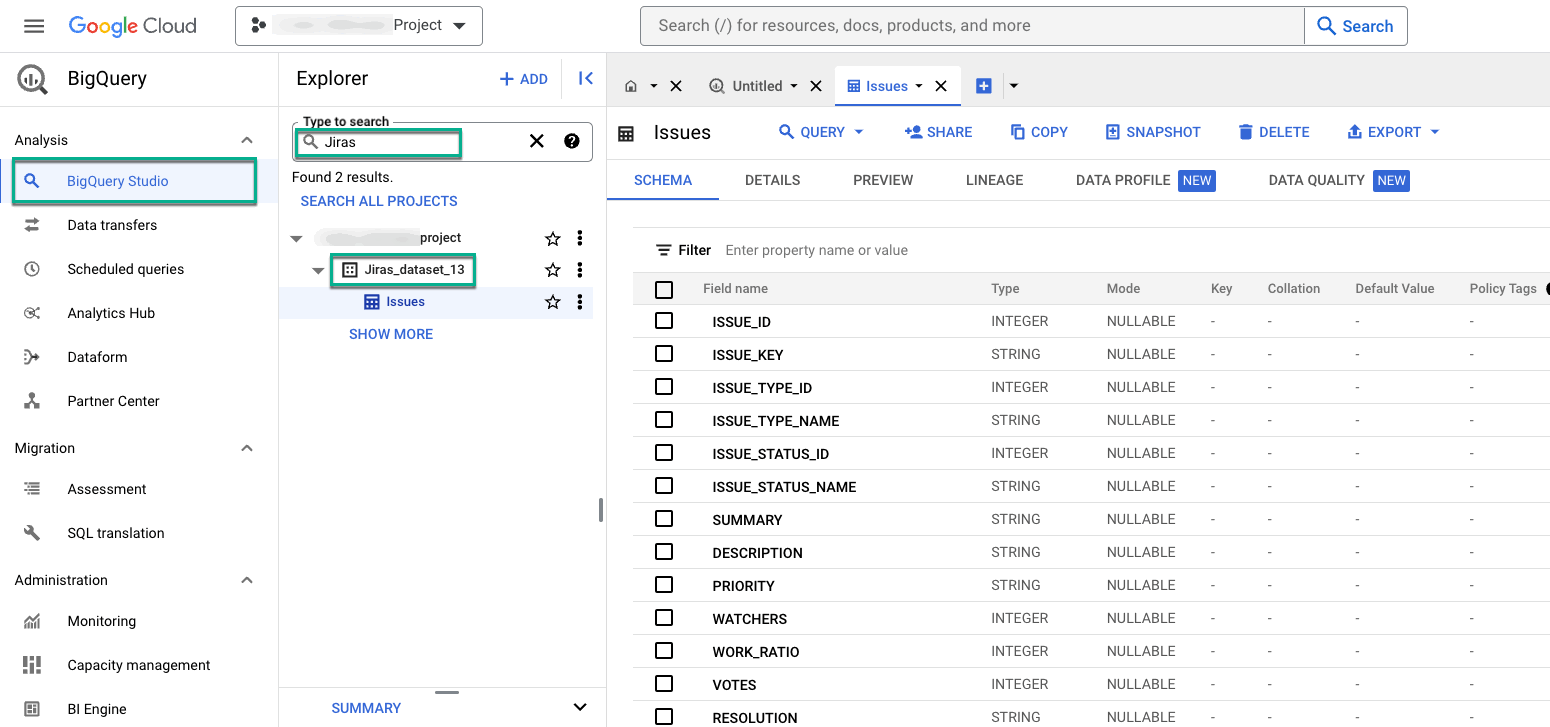
Done! You’re ready to explore and visualize your Jira Cloud data in BigQuery.
App Navigation
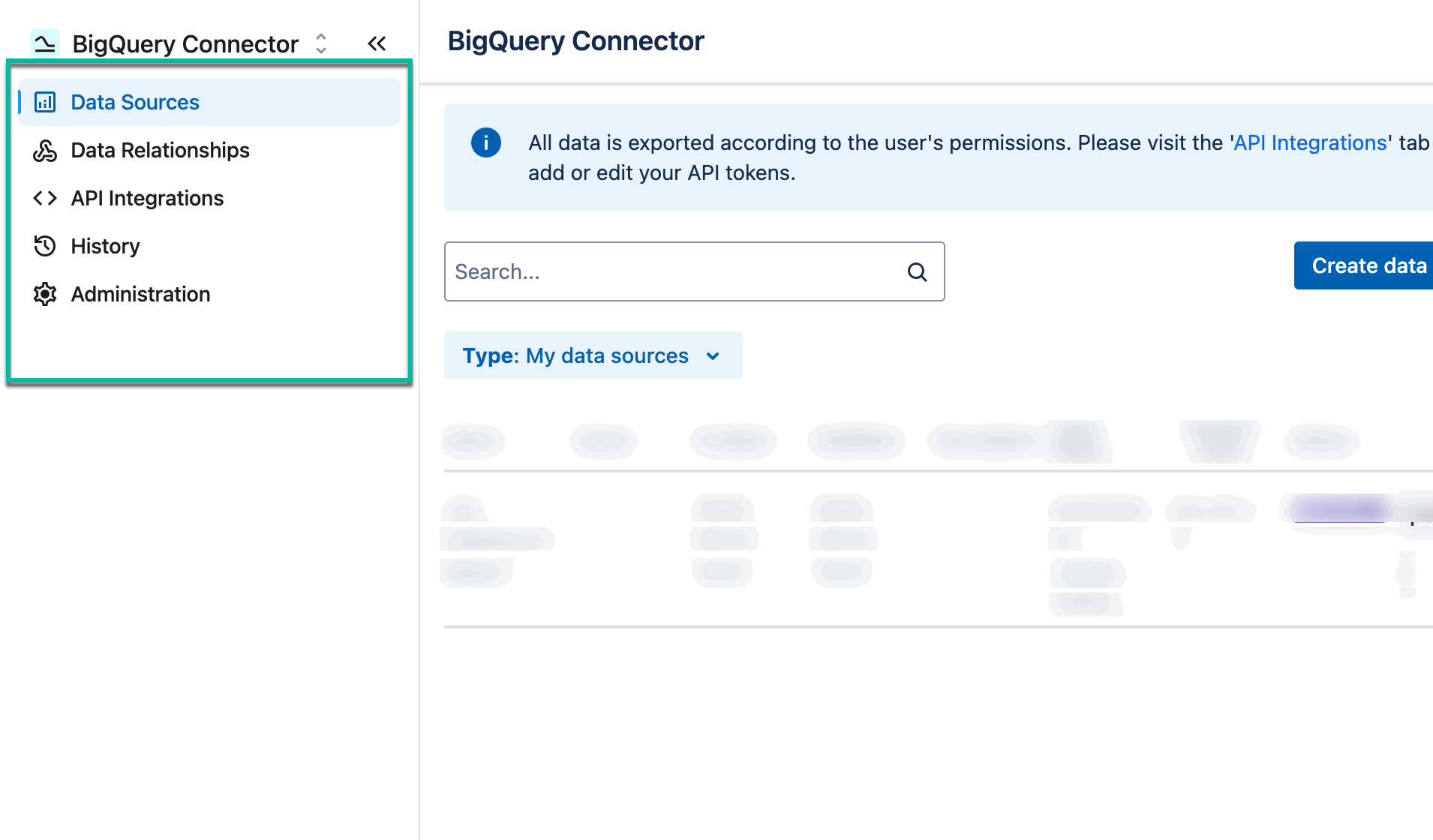
Use the app navigation to quickly switch between the following modules:
-
Data Sources
-
Data Relationships
-
API Integrations
-
History
-
Administration
💬 Like using BigQuery Connector for Jira? Leave us a quick review on the Marketplace!