
To authenticate in BigQuery, the service account key is required. Therefore, before exporting Jira data to BigQuery, create the service account key in the Google Cloud Platform.
-
Open your project in the Google Cloud Platform.
If you don’t have a project in the Google Cloud Platform, you need to create a billing one to export data.
-
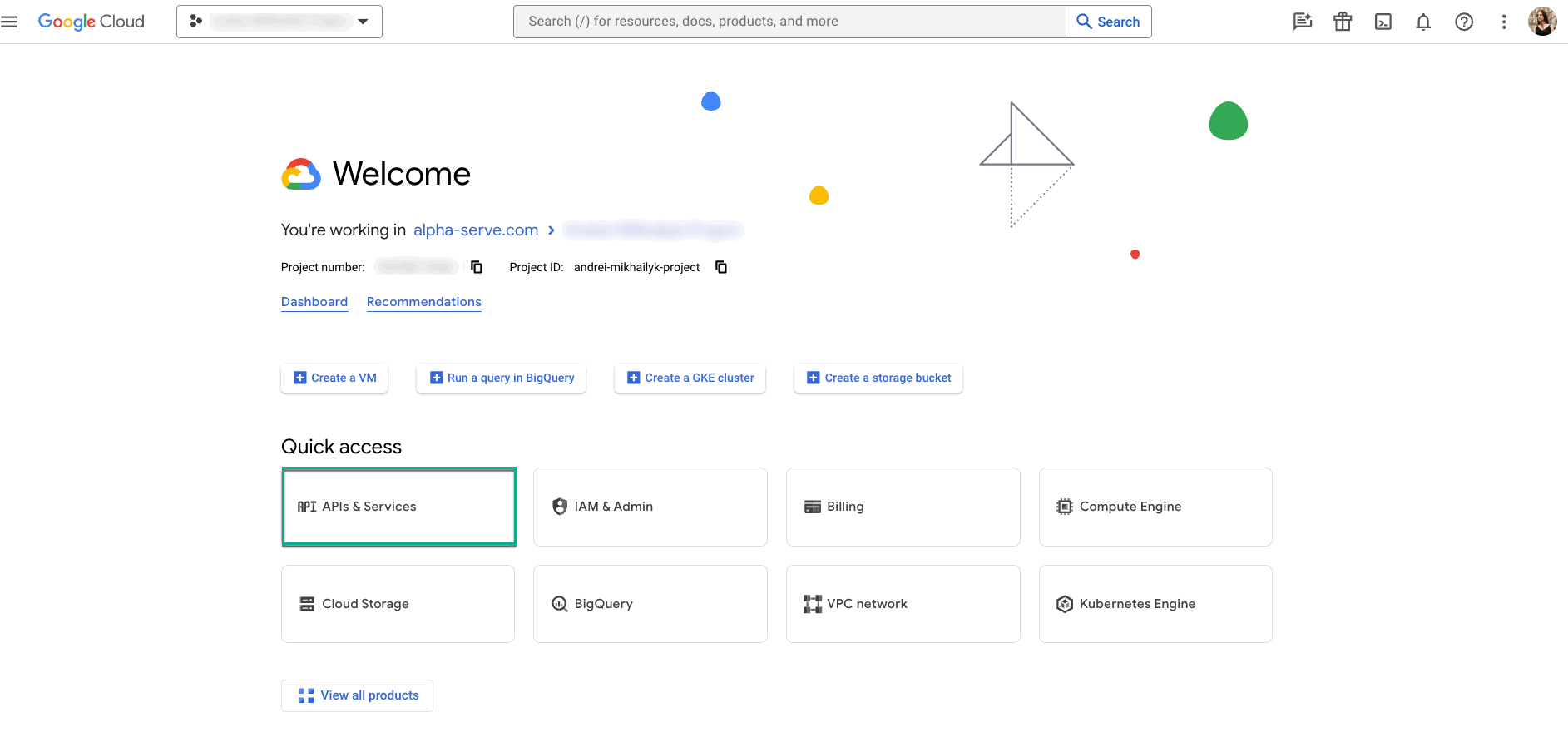
Select APIs & Services.
-
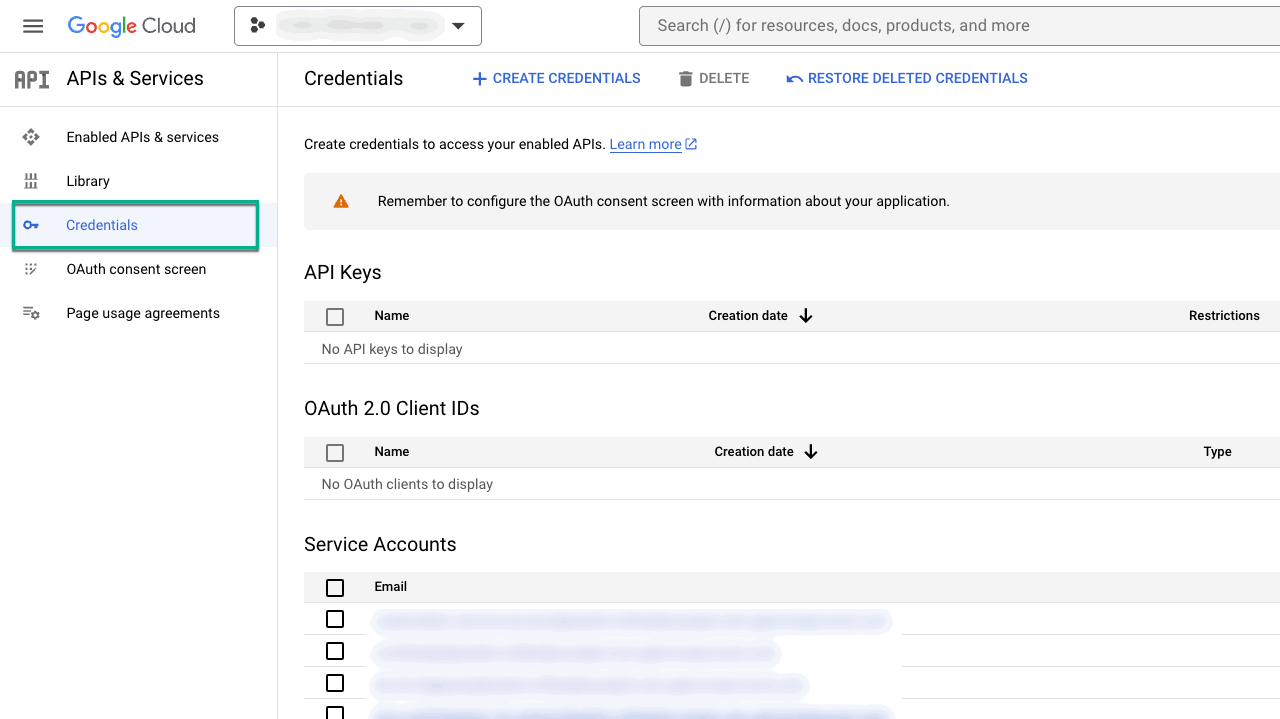
Select Credentials.
-
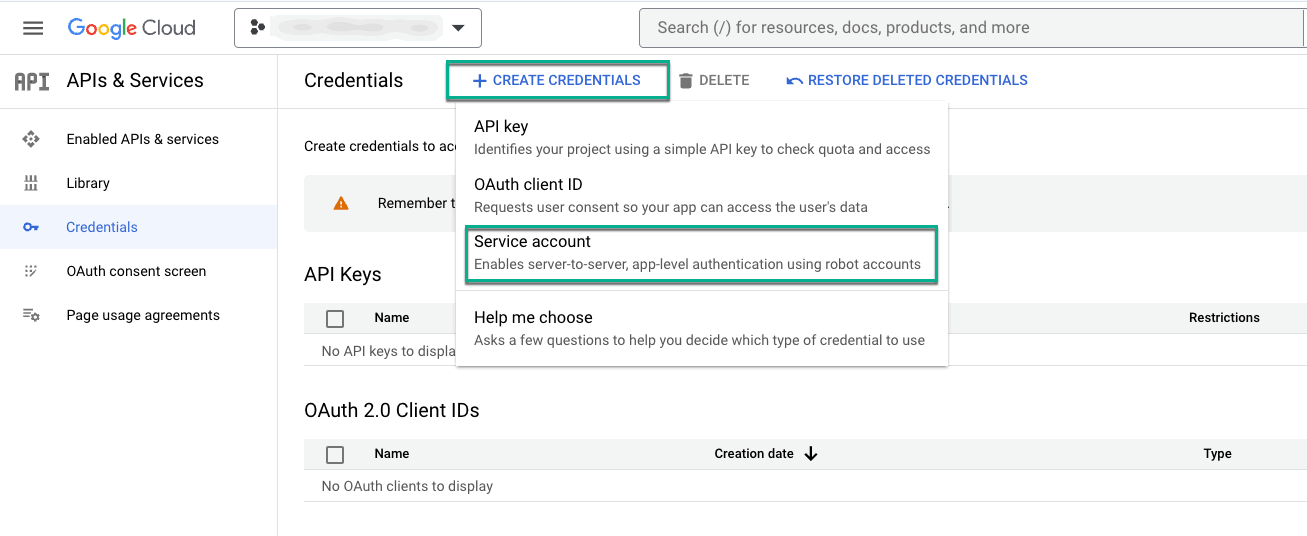
Select +CREATE CREDENTIALS, and then select Service account.
-
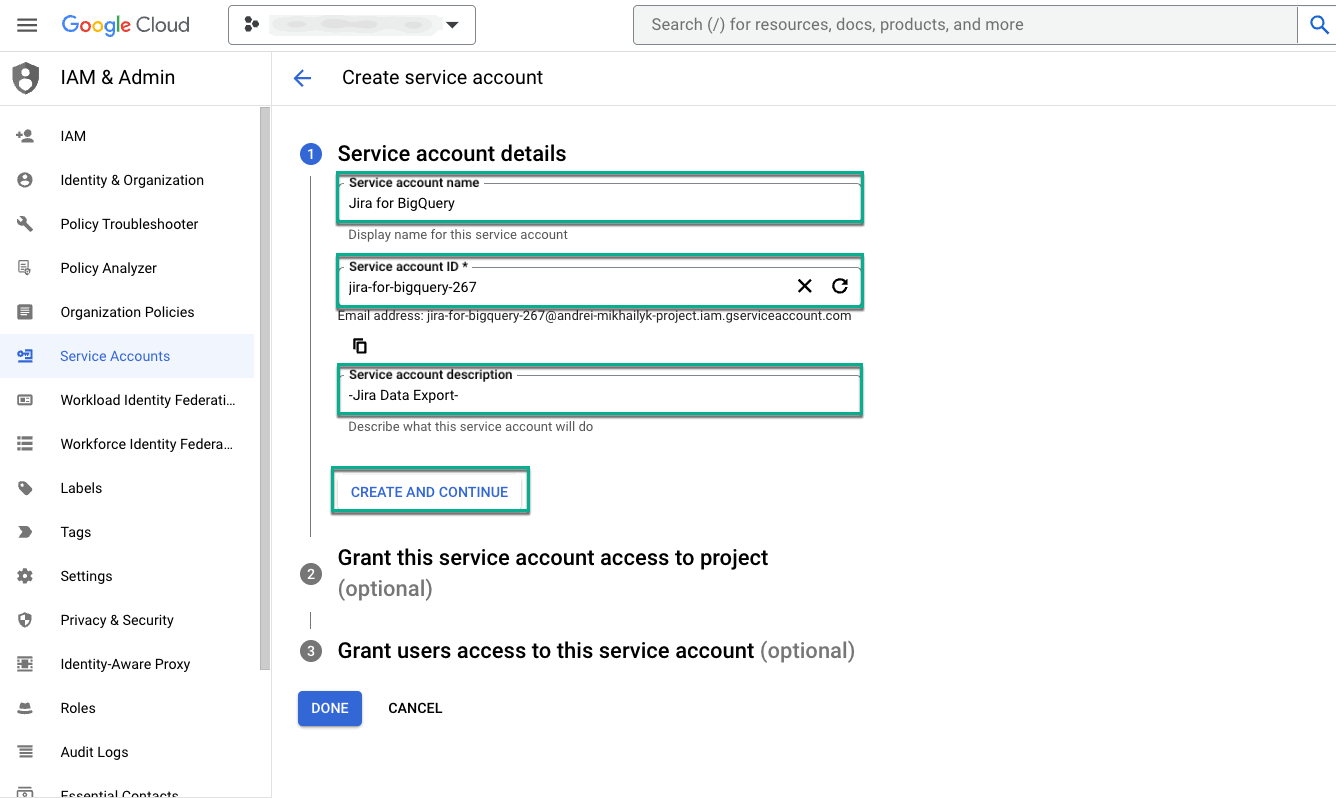
In the Service account name field, enter the name for your service account.
The Service account ID * field will be filled automatically upon entering the service name.
-
In the Service account description, enter the description for your service account.
-
Select CREATE AND CONTINUE.
-
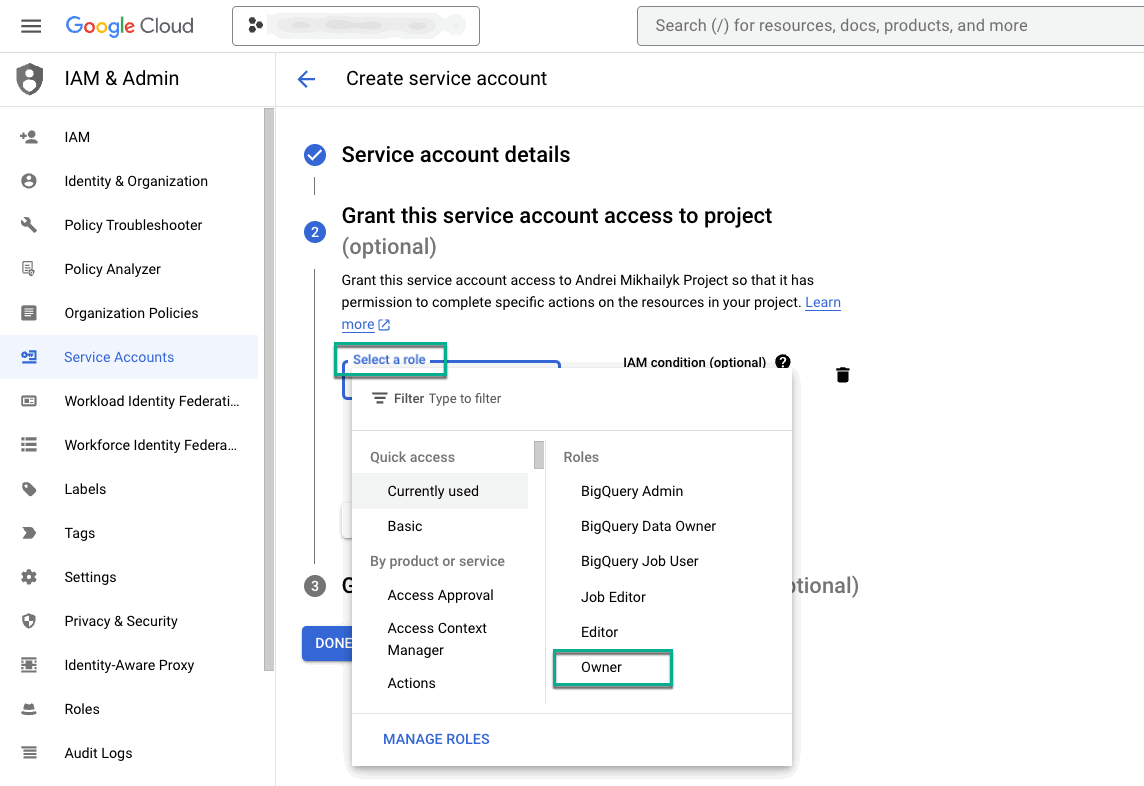
In the Select a role field, select Owner.
-
There are two options:
-
Select CONTINUE if you need to share this service account and its key with someone.
-
Select DONE if there’s no need to share the service account and its key.
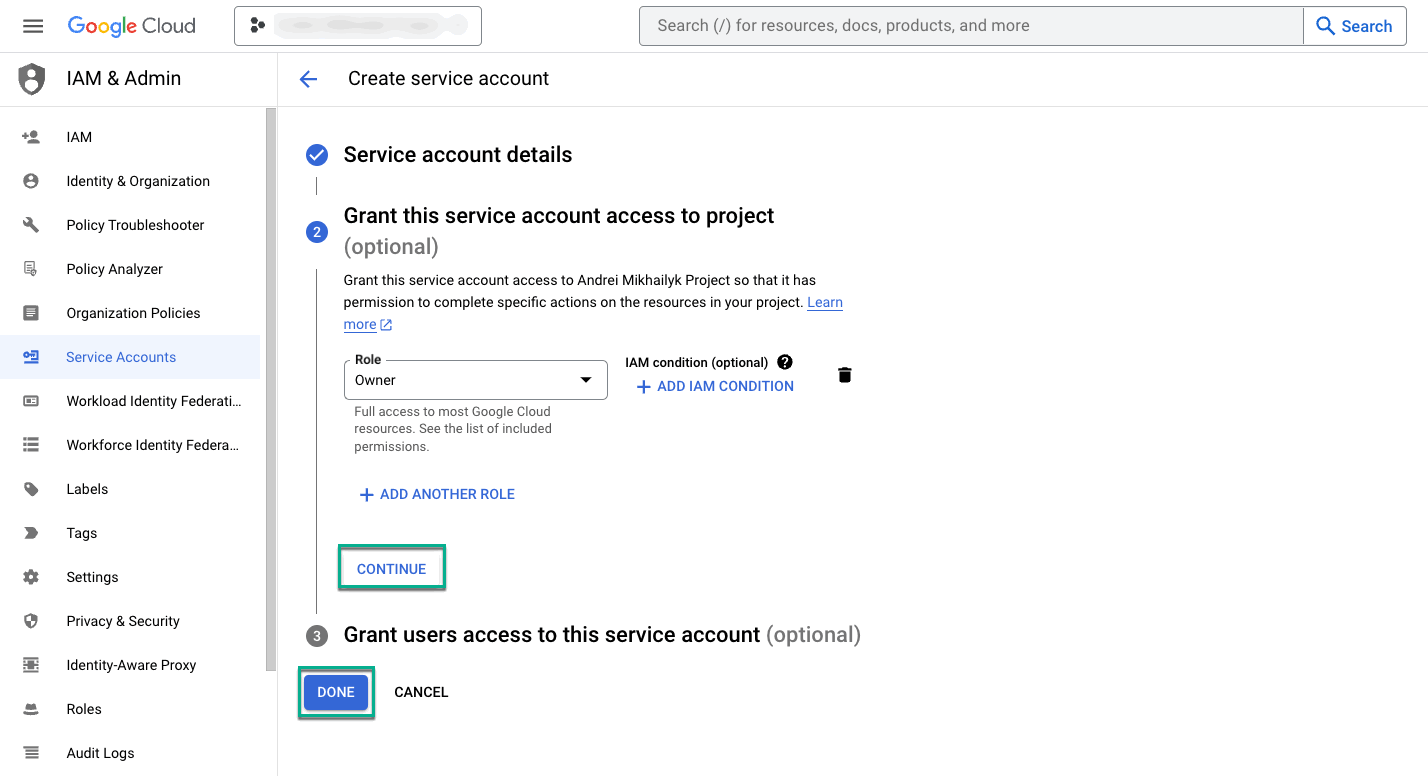
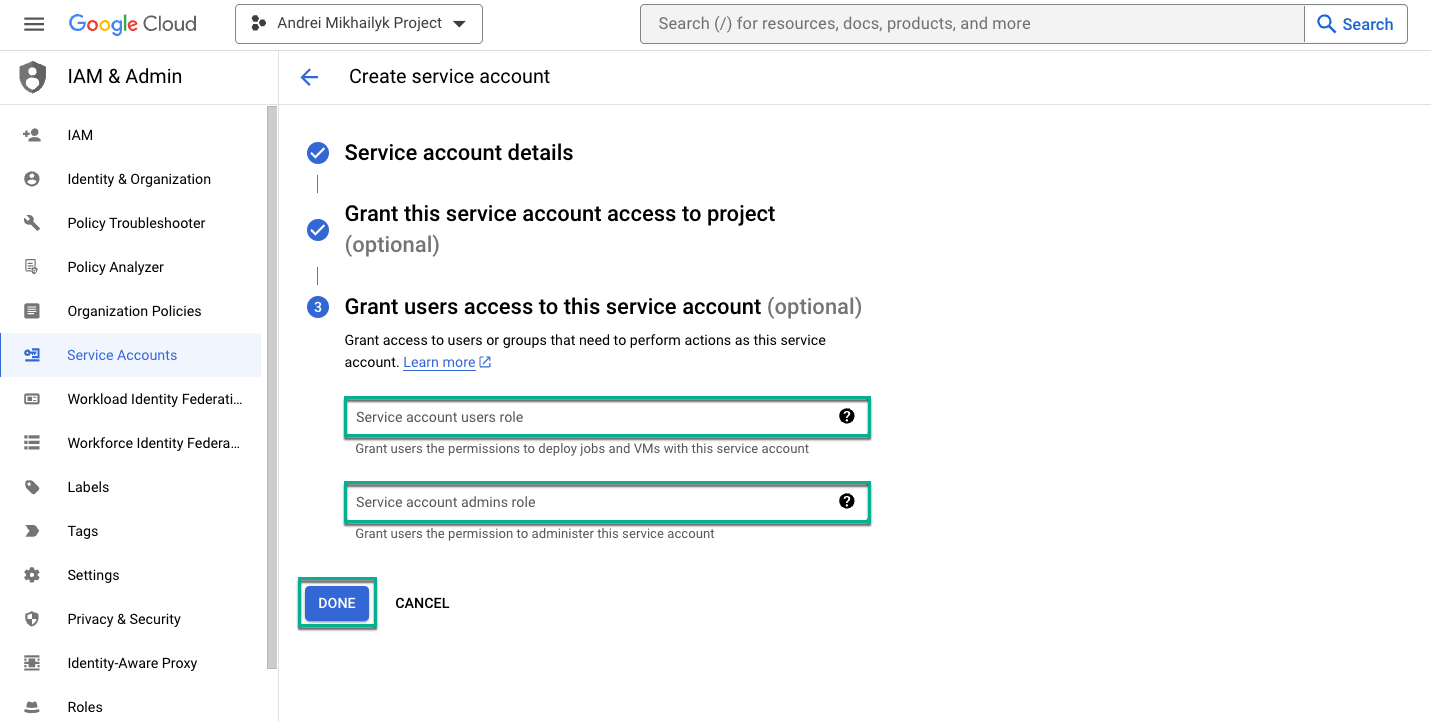
Each user has to create their own service account, and then generate a service account key. If you need to share your service account and key with someone, you can grant them access to the service account. If there's no need, you can skip this step.
-
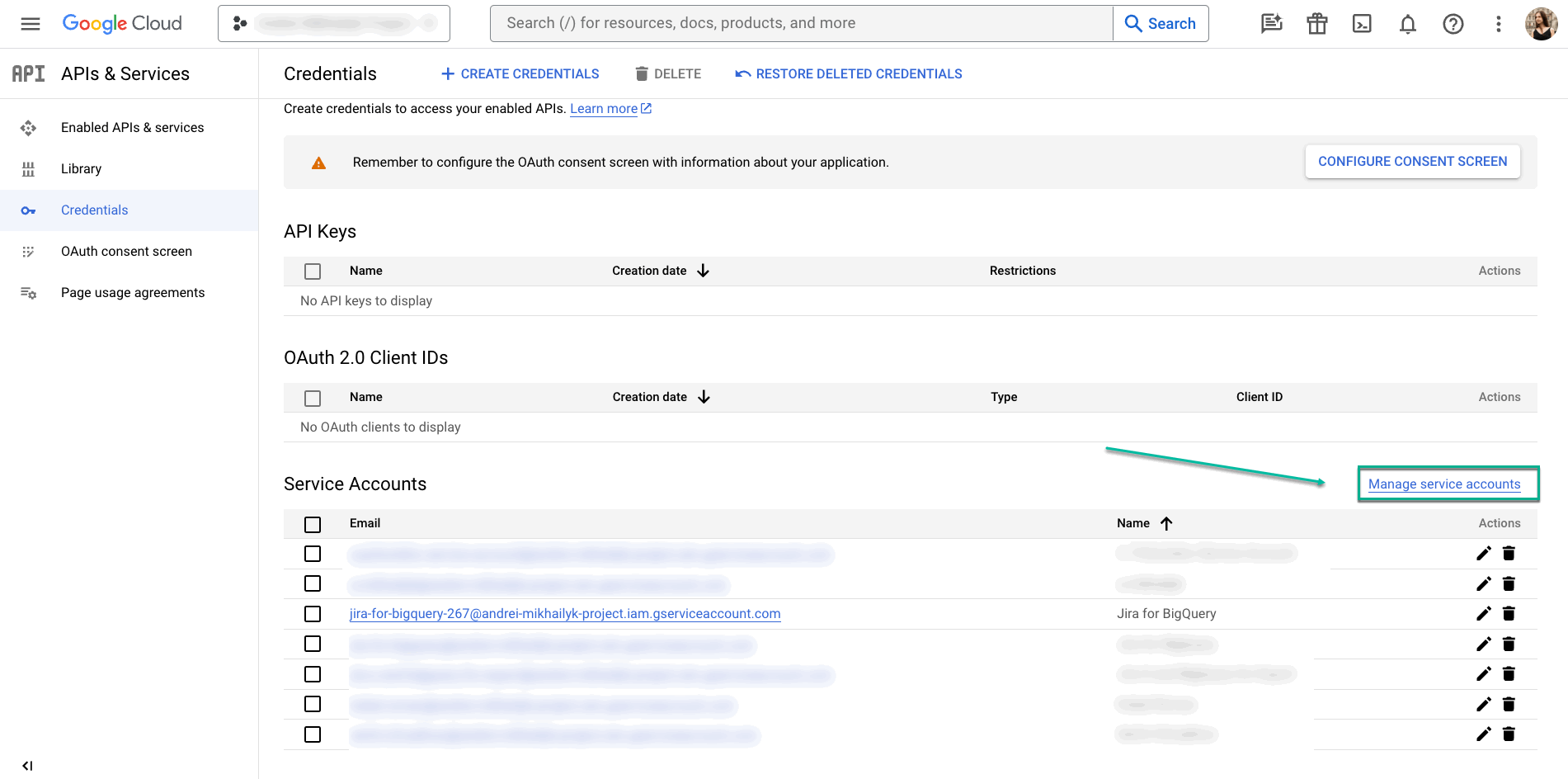
Select Manage service accounts.
-
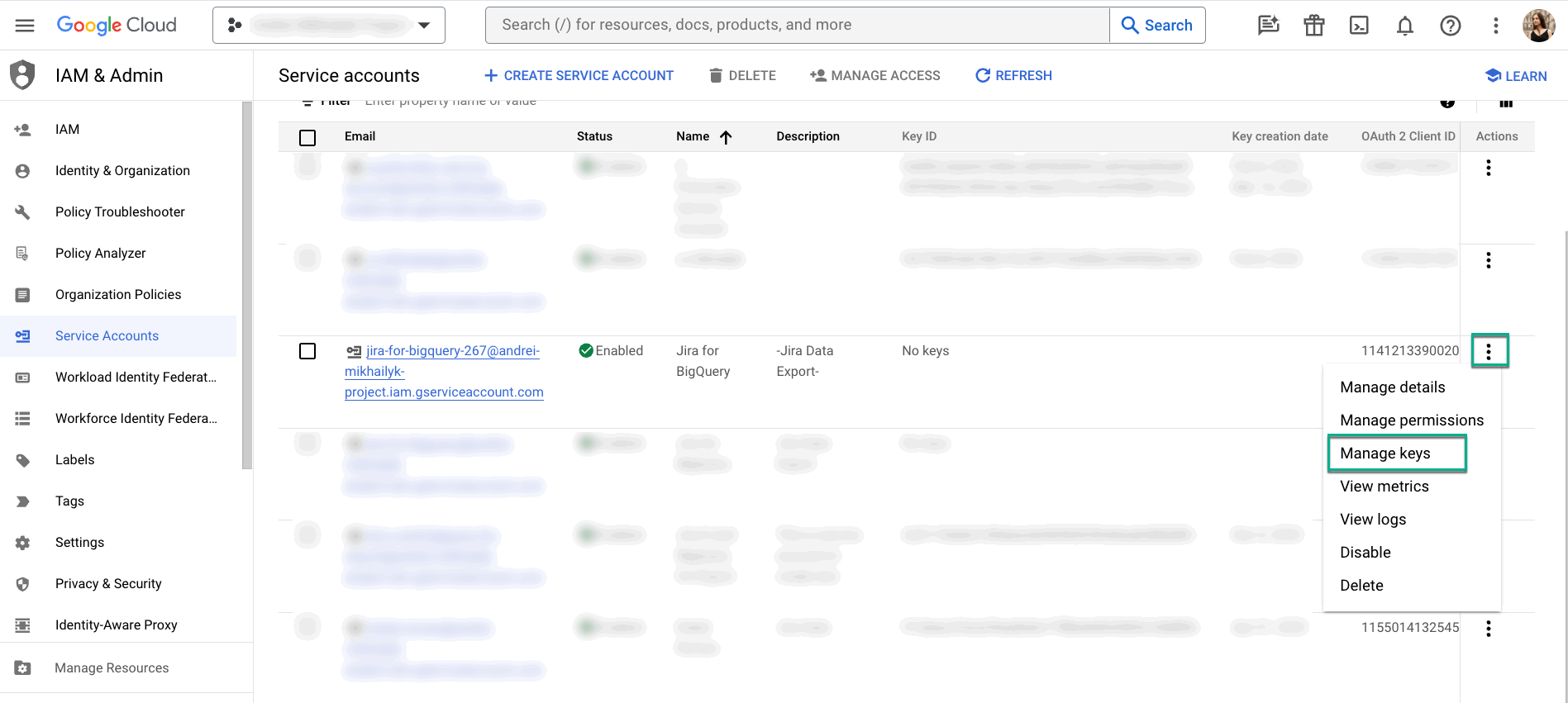
Find your service account, select the Actions button, and then select Manage keys.
-
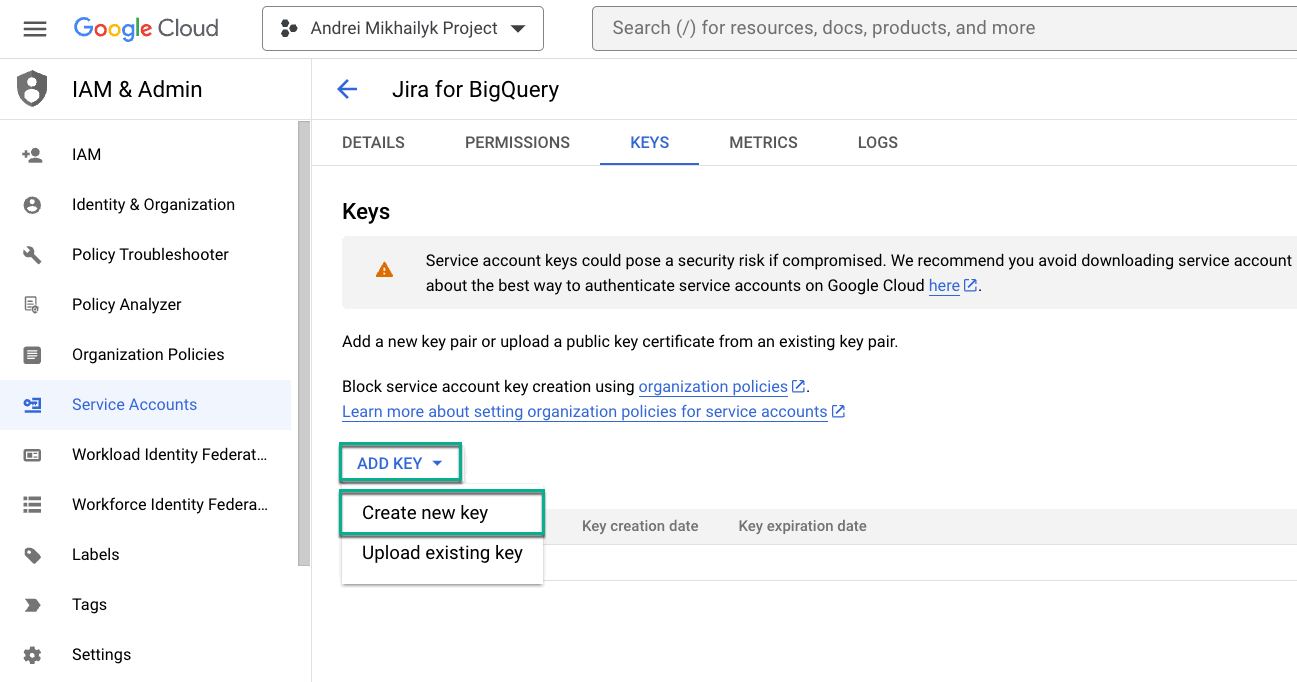
Select ADD KEY, and then select Create new key.
-
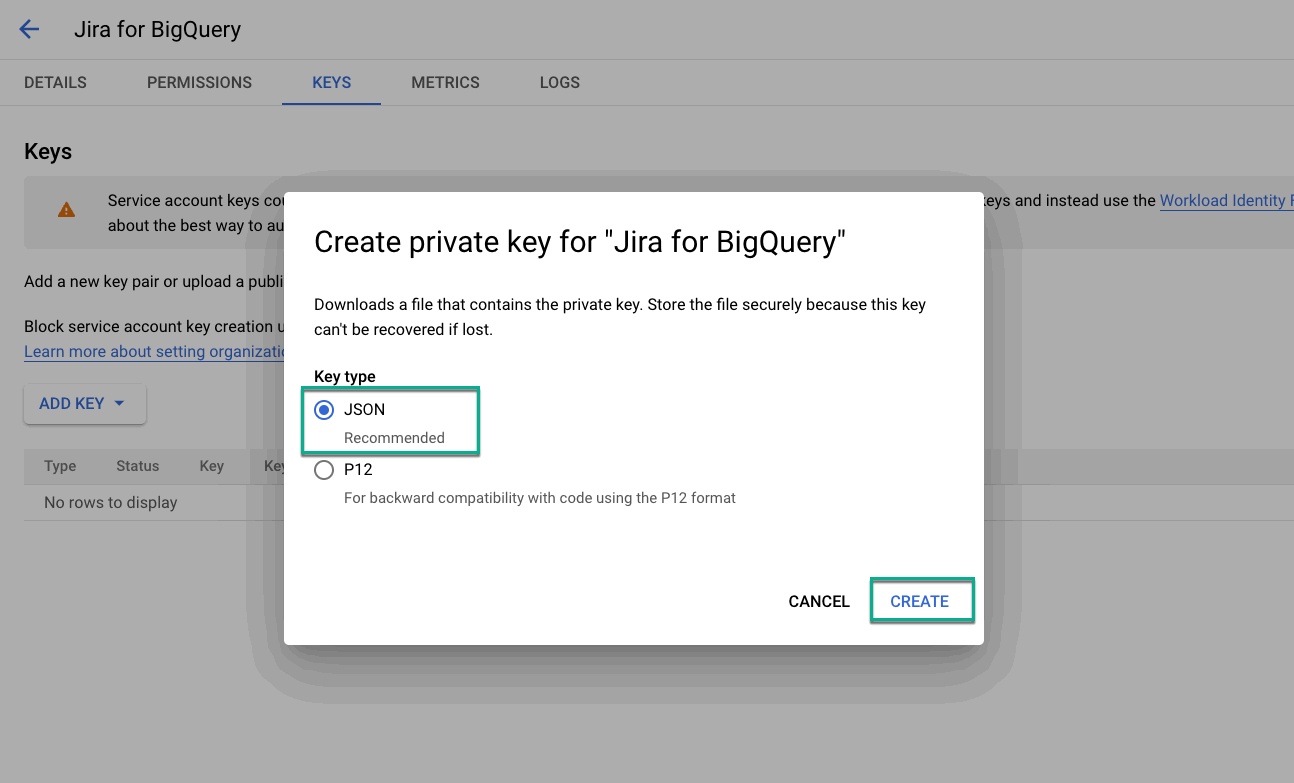
Select JSON, and then CREATE.
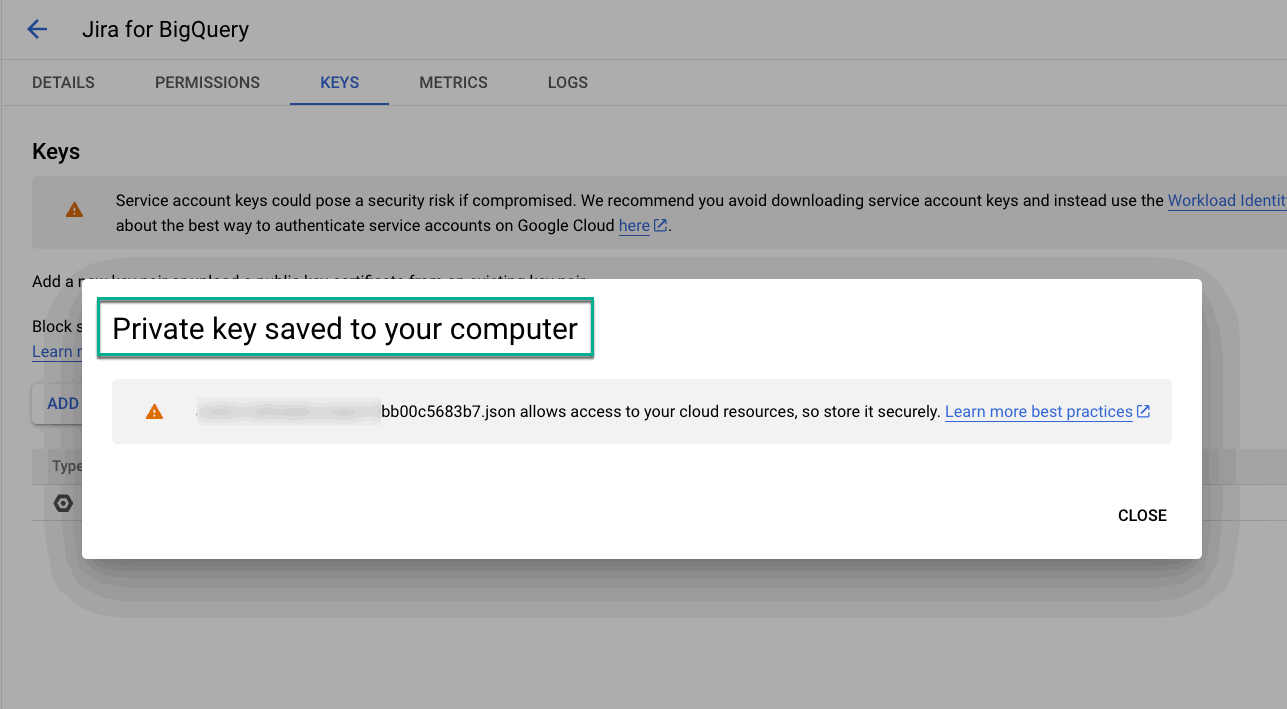
The private key will be saved to your computer automatically.
💬 Found this helpful? Share your thoughts in a review on the Marketplace.
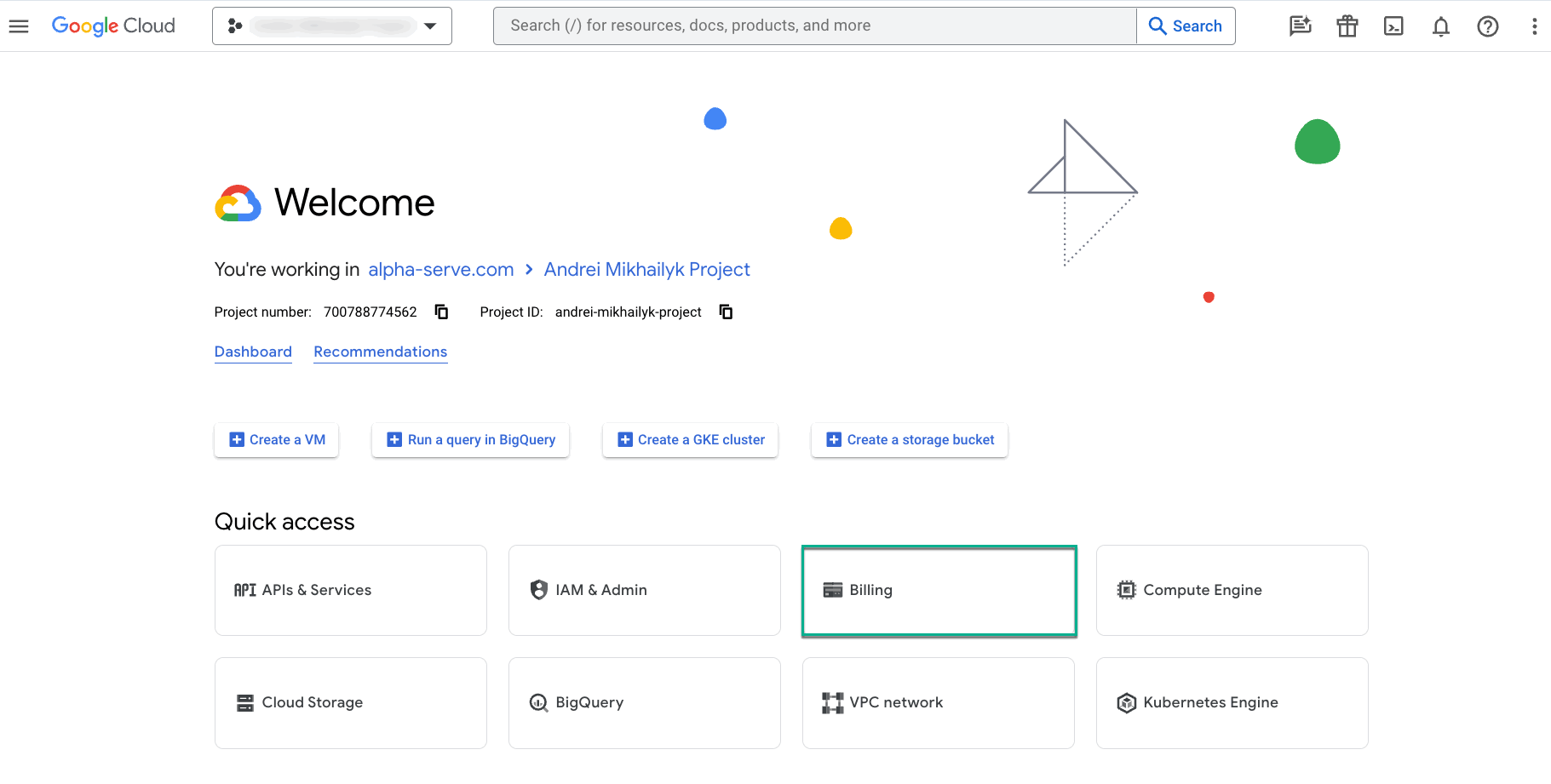
To use BigQuery, you have to enable billing on the corresponding project. From the home page, select Billing, and then follow the instructions provided on the screen.
You can find more information about creating and managing service account keys here 💡
What’s the next step? Create your first data source to effortlessly select the exact data you need for your report.