
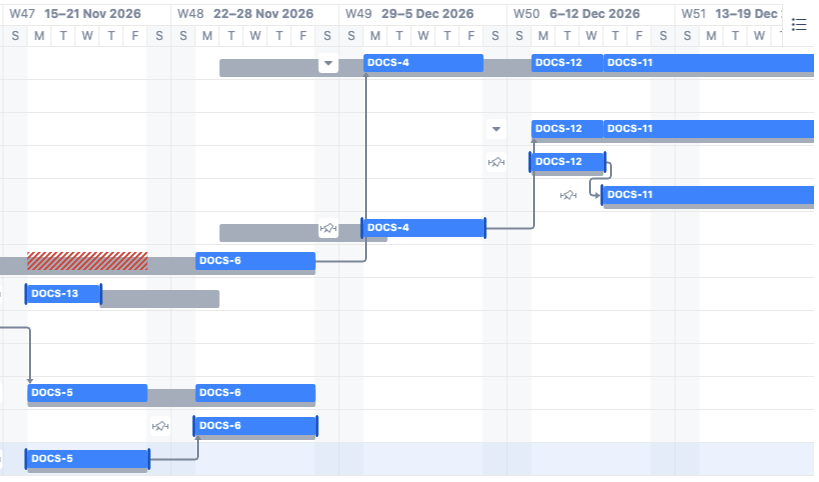
Gantt baselines allow you to take a snapshot of the current positions of tasks, groups, and milestones in the timeline, which can be placed alongside the chart at a future date. See at a glance which tasks are ahead, or behind, schedule, and how that impacts the project's timeline.
Creating a Gantt Baseline
You must be the structure owner, or have edit permissions for the structure, to create a baseline.
To create a new baseline:
-
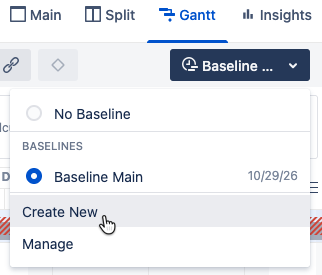
Expand the Baseline menu in the Gantt toolbar and select Create New.
-
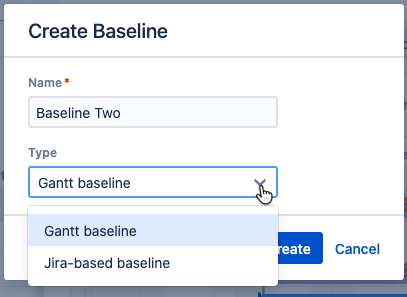
Enter a name for the baseline, then select Gantt baseline as the Type.
-
Select Create.
Viewing a Baseline
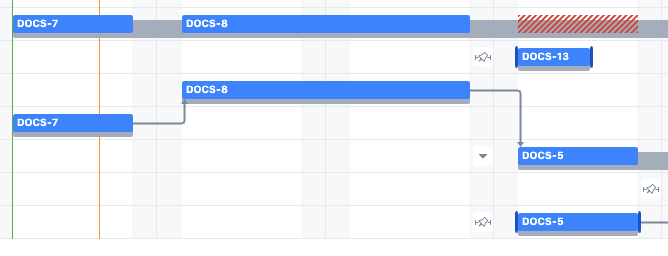
After you create or select a baseline, it displays as a solid grey bar behind your tasks. Baselines use the current task positions on creation, so until you adjust a task they will be in the same location as the current tasks. As you adjust and move your tasks, the baselines remain in those initial locations through all movements of the current tasks.
Baseline data is stored in Structure.Gantt storage. It has no effect on Jira.