
The baseline start date and baseline end date attributes are available to use as the source for columns in Structure, and as a parameter in Structure formulas. Use these attributes to quickly view information about a selected baseline from the main Structure view, and to compare that information against other dates you use in your structure.
Baseline Date Columns
Baseline columns are sortable, included in exports, and can be copied to any Jira date field.
After you create at least one baseline, you can use its start and end dates as values in Structure columns. Dates follow the Gantt precision setting. For example, if your Gantt uses an hour or minute precision, the column displays the baseline’s date and time. However, if your Gantt uses a precision of day, the column displays only the date.
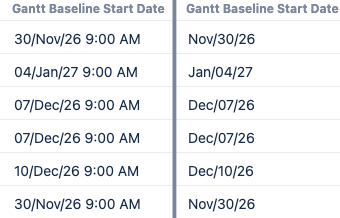
Adding a baseline column
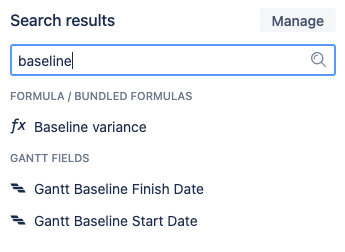
Open the Add a column :addNewPlus: menu and select Gantt fields > Gantt Baseline Start Date or Gantt Baseline End Date. You can also search for the field you want to use.
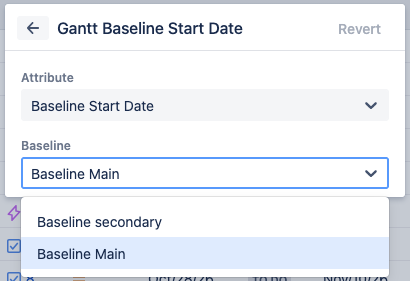
When you add a column using either baseline date, a window displays where you need to select a baseline to use as the column’s data source. If you do not select one, the column will appear empty.
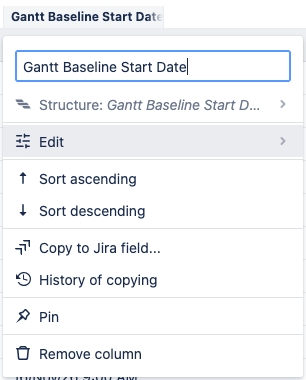
After creating the column, you can change the baseline the column uses by opening the column name’s menu, then selecting Edit.
Baseline Date Formulas
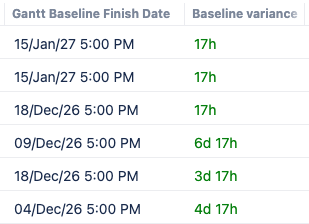
Structure includes a bundled formula that uses ganttBaselineFinishDate and endDate to display the difference in time between the finish date of a Gantt baseline schedule and the projected ending date of the work items.
/* Shows time shift between current due date and gantt baseline finish date */
WITH font(value, color) = """:panel[${value}]{color=${color}}""" :
WITH task_end = duedate :
WITH baseline_end = ganttBaselineFinishDate :
WITH end_diff = task_end - baseline_end :
IF DEFINED(task_end) AND DEFINED(baseline_end) :
IF end_diff > 0 :
    font(FORMAT_DURATION(task_end - baseline_end), "red")
ELSE IF end_diff < 0:
    font(FORMAT_DURATION(baseline_end - task_end), "green")
ELSE: "No change"
Use this formula to view the differences between schedule projections without needing to open the Gantt chart view.
Defining baseline variables
If you use the ganttBaselineStartDate or ganttBaselineFinishDate variables in a formula, including the bundled formula, you must choose a baseline to use as the source. To do so, select the variable name under Used variables, then select a baseline from the Baseline menu.
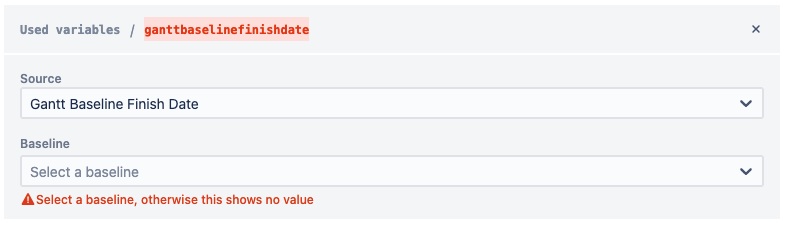
If you do not select a baseline to use, the formula will not return any values in that column or generator.