
Use Baselines in Gantt to track how the schedule of your work changes over time. For example, you can compare two different schedules for the same project against each other to see which one better fits your project timeline.
By saving a baseline, you create a snapshot of a schedule for your tasks, groups, and milestones. You can then select that saved baseline at any time to see how it compares to the active schedule.
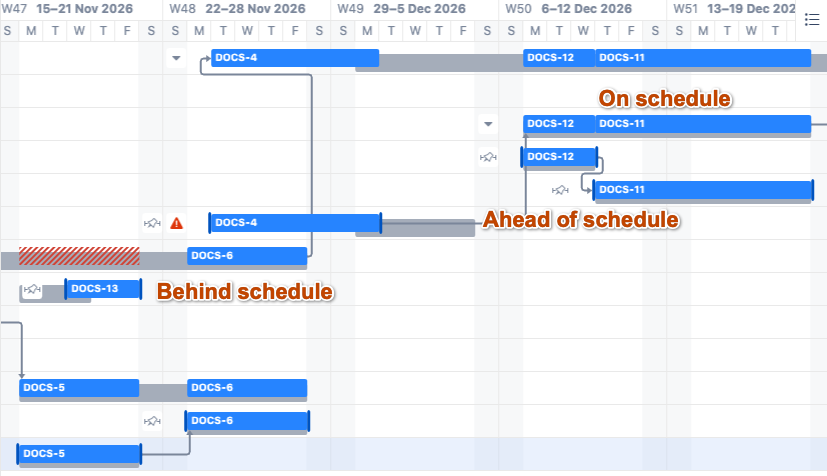
When you use a baseline, it displays each task as a shaded bar behind the current tasks and their position. In the following example, DOCS-4 is ahead of schedule, DOCS-13 is behind schedule, and DOCS-12 and DOCS-11 are on schedule, showing no difference with the baseline.
Types of Baselines
When you create a baseline, you can select from one of the following types:
-
Gantt baselines: Create a baseline using the current task schedule.
-
Jira-based baselines: Create a baseline using data from a Jira field or formula.