
Jira-based baselines allow you to compare the current task timelines to timelines found in a Jira custom field. This allows you to compare the current chart to a previously planned schedule, alternate schedule, transition dates, or any other date/time data available in Jira.
Creating a Jira-based Baseline
You must be the structure owner, or have edit permissions for the structure, to create a baseline.
To create a new baseline:
-
Open the Baseline menu in the Gantt toolbar and select Create New.
-
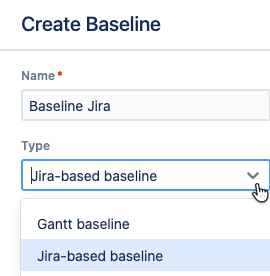
Give the baseline a name and select Jira-based baseline from the Type dropdown.
-
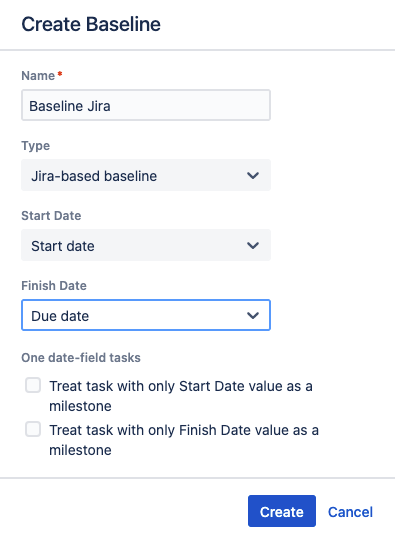
Enter the following information:
-
-
Start Date: The custom field you want to use as the Start Date for your baseline’s tasks.
-
Finish Date: The custom field you want to use as the Finish Date for your baseline’s tasks.
-
Treat task with only Start Date value as a milestone: When turned on, tasks with only a Start Date value will display as milestones in the baseline.
-
Treat task with only Finish Date value as a milestone - When turned on, tasks with only a Finish Date value will display as milestones in the baseline.
-
For more precise placement in a chart, use Date Time fields instead of Date fields.
-
Select Create.
Viewing a Baseline
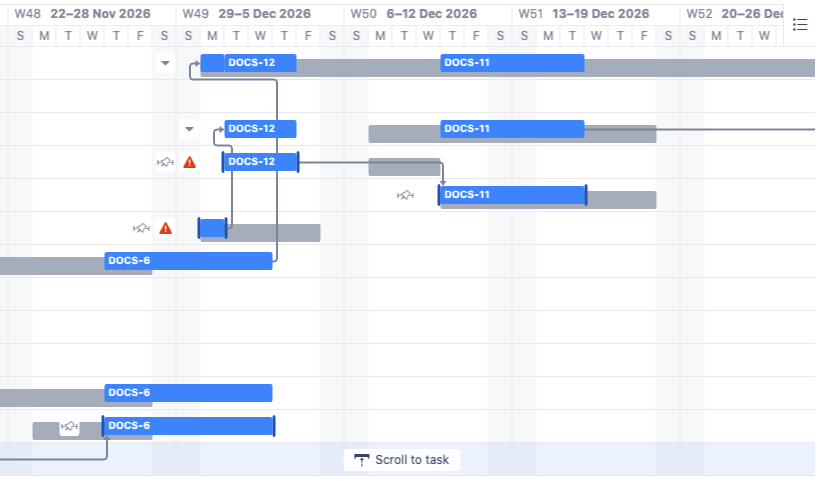
After you create or select a baseline, any tasks with start and finish dates display as a solid grey bar behind your tasks. If you selected either of the milestone options, any work item with only one date displays a milestone baseline. Tasks with no dates, or only one date that doesn’t match the milestone dates, will not have a baseline in the Gantt chart.
You can also use baseline dates as a data source for columns within Structure, or as a variable in formulas. This can help you view and compare your baselines without the need to open the full Gantt view.