You can use our comprehensive step-by-step guide to configure database you need.
-
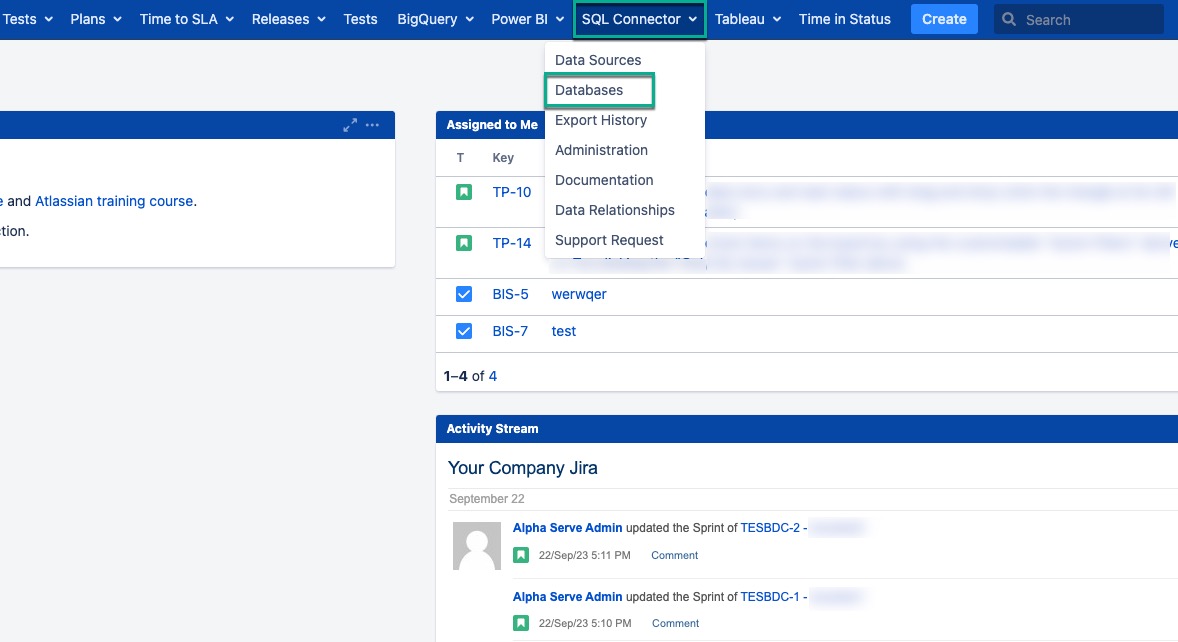
Being signed in to your Jira instance, select SQL Connector, and then select Databases.
-
Select Add Database.

-
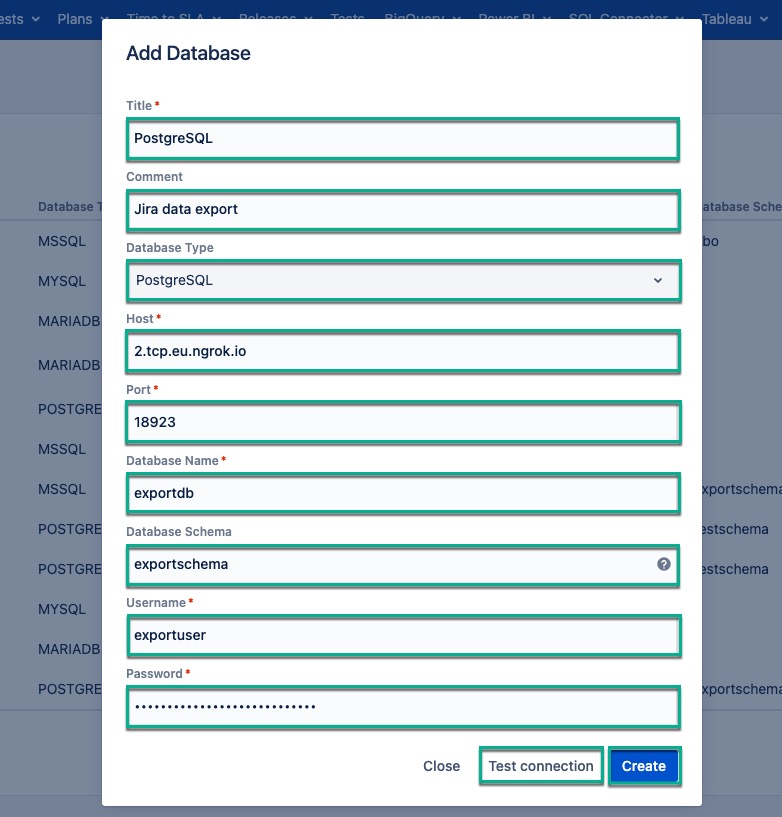
In the Title* section, enter the title for your database.
-
[Optional] In the Comment field, enter any useful information.
-
In the Database Type* field, select the type of your database.
-
In the Host* field, enter the host of your database.
-
In the Port* field, enter the host of your database.
-
In the Database Name*, enter the name of your database.
-
[Optional] In the Database Schema*, enter the data schema.
By leave the Database Schema* field empty, the default data schema will be applied.
-
In the Username* field, enter your username.
-
In the Password* field, enter your password.
-
Select Test connection to check if everything is correct, and then select Create.