
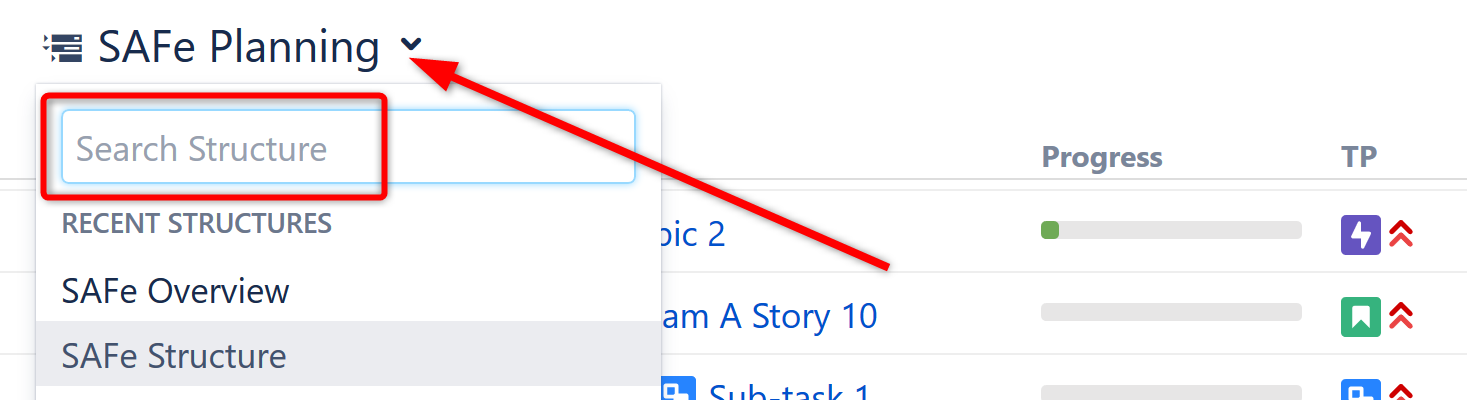
The easiest way to locate a structure is to click the name of the current structure and search for the new structure in the drop-down search box.
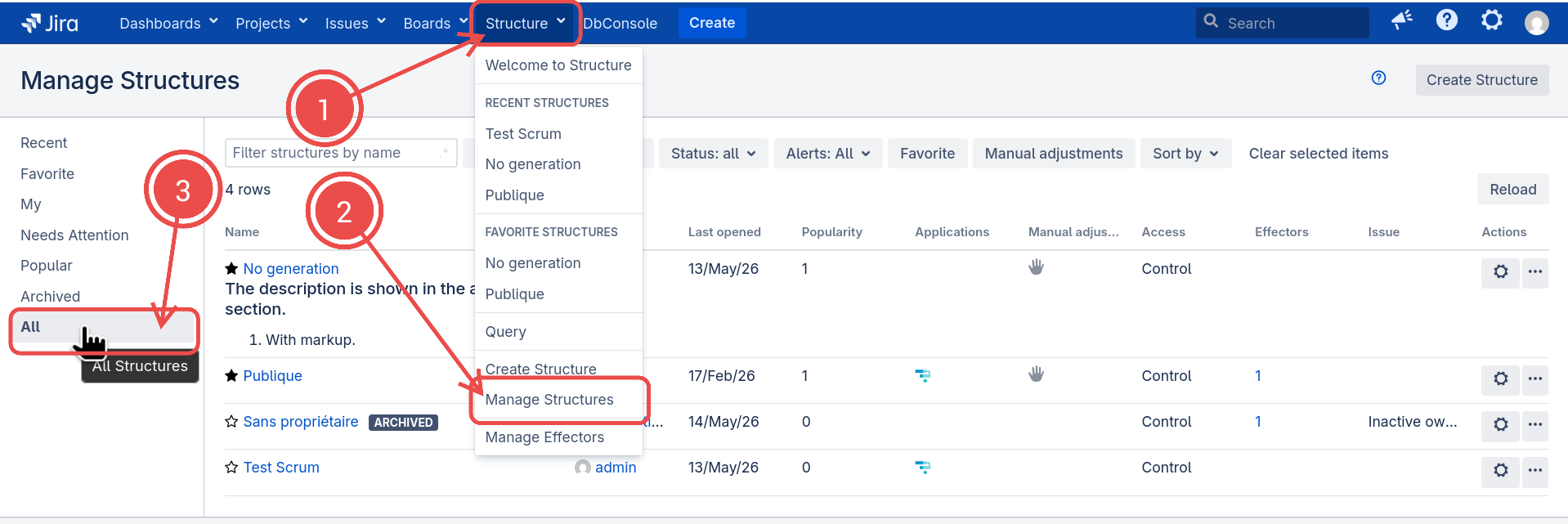
If you don't know the exact name of the structure you're looking for, or you need to do more than simply open the new structure, you can use Manage Structure. From the Jira menu, go to Structure | Manage Structures and switch to the All preset.
Finding Structures by Name or Owner
To search for structures by their properties, adjust any of the search parameters:
|
Name |
Only structures that contain the specified text in their name will be shown. If you don't know the exact name, you can use a part of a word that you know should be in the structure's name. Additionally, if you toggle the “.*“ switch at the end of this field, you can use regular expressions to get more precise matches, e.g. |
|
Recent |
Only structures that you've recently interacted with will be shown. Also applies ordering by interaction recency. |
|
Owner |
Only structures that are owned by the specified user will be shown. Note: This only works if you have permission to browse users. |
|
Status |
Select only active or archived structures. |
|
Alerts |
Select only the structures that have one of the selected problems. |
|
Favorite |
Show only structures on your favorite list. |
|
Manual adjustments |
Show only structure with Manual Adjustments enabled. |
Additionally, you can order the matching structures by their Popularity or the time anyone Last Opened them.