
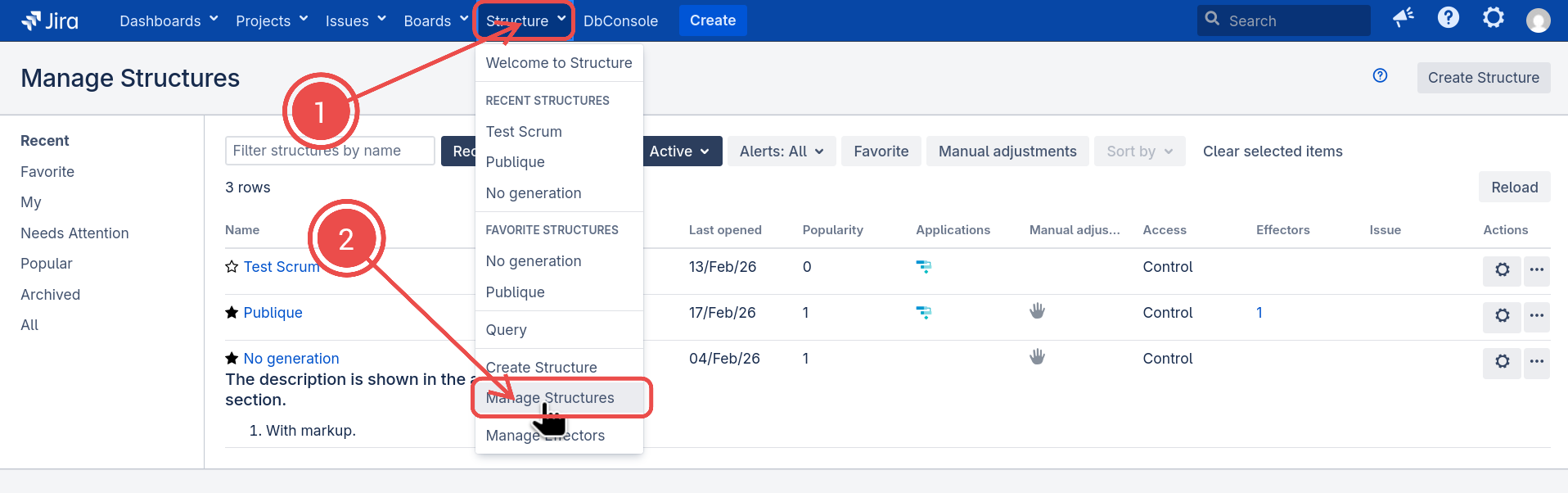
The Manage Structures page lets you view, search for, create, and delete structures, as well as change their settings.
To open the Manage Structures page, go to the Structure menu in the top navigation bar and select Manage Structures.
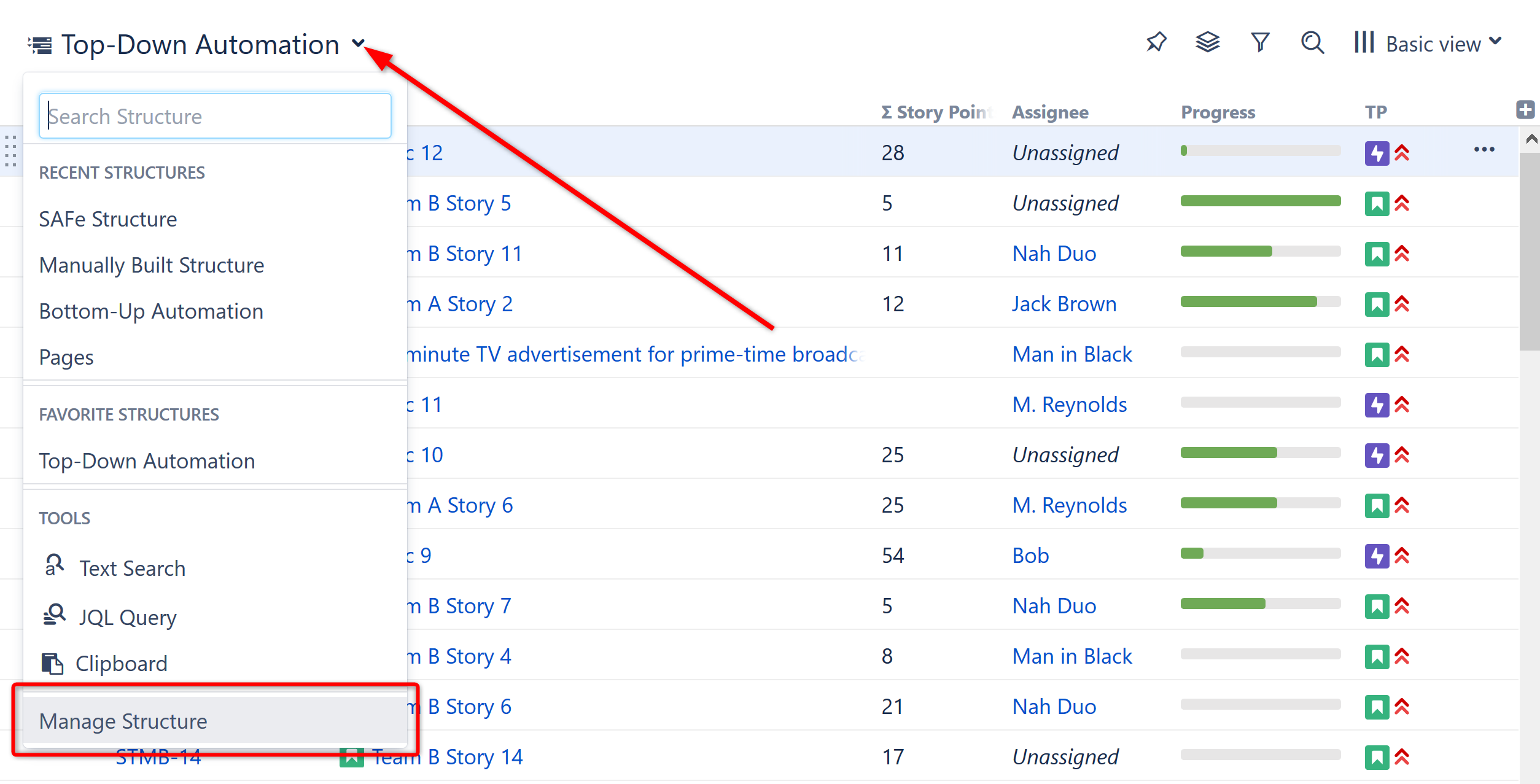
You can also reach the Manage Structures page from the structure selector menu:
The Manage Structures page contains the following presets for filtering and ordering:
-
Current: Shows the structure you are currently working with
-
Recent: Lists the structures you’ve viewed recently, starting with the most recent/current structure
-
Favorite: Lists structures that you have marked as your favorite
-
My: Lists structures created by you
-
Needs attention: Lists structures with a disabled or deleted owner, and structures with the Paused Automation
-
Popular: Lists structures ordered by their popularity
-
Archived: Lists structures that are archived (other presets generally only show the active ones)
-
All: No filtering or ordering, allows you to find a structure by name, owner or other properties
Since anonymous users cannot create structures or mark structures as their favorites, only All, Archived, and Popular presets are available when you are not logged in.
Learn more about managing structures:
-
Creating New Structures -
Locating a Structure -
Default Structure -
Favorite Structures -
Structure Details -
Customizing View Settings -
Structure Permissions -
Copying a Structure -
Archiving a Structure -
Deleting a Structure -
Template Structures and Projects -
Viewing History of a Structure -
Exporting Structures -
Real-Time Collaboration -
Structure Activity Stream