
-
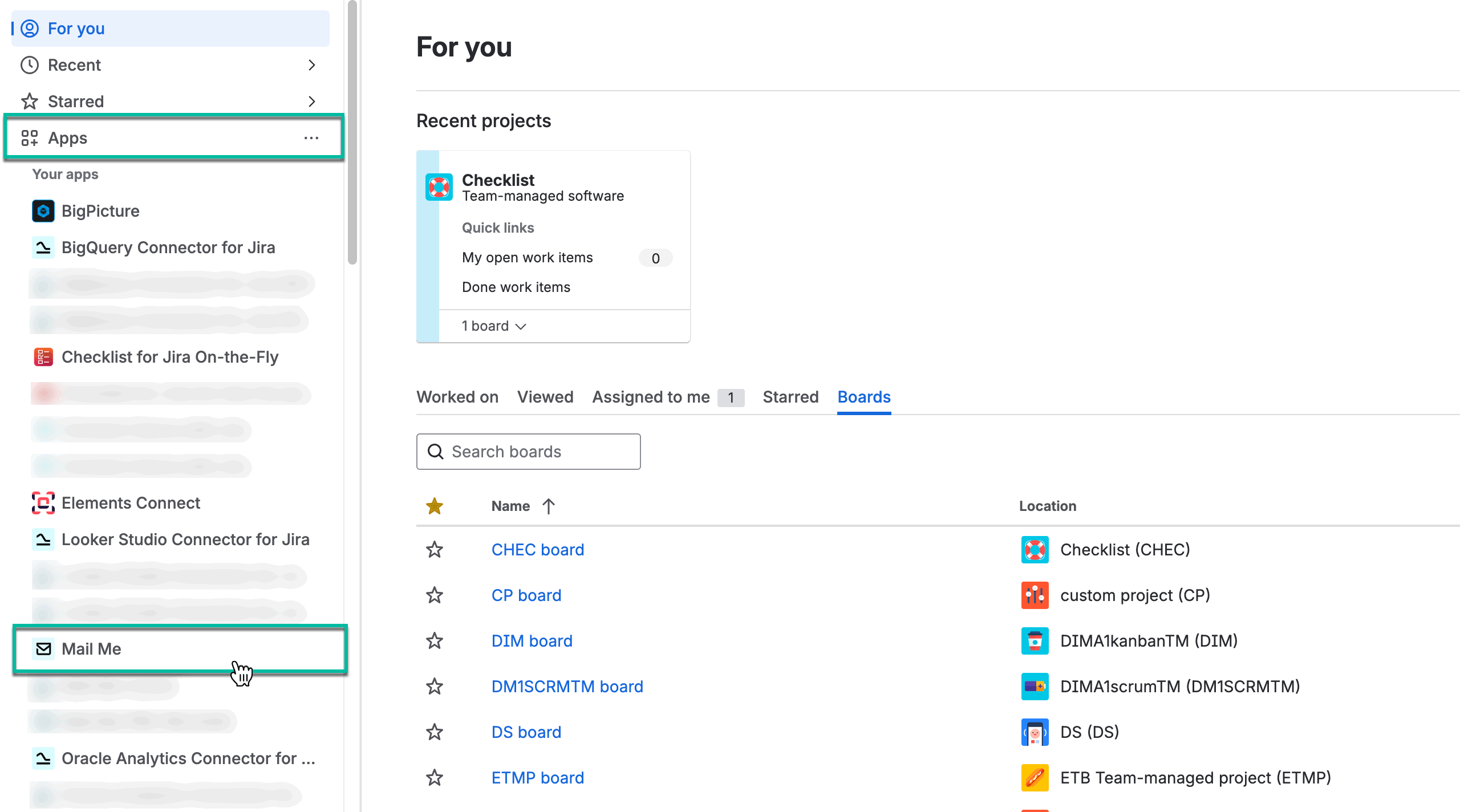
Being signed in to your Jira cloud instance, select Apps, and then select Mail Me.
-
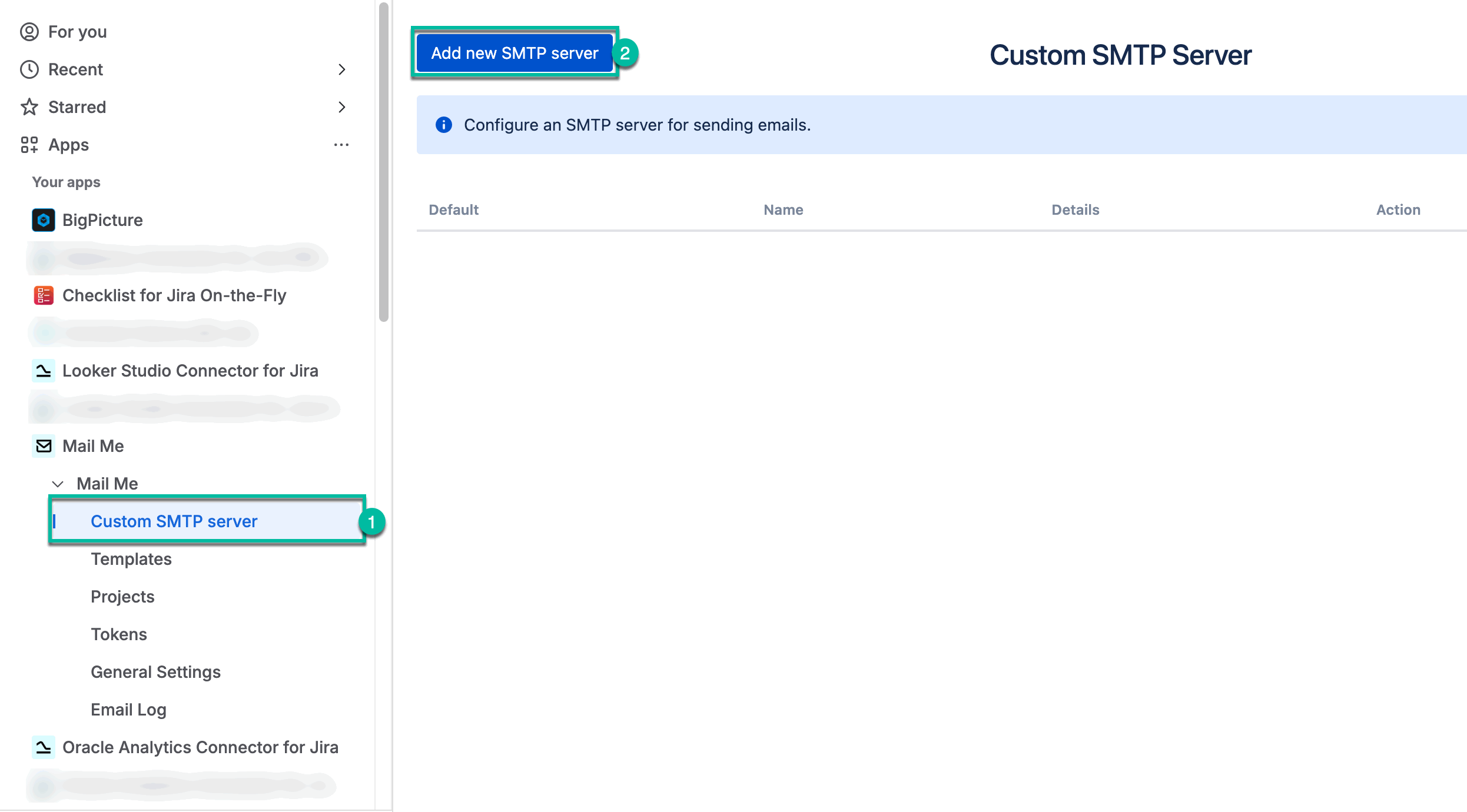
Select Custom SMTP server, and then select Add new SMTP server.
-
If you want to use Google or Yahoo SMTP server you can follow our instructions:
-
Click here if you use Gmail as SMTP server
-
Click here if you use Yahoo! Mail Plus as SMTP server
-
-
In other cases, please use the descriptions and prompts on the screen to fill the fields. Don’t forget that the required fields are marked with *.
Buttons:
-
Test Connection - allows you to check the connection to the SMTP server. In case of an unsuccessful connection, a message appears with a description of the error.
-
Save - custom mail server saving.
-
Cancel - allows you to return to the “Custom SMTP server” page without saving data.
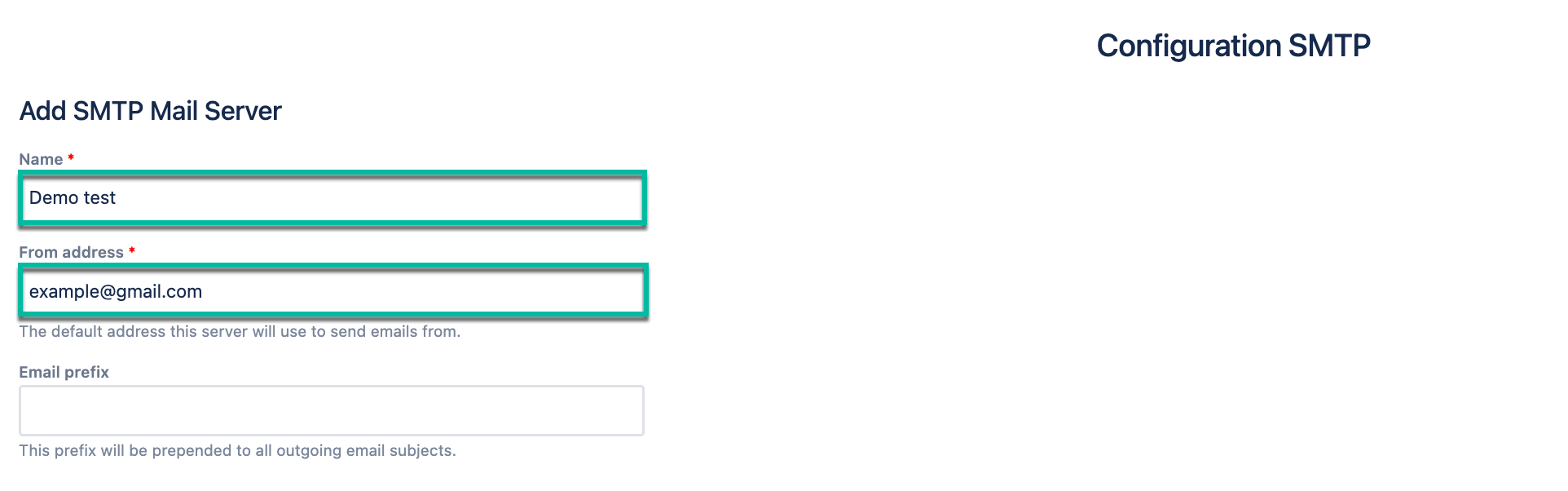
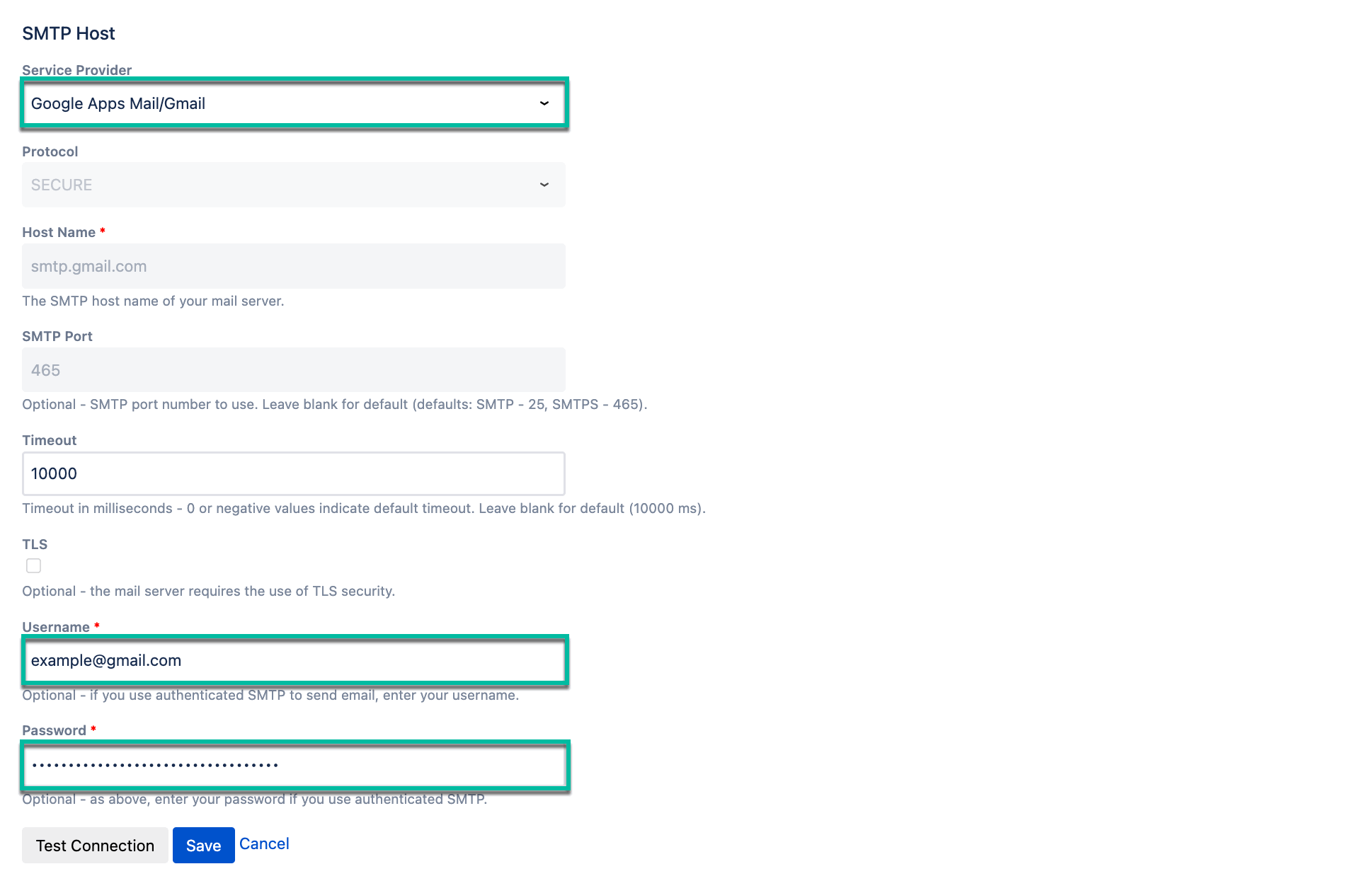
-
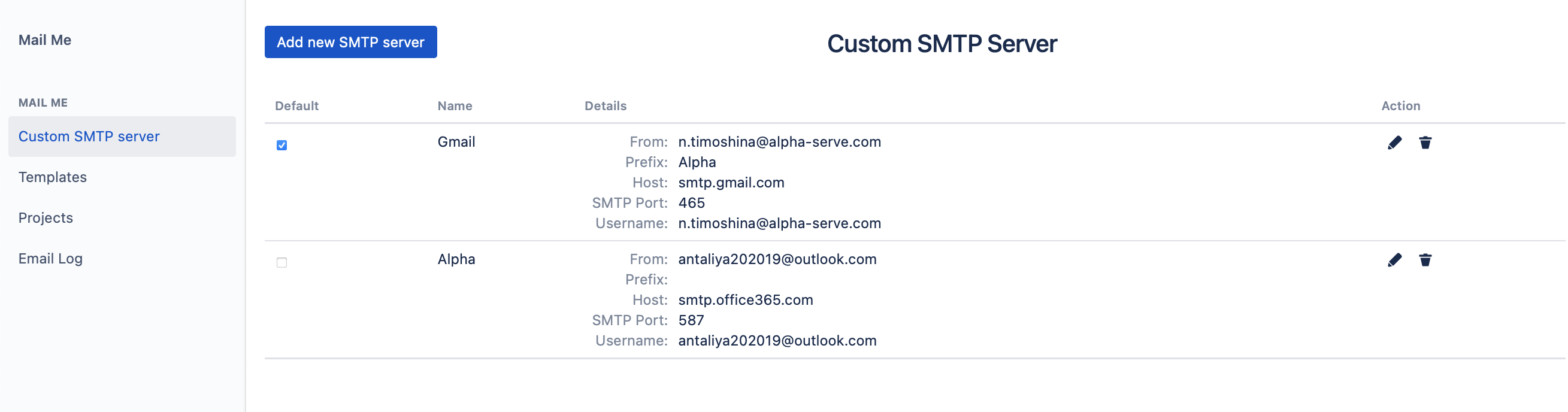
You can add as many custom SMTP servers as you need. In this case you can pick 1 SMTP server as default and users can choose a server to send their emails from.
🔎 You can find more information on other configurations for custom SMTP Mail Server in Jira documentation.