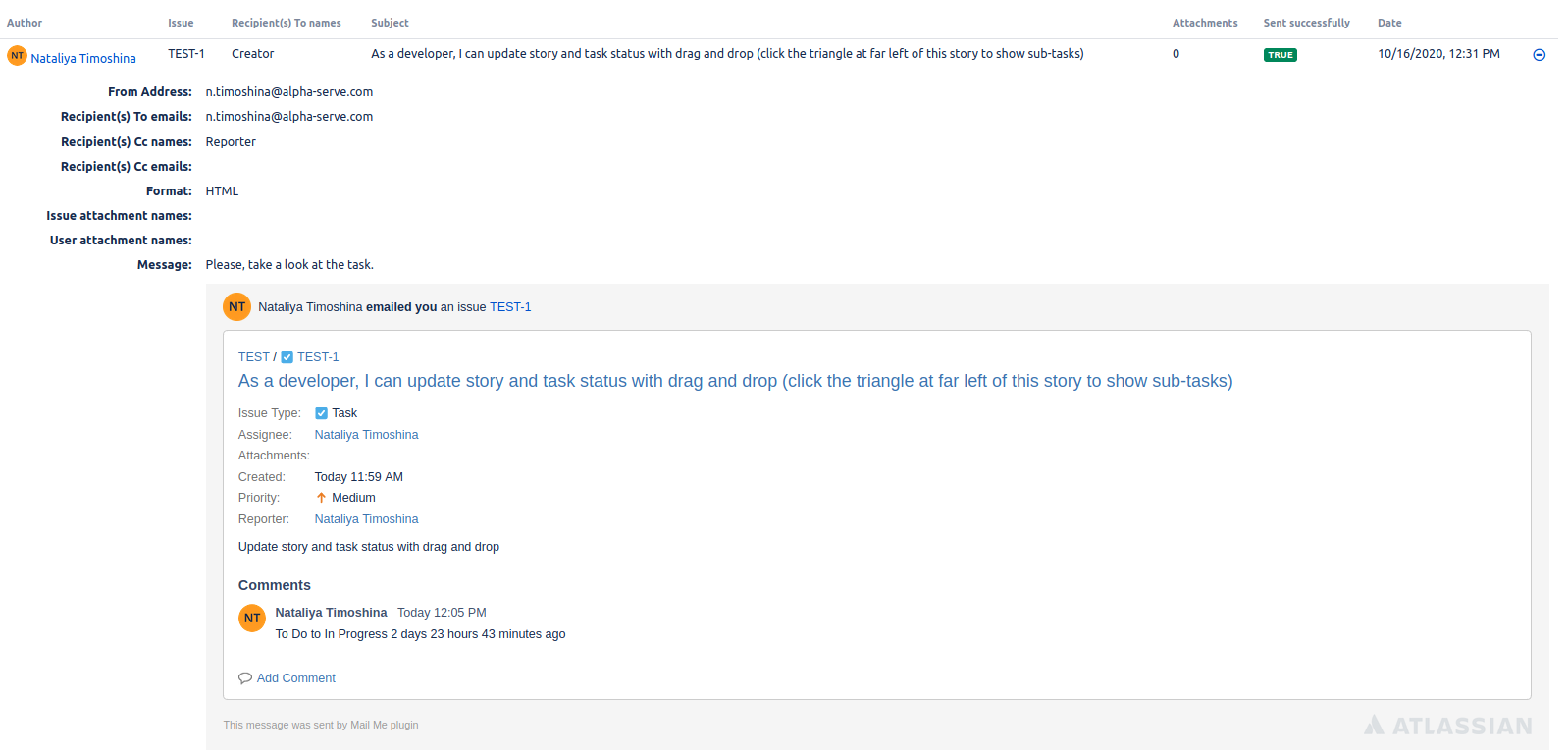
Jira Administrator can view all email logs sent via Mail Me app.
To see the logs, please follow the next steps:
-
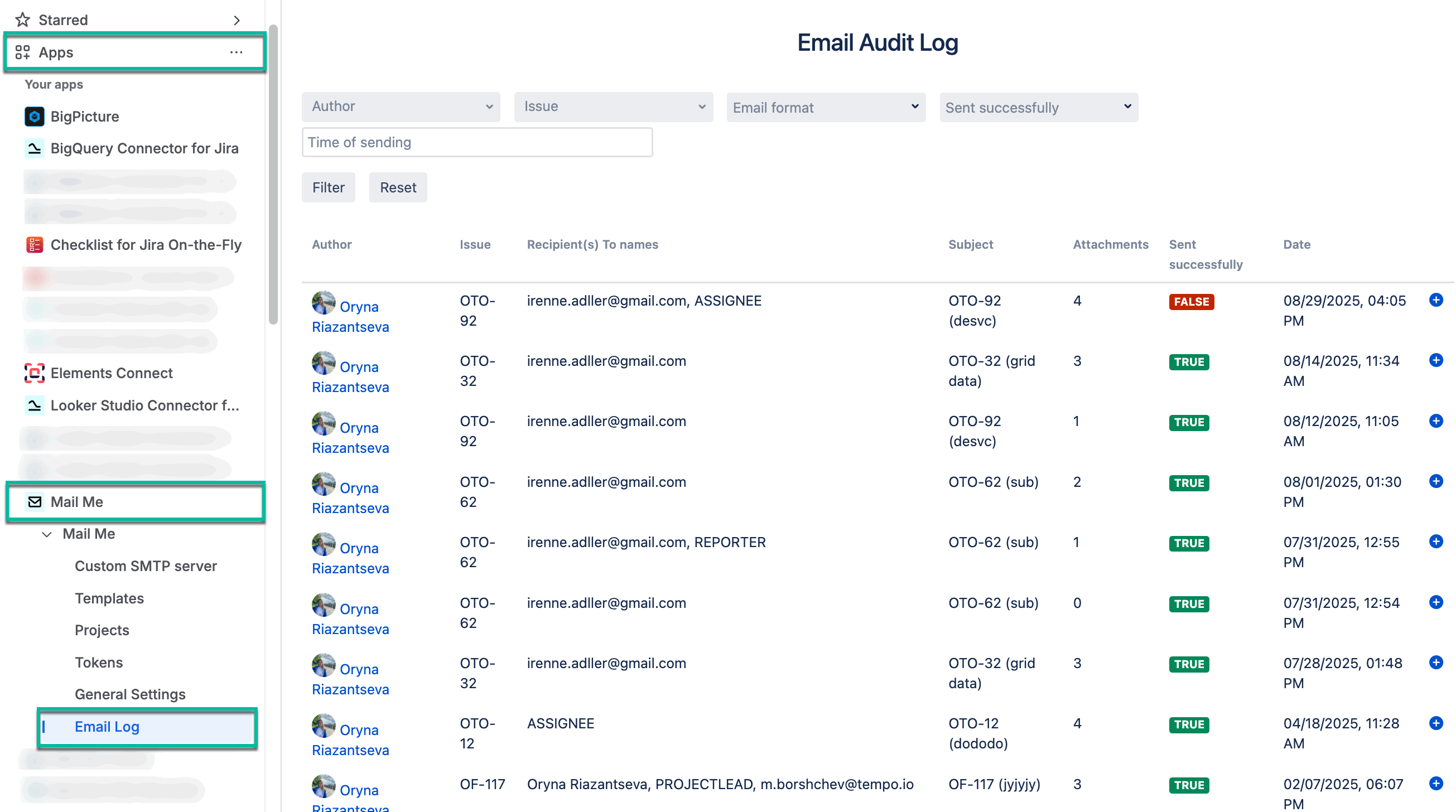
Being signed in to your Jira cloud instance, select Apps, select Mail Me, and then select Email Log.
-
You can filter emails and see the details:
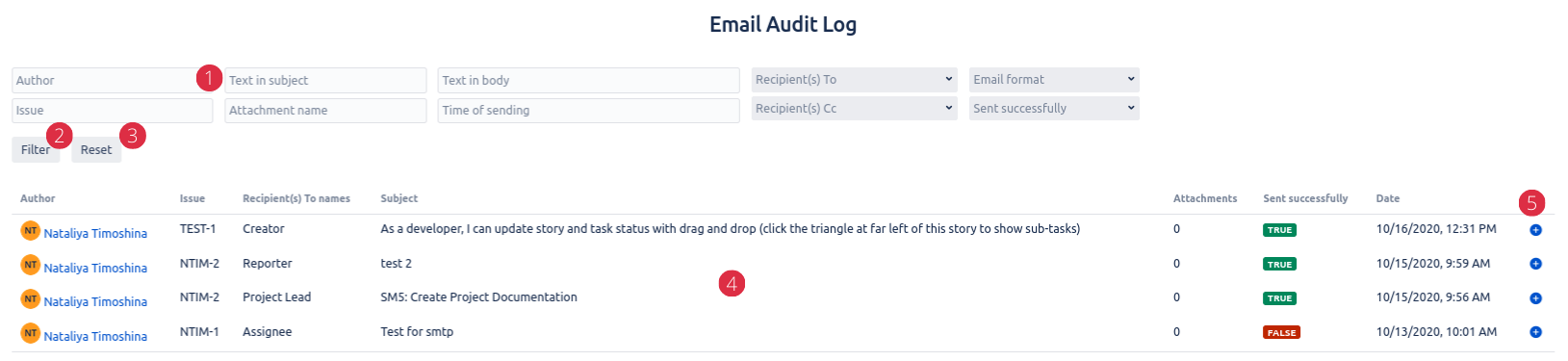
You can use our prompts and descriptions:
-
Filter section - if you want to see only specific emails, filter them by author, issue, text in subject, attachment name, text in body, time of sending, recipients, email format or status.
-
Filter button - to confirm your choice of filters above.
-
Reset button - undo any filter choices.
-
Logs panel - details about sent emails, including author, issue, recipients' names, subject, attachments number, success status, date and more info.
-
Open email - to view the entire email, as shown below: