
You’ll have to perform two steps: add a Jira API token and a custom field value to the template using this instruction: How to add a custom field value to the template?.
How to create a Jira API Token?
-
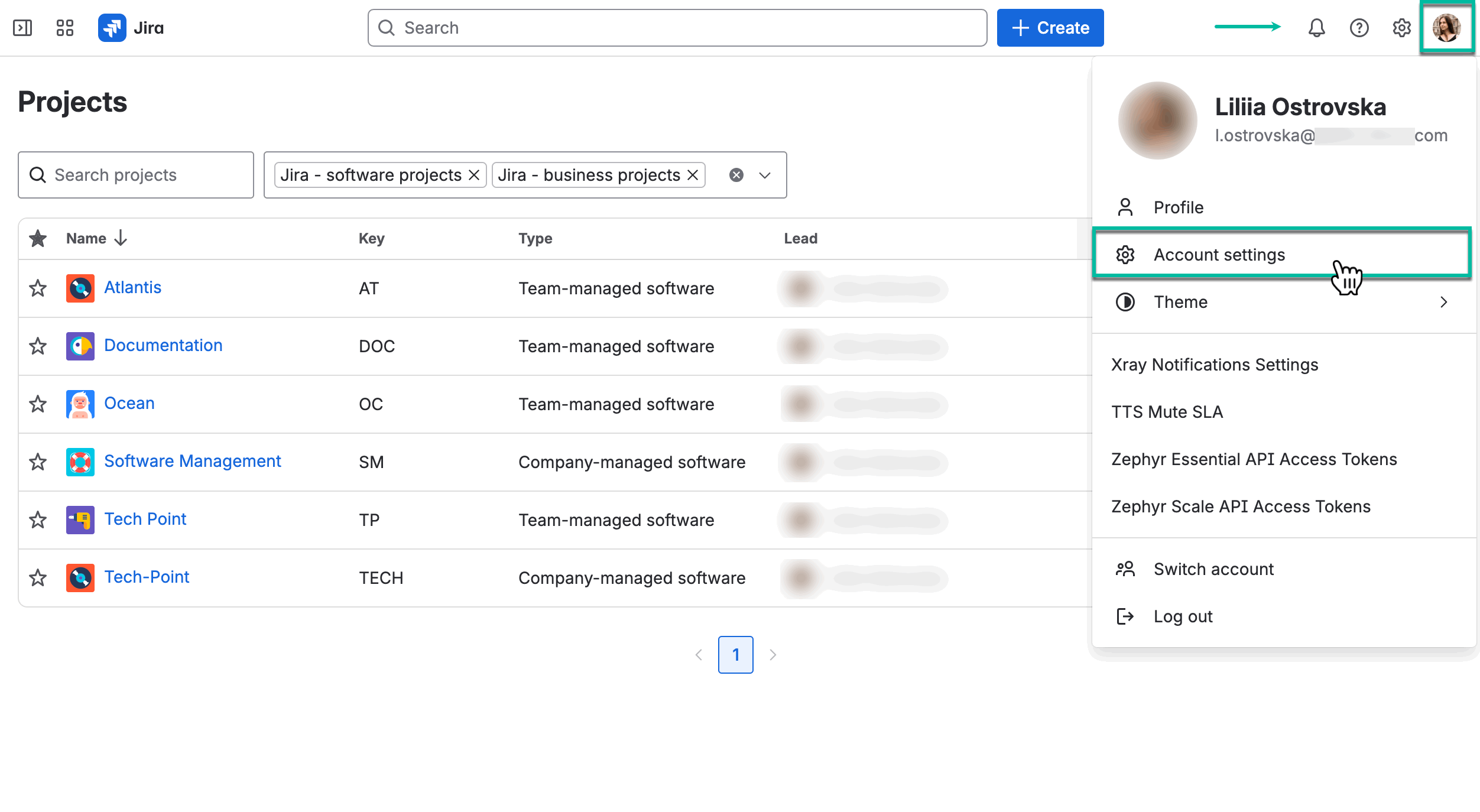
In your Jira Cloud instance, select your profile picture, and then select Account settings.
-
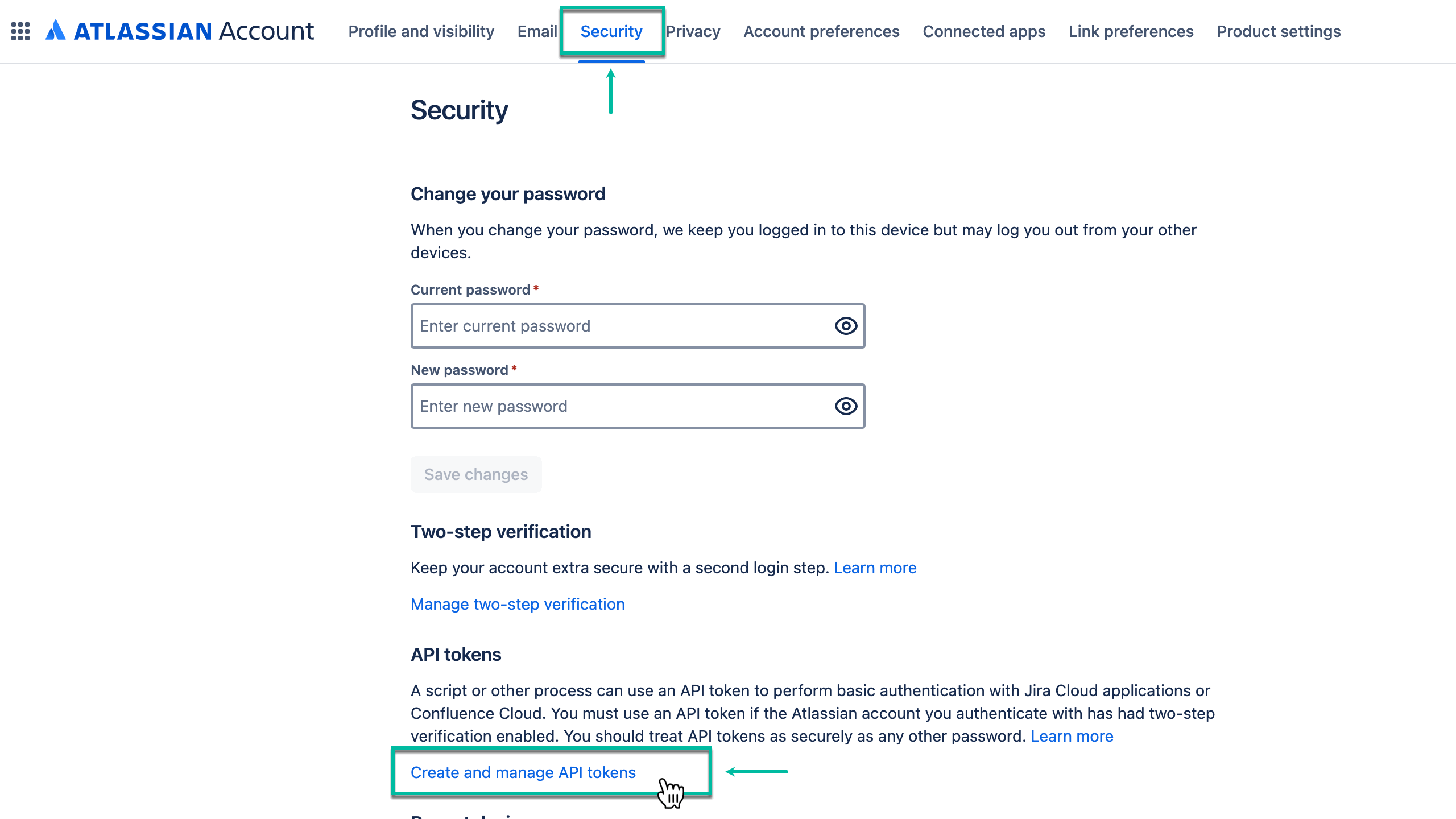
Select the Security tab, and then select Create and manage API tokens.
-
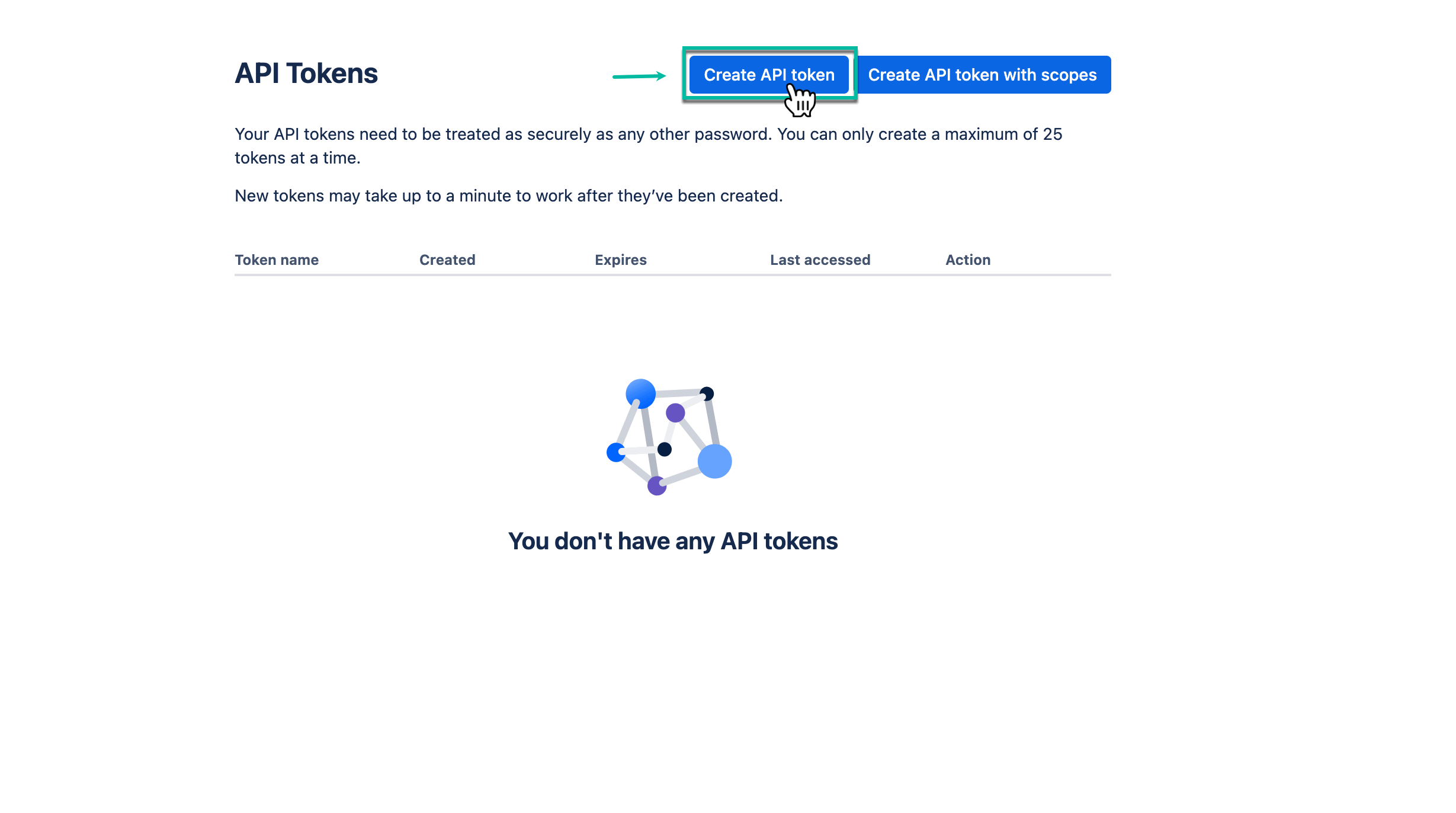
Select Create API token.
-
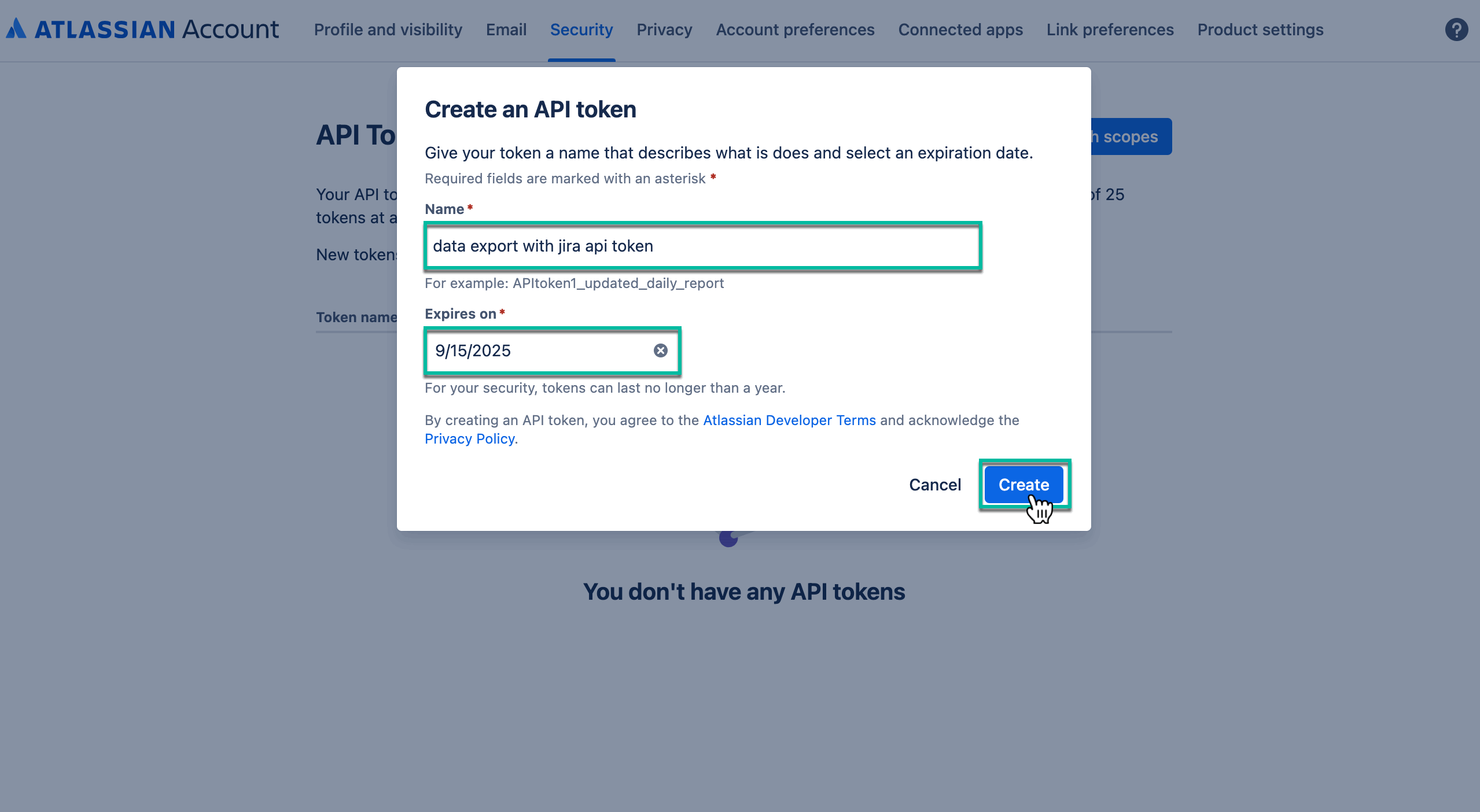
In the Name* field, enter the name of your API token.
-
In the Expires on* field, select the date when API token expires, and then select Create.
-
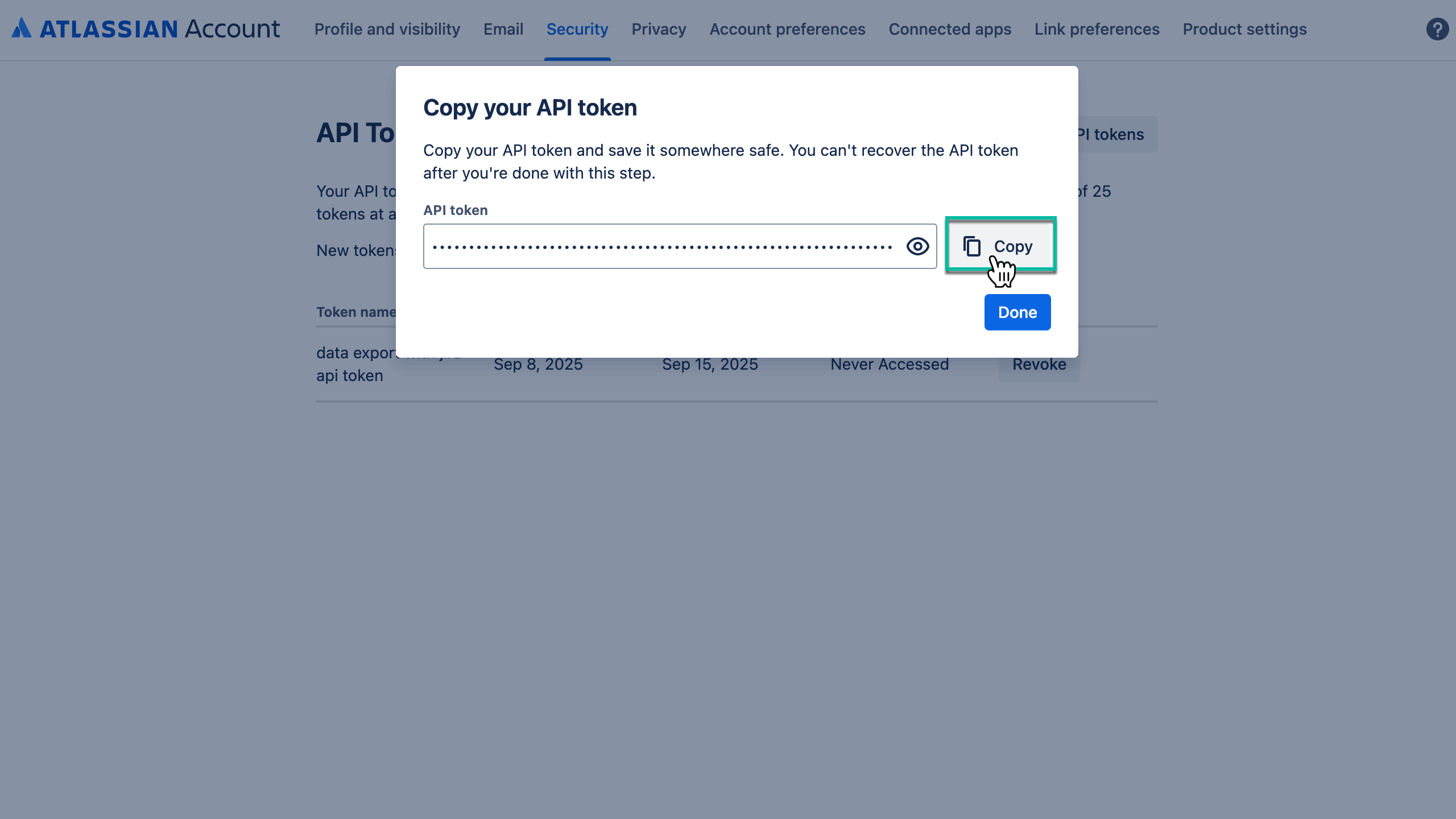
Select Copy.
Before closing the window, make sure you copy your new API token. You won’t be able to see this token again.
-
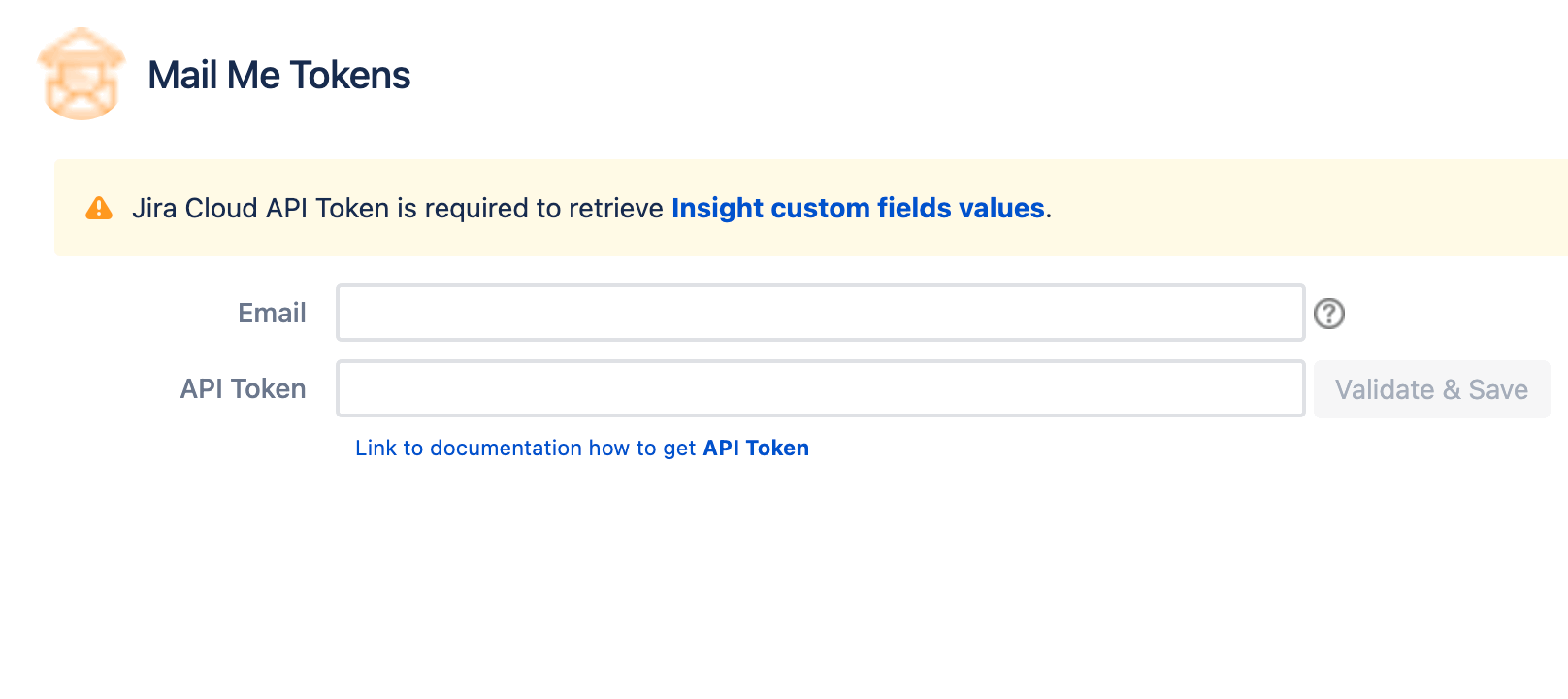
Navigate to Apps, Select Mail Me, and then select Tokens.
-
In the Email field, enter email you use with your Jira Cloud instance.
-
In the API Token field, paste your newly-created API token, and then select Validate & Save.
How to add Insight custom field values?
This topic is fully covered in a How to add a custom field value to the template? page.