
Use the holidays calendar to manually add one-time or annual fixed holidays that appear as days off in Time Reports for Jira Server and Data Center.
-
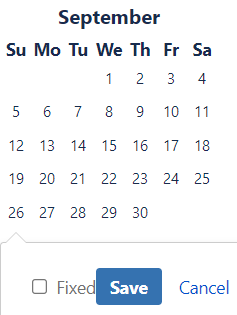
Click the day that you want to add a holiday to.
-
Optional: Enable Fixed if you want this same date to appear each year as a holiday.
-
Click Save.
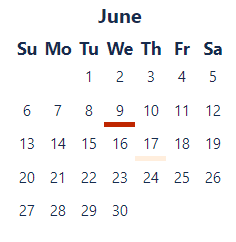
The holiday is underlined in the calendar (a fixed holiday appears with a darker underline).
-
To remove a holiday, click the underlined day in the calendar.