
This introduction to Structure will guide you through how to use its features, including automation tools and issues management, to build an ideal structure for your project.
We encourage you to experiment after finishing this guide. Make new structures, create and add issues, and explore the templates to find the best ways for your team to use Structure.
Creating your first structure
Before you can do anything else, you need to create a new structure. To do so:
-
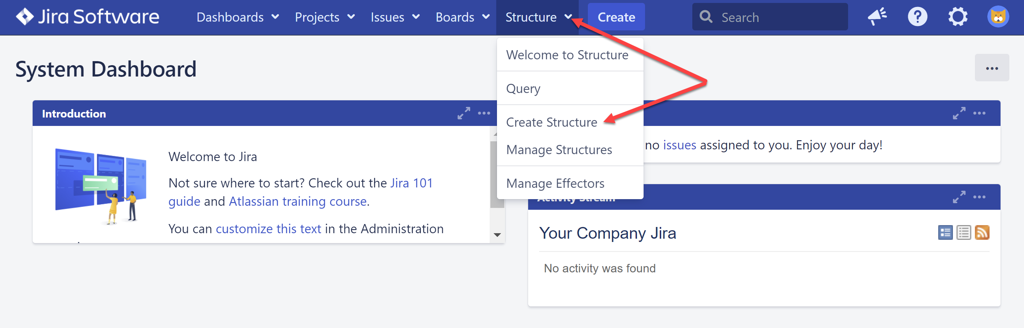
Select Create Structure from the Structure menu to start the creation process.
-
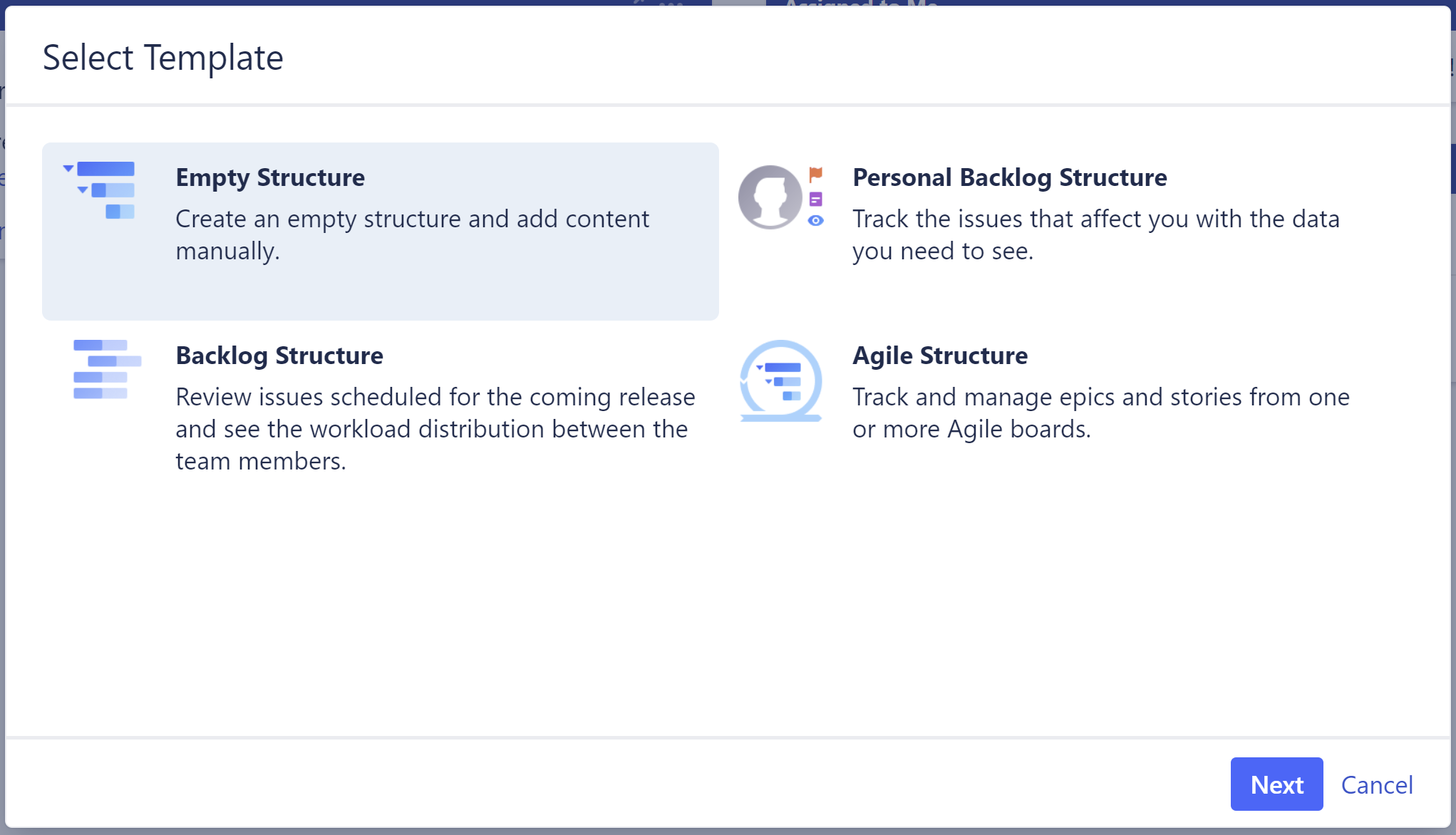
Select Empty Structure and then select Next. We encourage you to experiment with the creation templates later.
-
Enter a name and set the sharing settings for your structure. You can find more information on sharing in our Structure Permissions article.
-
Select Create to finish creating your structure.
You can also try our Welcome to Structure page - it contains several ideas and tutorials for building your own custom structures.
Next steps
After you create your structure it will be empty. Continue with this guide to learn how to add and organize issues to your structure using Automation.
Adding issues manually is an advanced topic, so feel free to skip that section if you prefer to keep things simple for now.