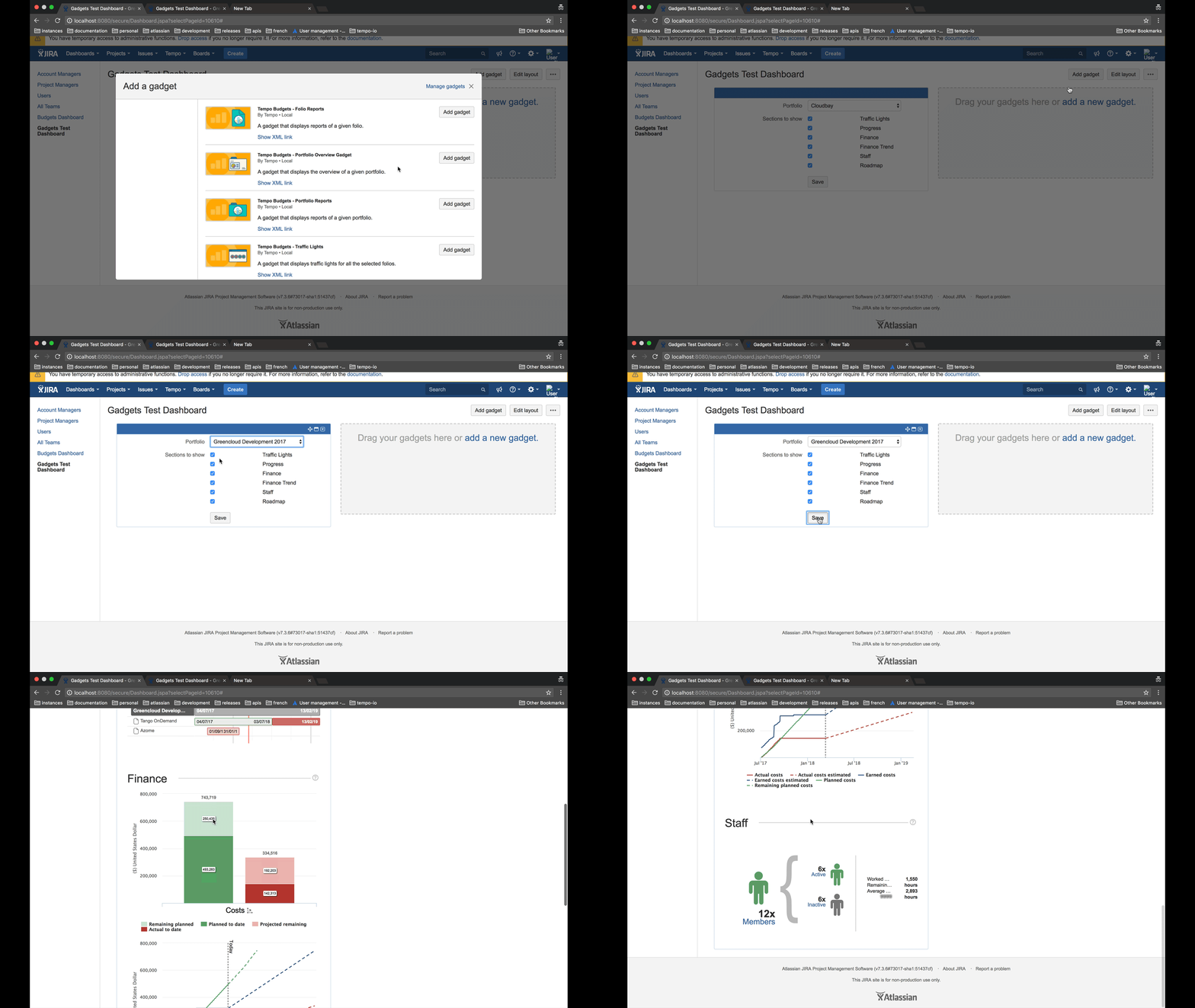
The Portfolio Overview gadget displays the overview of a given portfolio.
To use the Portfolio Overview gadget:
-
Add the gadget to your selected dashboard.
-
Select the Report you wish to display:
-
Select the Portfolio you wish to display in the gadget.
-
Select which sections you wish to show in the gadget:
-
Overview - shows an overview of the Portfolio in terms of schedule, costs, revenue, and profit.
-
Progress - shows the progress of the Portfolio's schedule and scope.
-
Finance - shows a summary of finance: costs, revenue, and profit.
-
Finance Trend - shows the financial trend of the Portfolio: actual costs, earned costs, and planned costs, and estimates for each.
-
Staff - shows information about the Portfolio's staffing resources.
-