
Problem
Time entries reported in Jira are shown as logged on the previous or next date by the Timesheet report.
Solution
Time entries are displayed for the day that the user worked. However, it may be that the date is not saved correctly when work is logged using another app; e.g., it’s saved with Jira System Time Zone instead of Worked User Time Zone.
If you believe the conversion makes time entries look wrong, it’s possible to switch off this behavior. Please see the Preserve Started Time option in the app Configuration General tab for this.
To find this page, go to Jira Settings > Marketplace Apps > Time Tracker Configuration > General. Here, you can see whether Preserve Started Time is enabled.
However, there might be other cases, e.g., a business trip with a time shift, when a user changes computer settings but does not update the time zone settings in their Jira account.
Please try to make sure that your computer and your Atlassian account Time Zone settings are the same when you Log Work Done. To find this information, please go to Jira Settings > System > General configuration: on this page you can see the “Default user time zone”.
Note: it impacts Time In Status calculations also, because the user time zone is used in all cases when an event happens, work is logged, or issue status changes by the user.
Note: The User Time Zone setting used to be configured in the Jira User Profile, but now it must be set in the Atlassian Account.
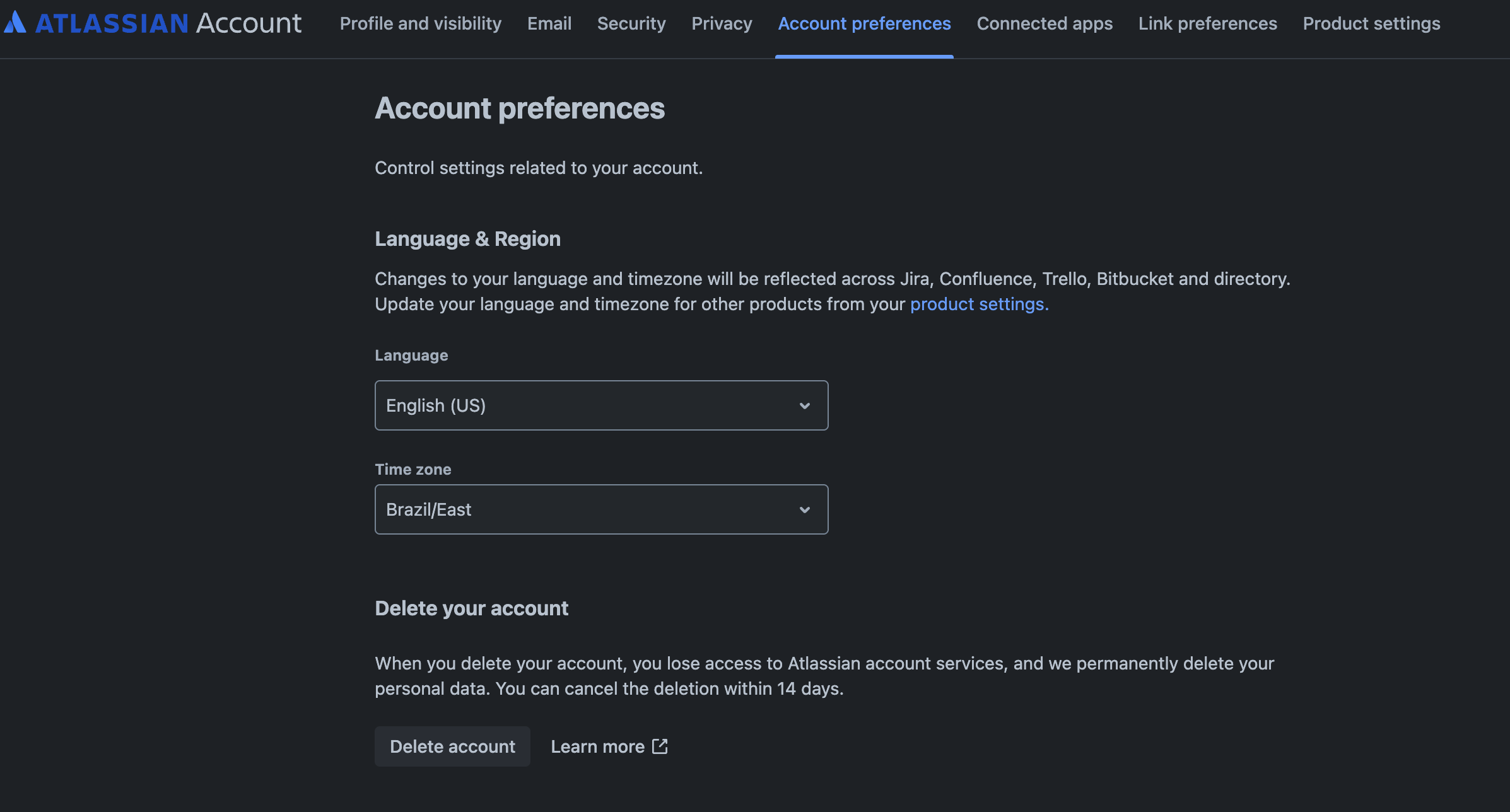
CAUTION, looks like in some cases, user Time Zone setting configured in Jira before is lost, and incorrect (default Jira Cloud instance Time Zone) setting from Atlassian account is provided to the app, so it might be necessary to correct that.