You must have site admin rights or higher to be able to carry out the instructions on this page. You can learn more about this here.

How to install Vault Password Manager?
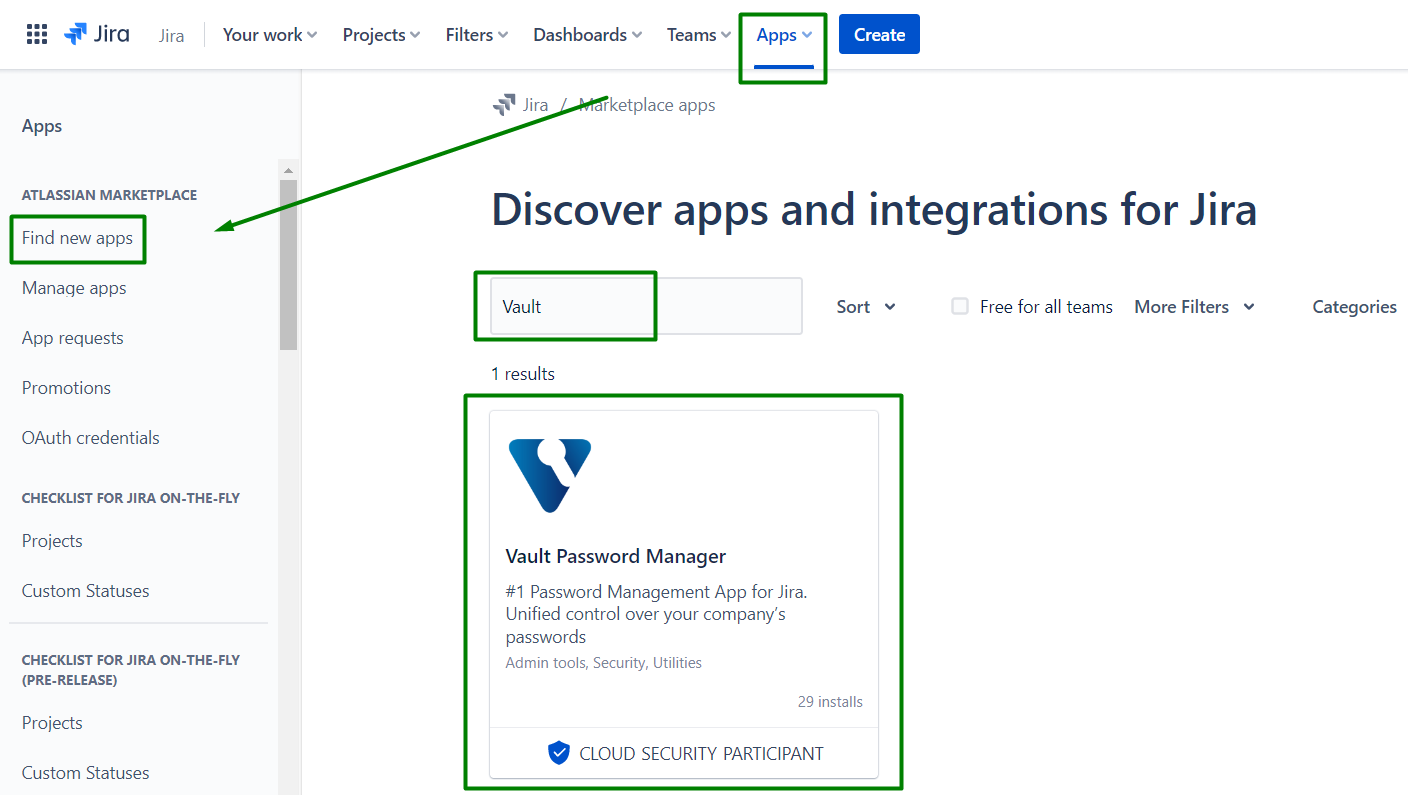
Go to the Apps → Find new apps
Search for the Vault Password Manager. Click on the found app in the results.Go to the Apps → Find new apps
Search for the Vault Password Manager. Click on the found app in the results.
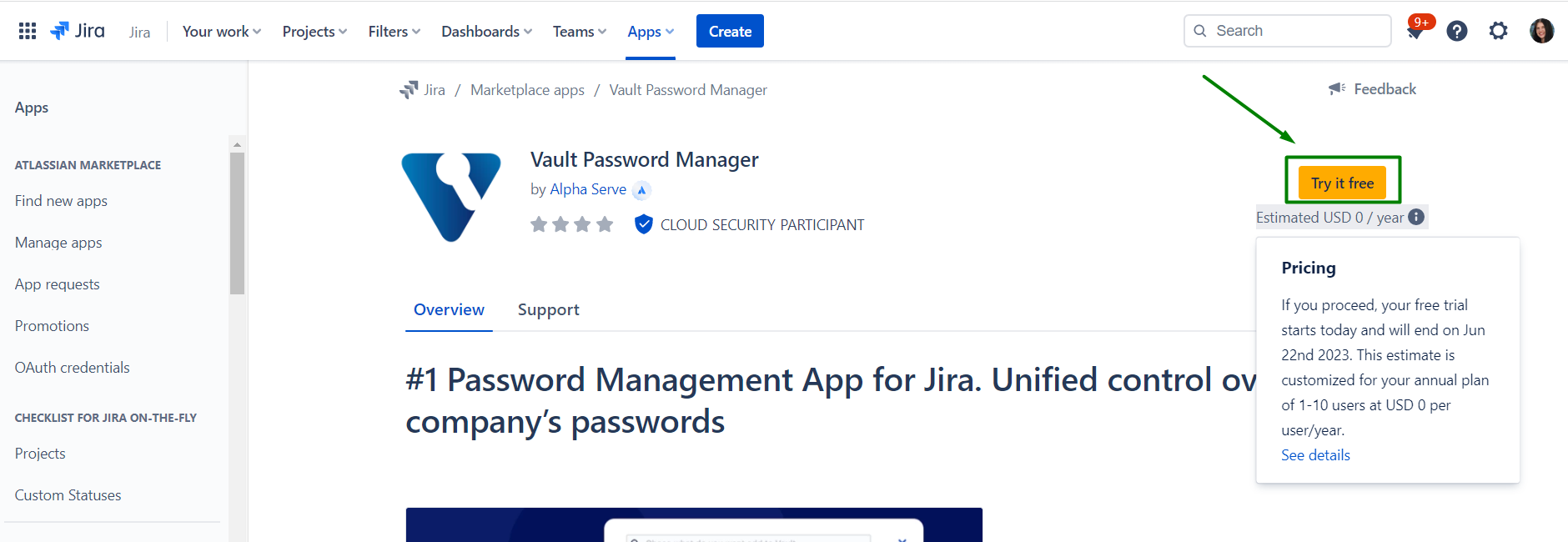
Click Try it free button to install the app.
Additionally, you can review the estimated price for the app after the trial.
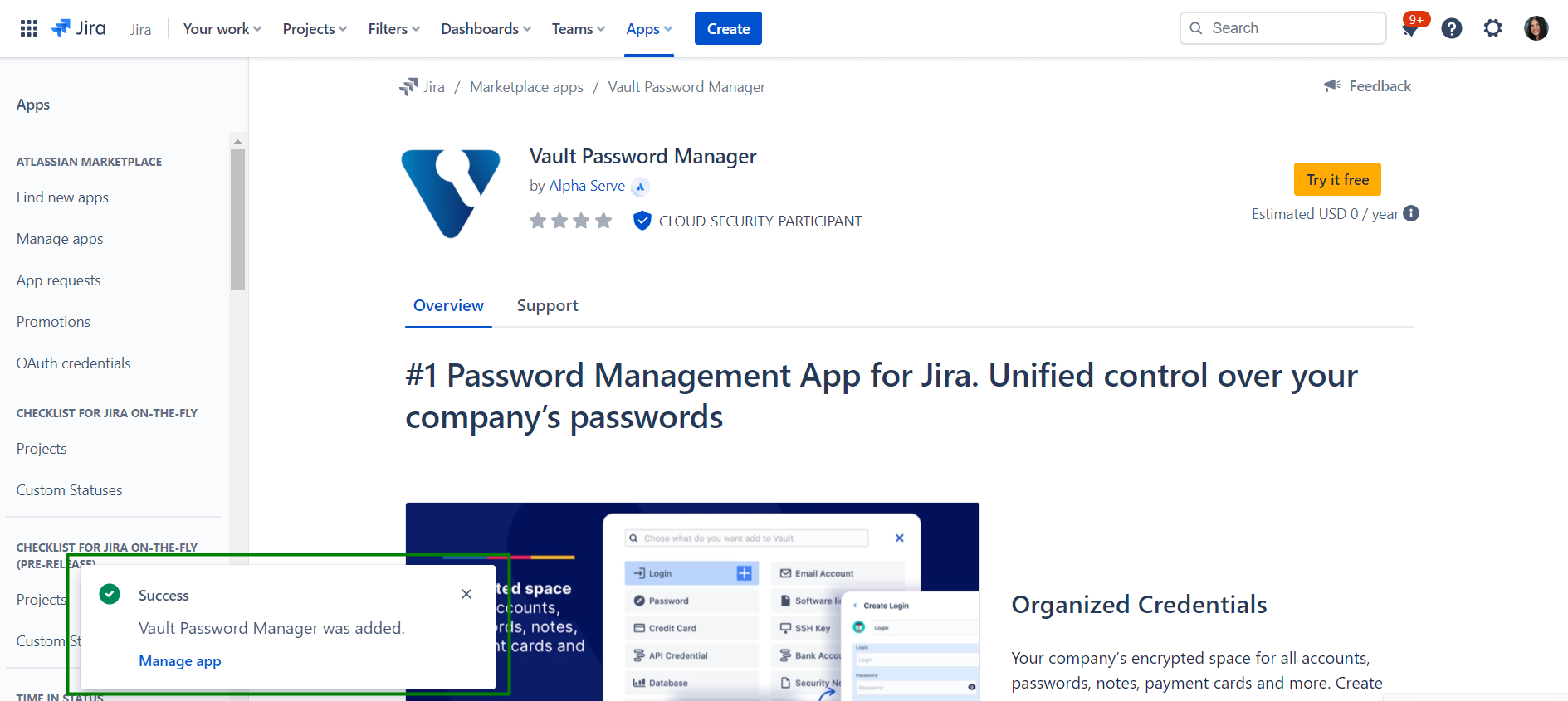
You’ll get a notification after successful installation
You can also install Vault Password Manager directly from Atlassian Marketplace by visiting the application product page here.
How to uninstall or disable VAULT Password Manager?
-
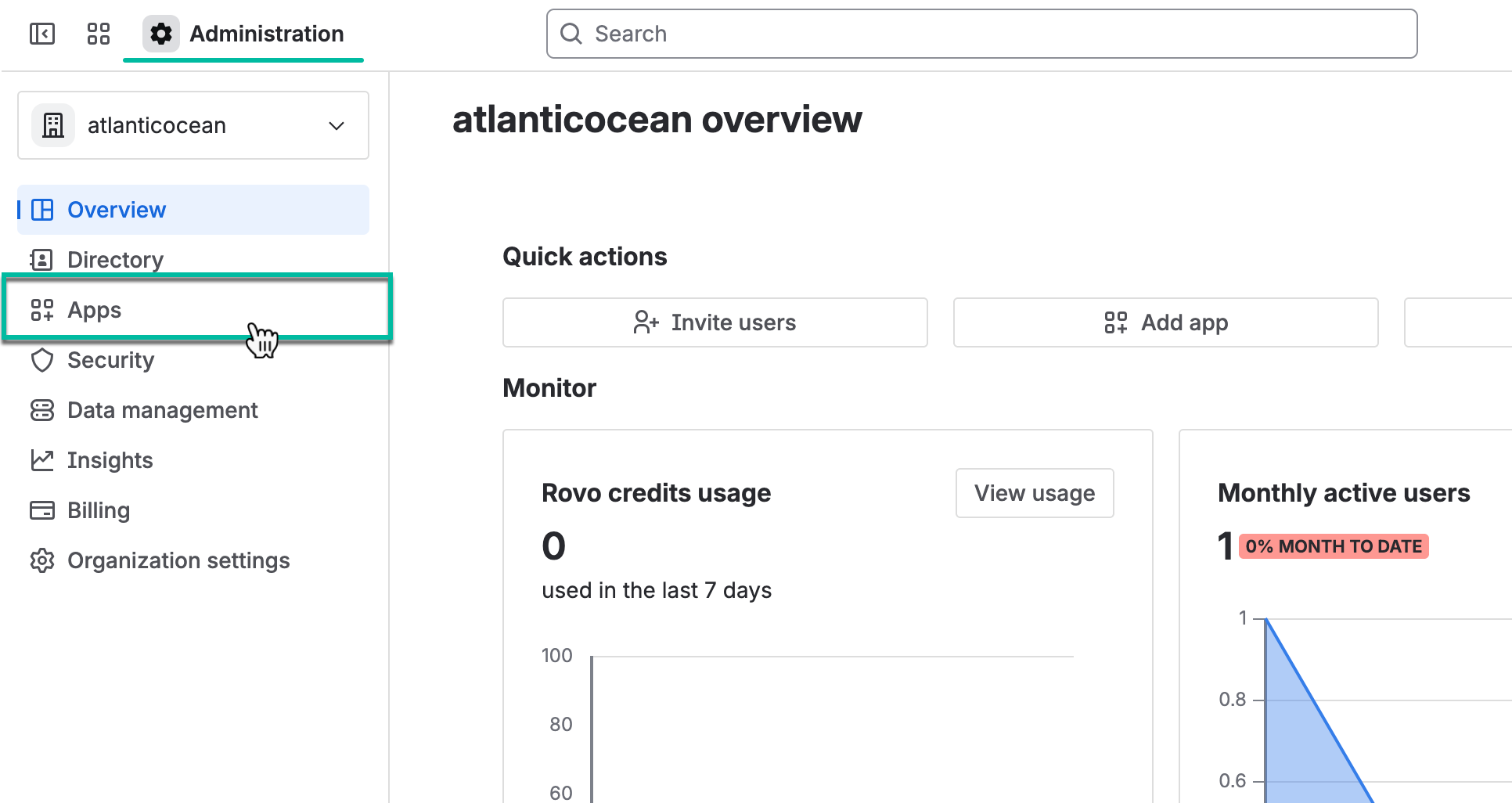
Navigate to Atlassian Administration, and then select Apps.
-
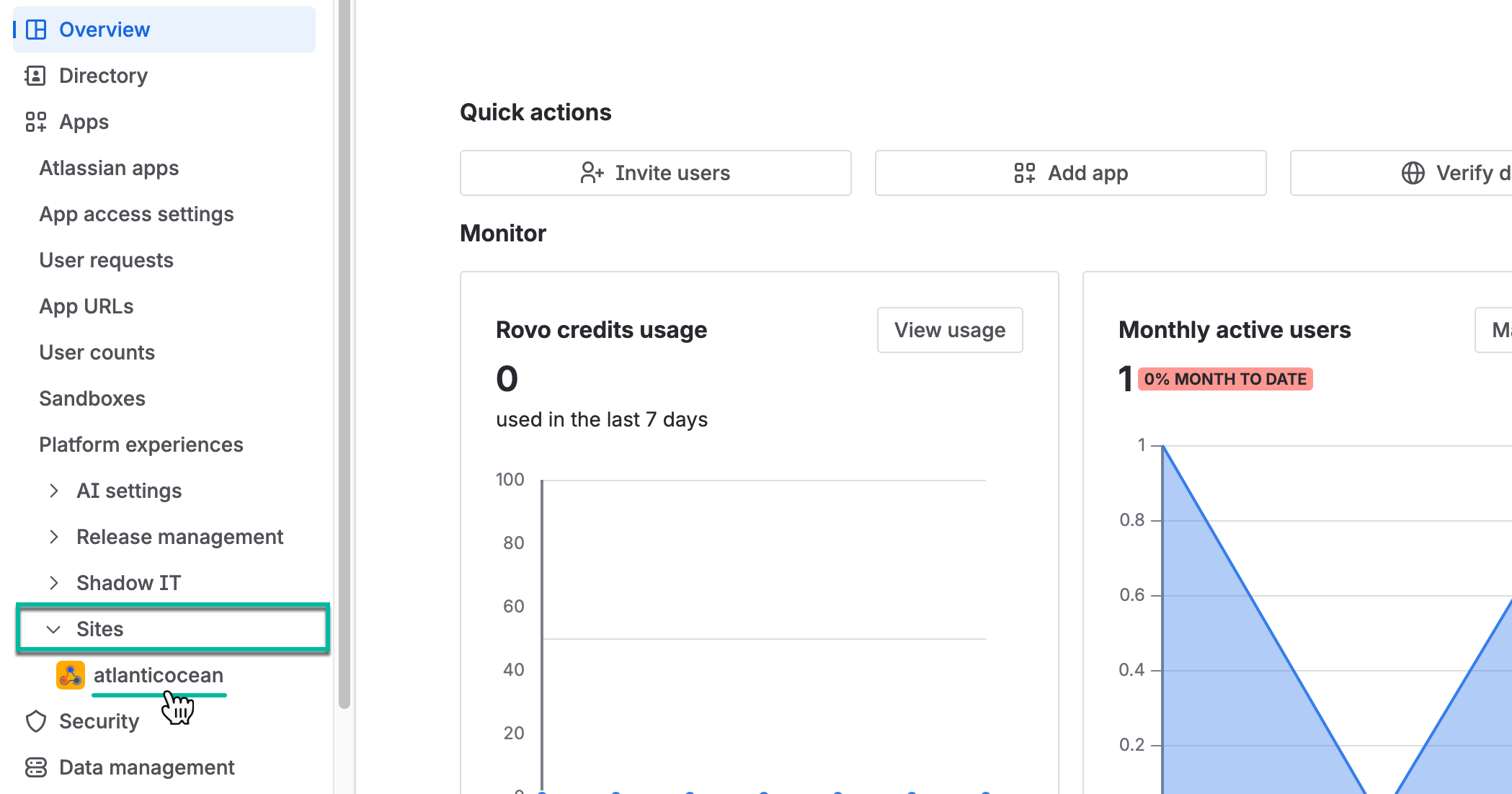
Select Sites, and then select the one you need.
-
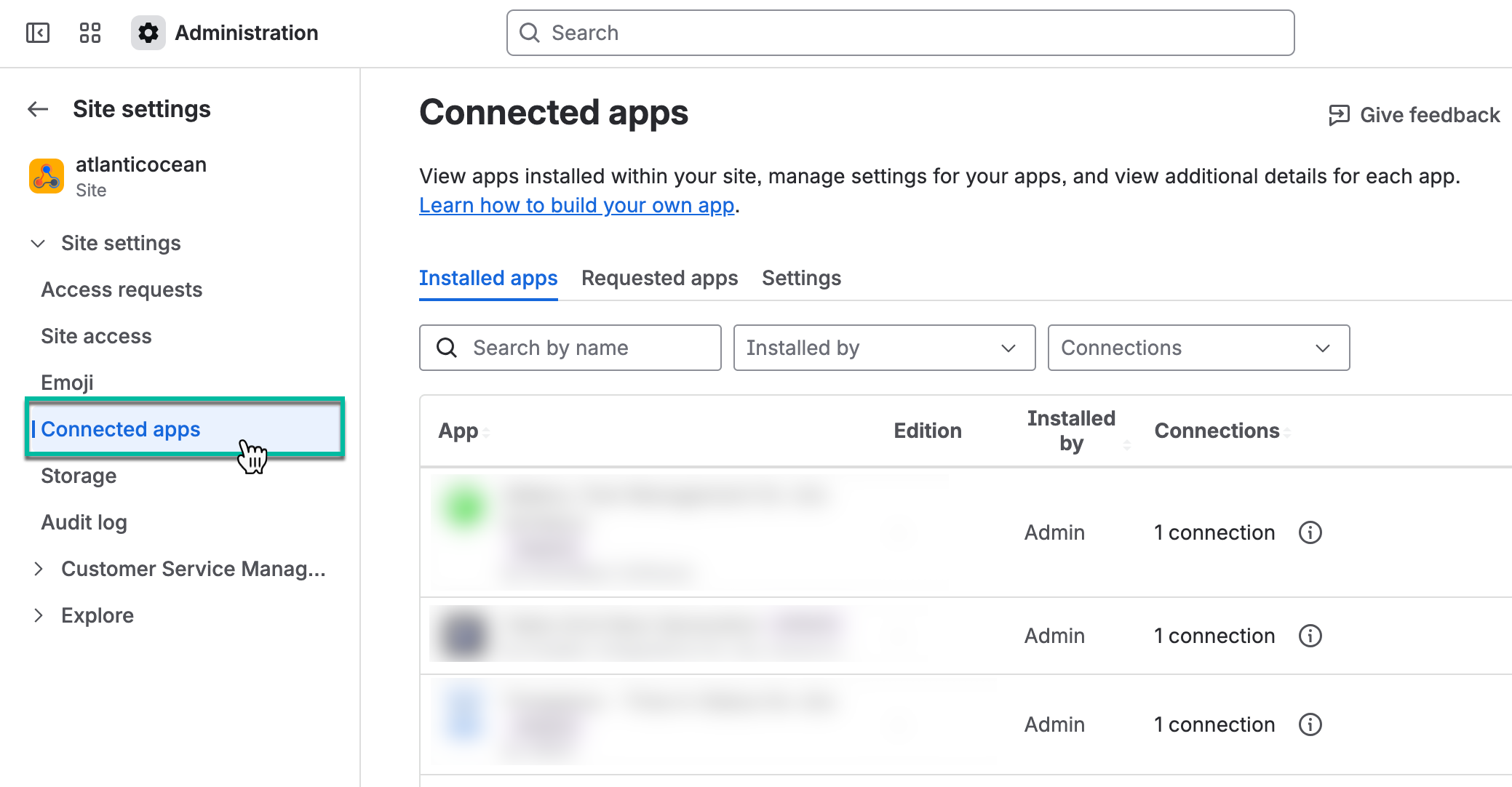
Select Connected apps.
-
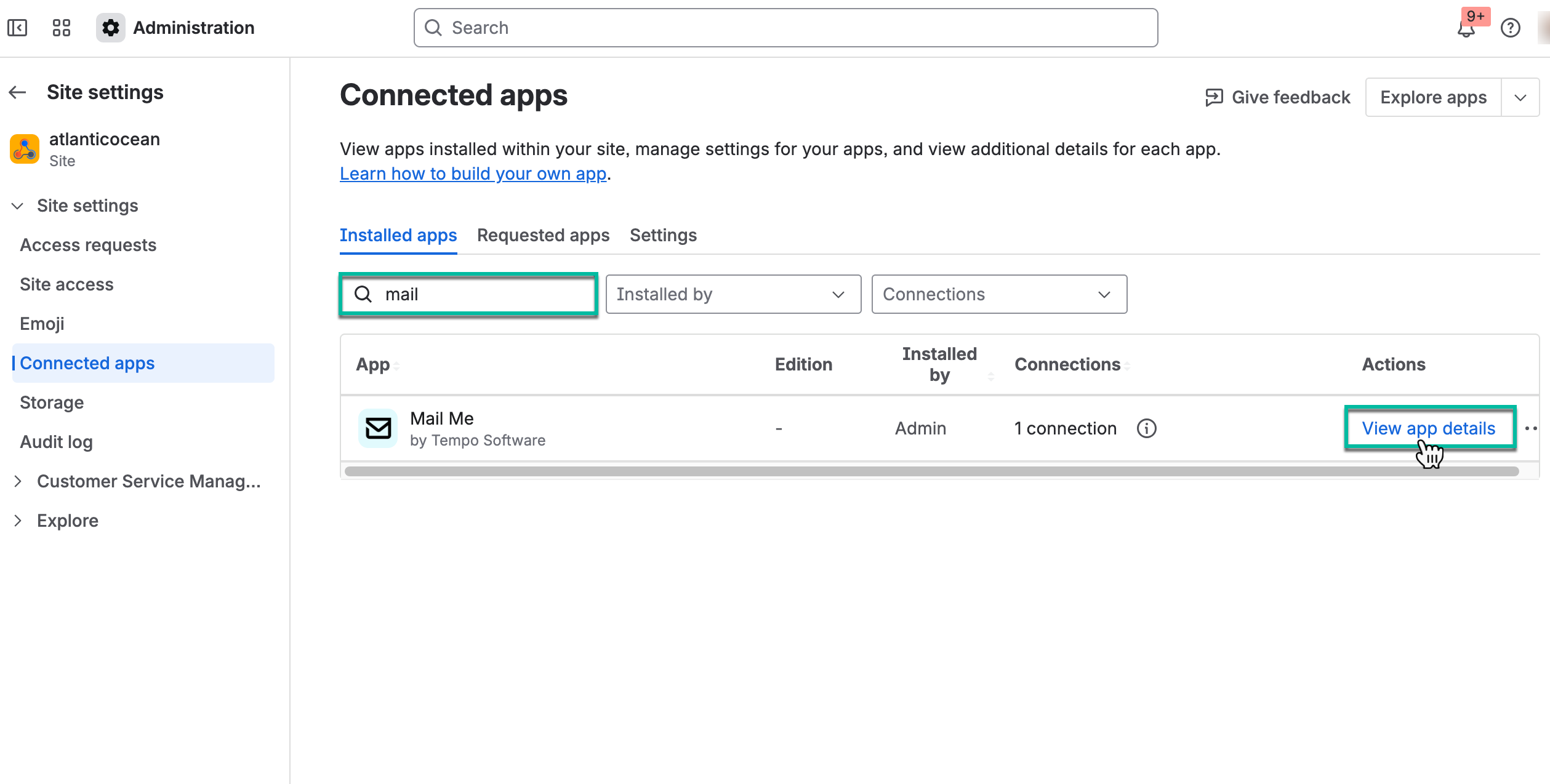
In the search box, start entering the app name, and then select View app details.
-
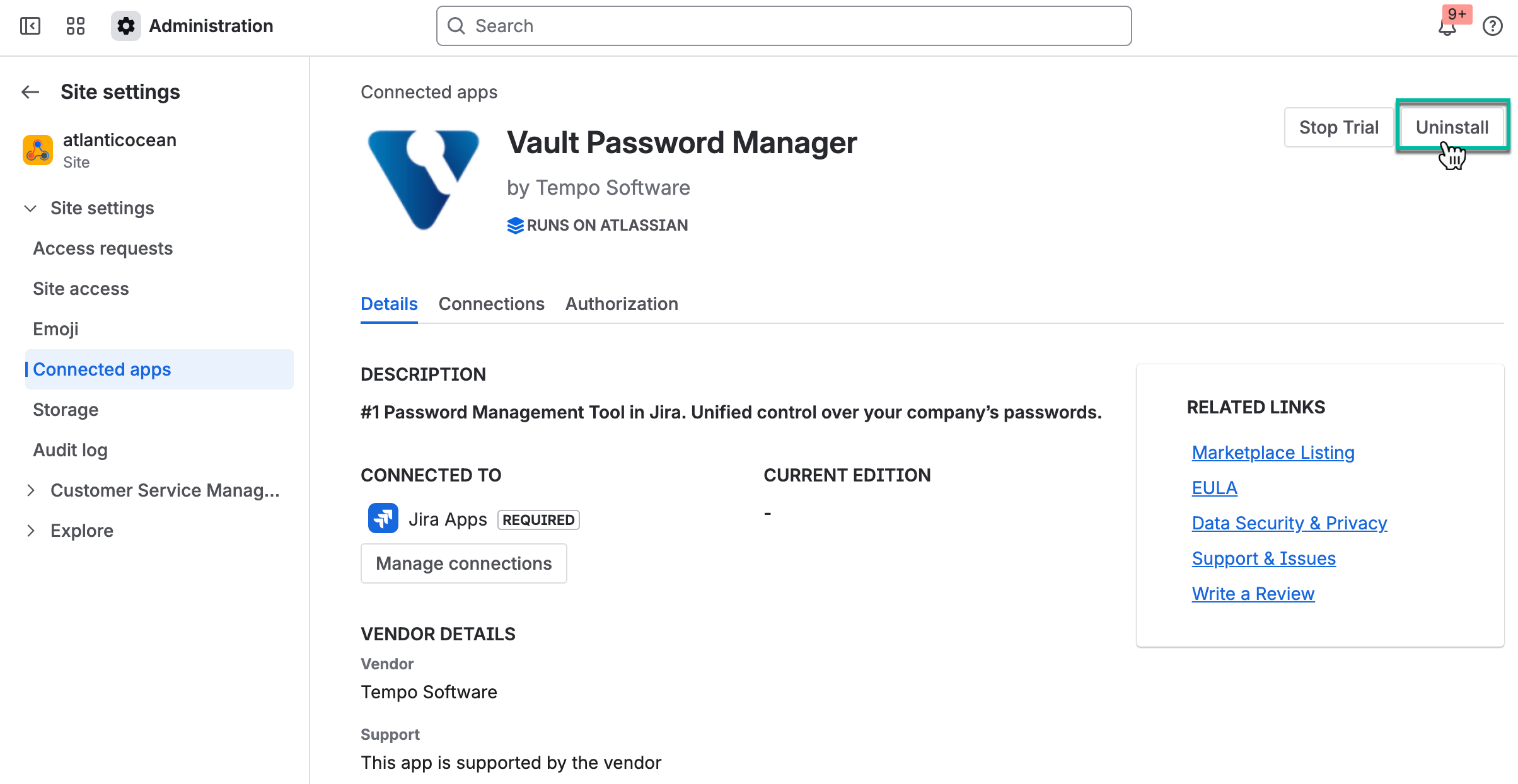
Select Uninstall.