
Using custom roadmap templates helps drive consistency across your organization and can save your teams a considerable amount of time.
When you create custom templates, you can define views, files, and items which can be reused by your entire account.
Only Account Administrators can create templates.
Buiding Custom Templates
There are two ways to build custom templates:
Using an existing roadmap
The easiest way to build a custom template is to use an existing roadmap.
-
Open the roadmap
-
Open the Settings menu (gear icon)
-
Select Duplicate as Template
Creating a brand new template
Creating a template from scratch requires more effort, but allows you to ensure it matches your exact needs.
-
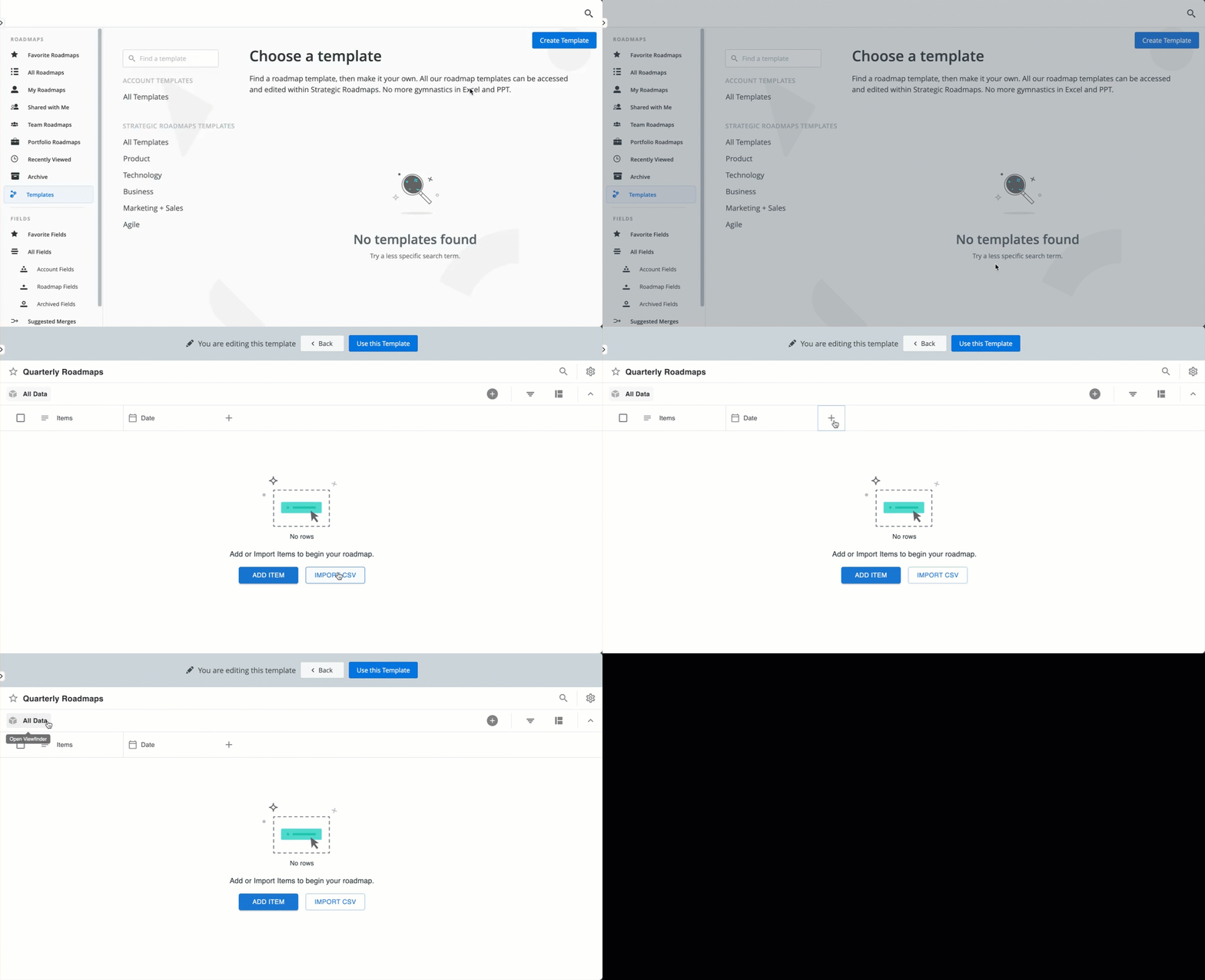
Go to Roadmaps | Templates
-
Click Create Template
-
Name the template
-
Click Create
-
Customize the template:
-
Add items (individually, or using a CSV import)
-
Add fields
-
Create custom views
-
-
Once you’re finished, click Use this Template
Learn More: Custom Templates