Regularly auditing your fields makes it easier for teams to find (and use) the fields they need and helps organizations standardize data across their teams.
For the best experience, we recommend taking the following steps regularly to review, standardize, and clean up fields:
The steps below require Account Administrator access level.
Generating a Field Usage Report
The easiest way to identify inactive roadmaps is by generating a Roadmap Usage report:
-
Go to Account Settings | Reports.
-
Under Field Usage Report, click Download CSV. The downloaded file can be opened in any spreadsheet program (Excel, Google Sheets, etc.) to easily sort and analyze the data.
Learn More: Generating Account Reports
Standardize Fields
Using the report you pulled above:
Standardize:
-
Focus on fields used across multiple roadmaps—these should be your core fields.
-
Merge similar fields to avoid duplication (carry over important values when merging).
-
Define Standard Account Fields to roll up to Portfolio Roadmaps.
-
Use consistent field types across teams for clear roll-ups.
Establish Governance:
-
Assign key collaborators (e.g., Team Leads, Scrum Masters) to manage field integrity.
-
For fields with 10+ values, group them into value sets for easier data selection and reporting.
Clean Up Underused Fields
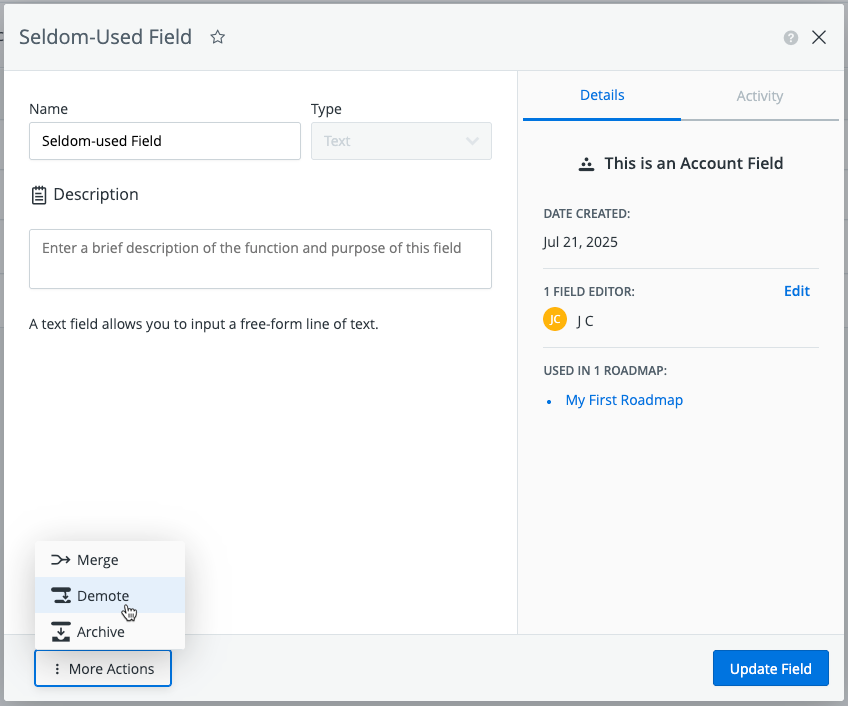
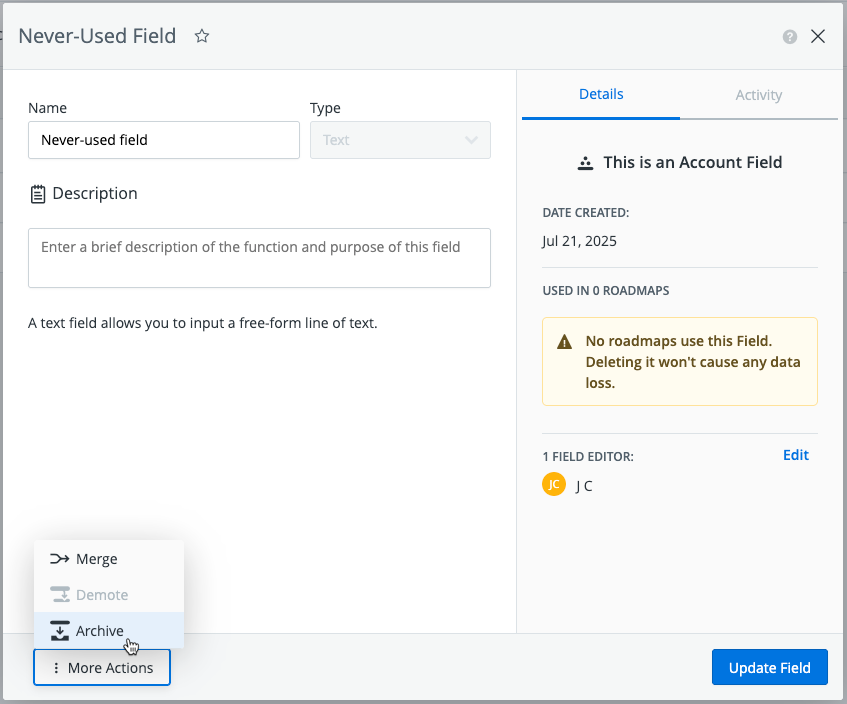
Using the report you pulled above, archive unused fields and demote underused fields.
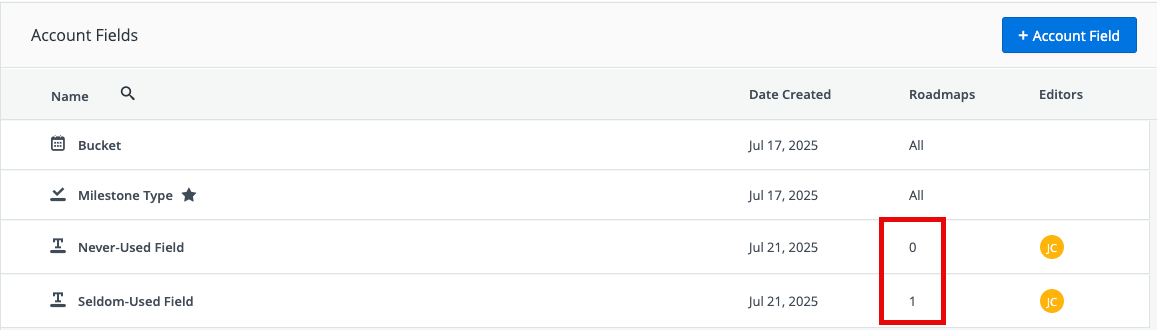
Open the Account Fields page and locate the fields used in 0 or 1 roadmap.
Archive fields used in 0 roadmaps
-
Open the field card
-
Select More Actions
-
Select Archive
Demote fields used in 1 roadmap
-
Open the field card
-
Select More Actions
-
Select Demote