
Since you are using 2FA in Bitbucket you can't clone GIT repository via HTTPS (same logic applies for gitlab.com and others). In order to work with GIT with enabled 2FA, the regular practice would be to use tokens (see https://developer.atlassian.com/bitbucket/api/2/reference/meta/authentication ).
You can create a personal access token and use it in place of a password when performing Git operations over HTTPS with Git on the command line or the API.
A personal access token is required to authenticate to Git account in the following situations:
-
When you're using two-factor authentication.
-
To access protected content in an organization that uses SAML single sign-on (SSO). Tokens used with organizations that use SAML SSO must be authorized.
As a security precaution, GitHub automatically removes personal access tokens that haven't been used in a year.
To generate a personal access token from within Bitbucket Server follow the next steps:
Step 1. Go to Manage account > Account settings > Personal access tokens
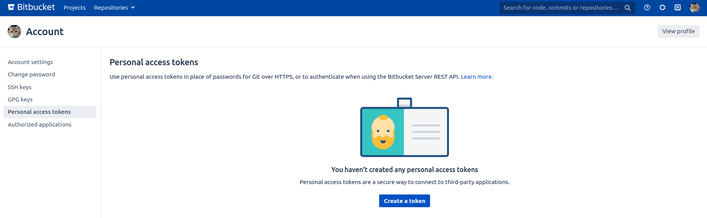
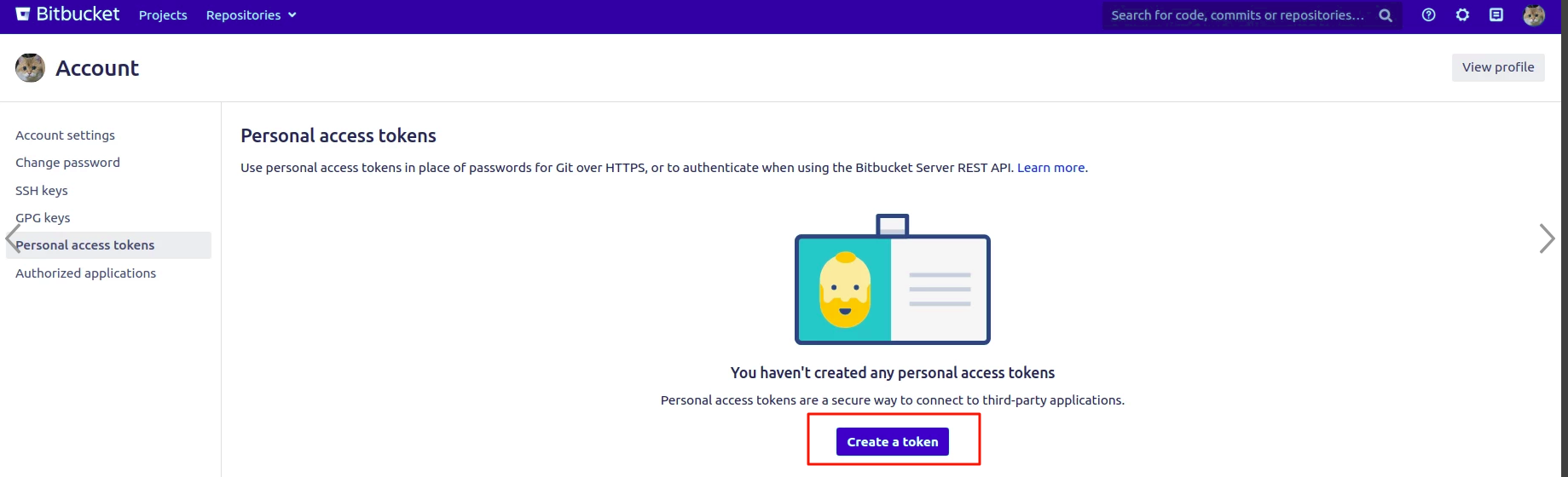
Step 2. On the Personal access tokens menu, click the button "Create a token".
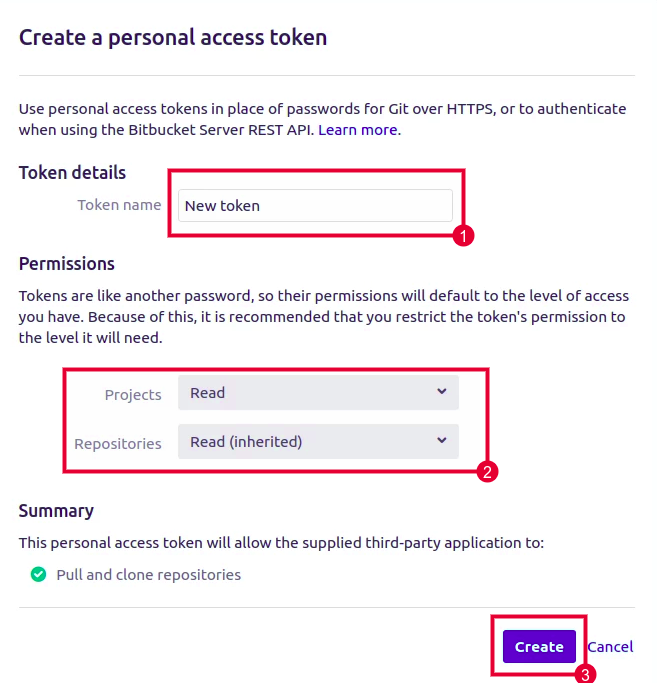
Step 3. Give your token a descriptive name, select permissions, and click Create.
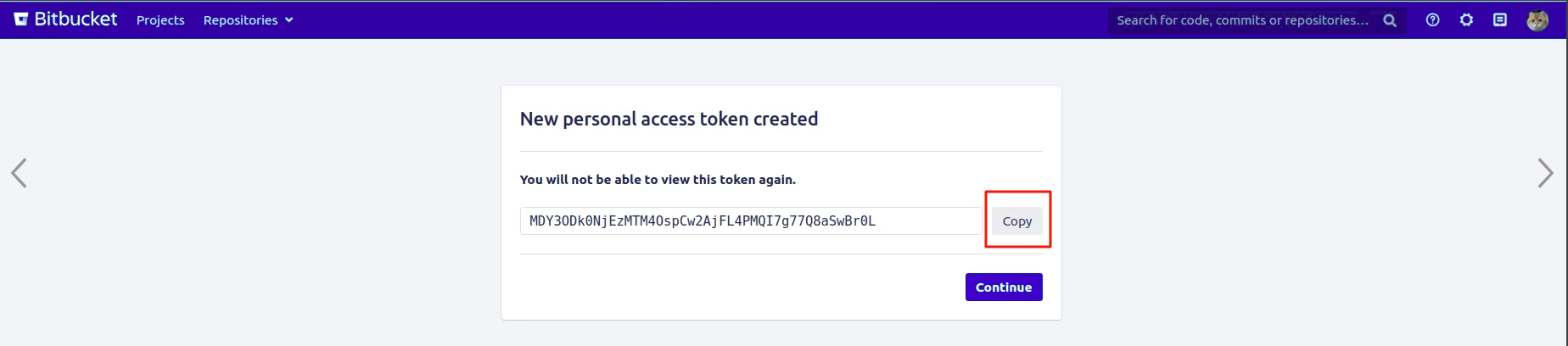
Step 4. Click Copy to save the personal access token somewhere safe. Once you leave or refresh the page, you won’t be able to access it again.
Once you have a token, you can enter it instead of your password when performing Git operations over HTTPS.
For example, on the command line, you would enter the following:
$ git clone https://x-token-auth:{access_token}@bitbucket.org/user/repo.git
The literal string x-token-auth as a substitute for username is required (note the difference with GitHub where the actual token is in the username field).
More details here https://confluence.atlassian.com/bitbucketserver/personal-access-tokens-939515499.html