
Filters configured on the Jira Work Management tab do not affect Jira Software tables.
Instead, Jira Software tables have their own set of global and local filters.
-
Global filters - applied across multiple tables and located in the tab header.
-
Local filters - applied only to the specific table where the filter is located.
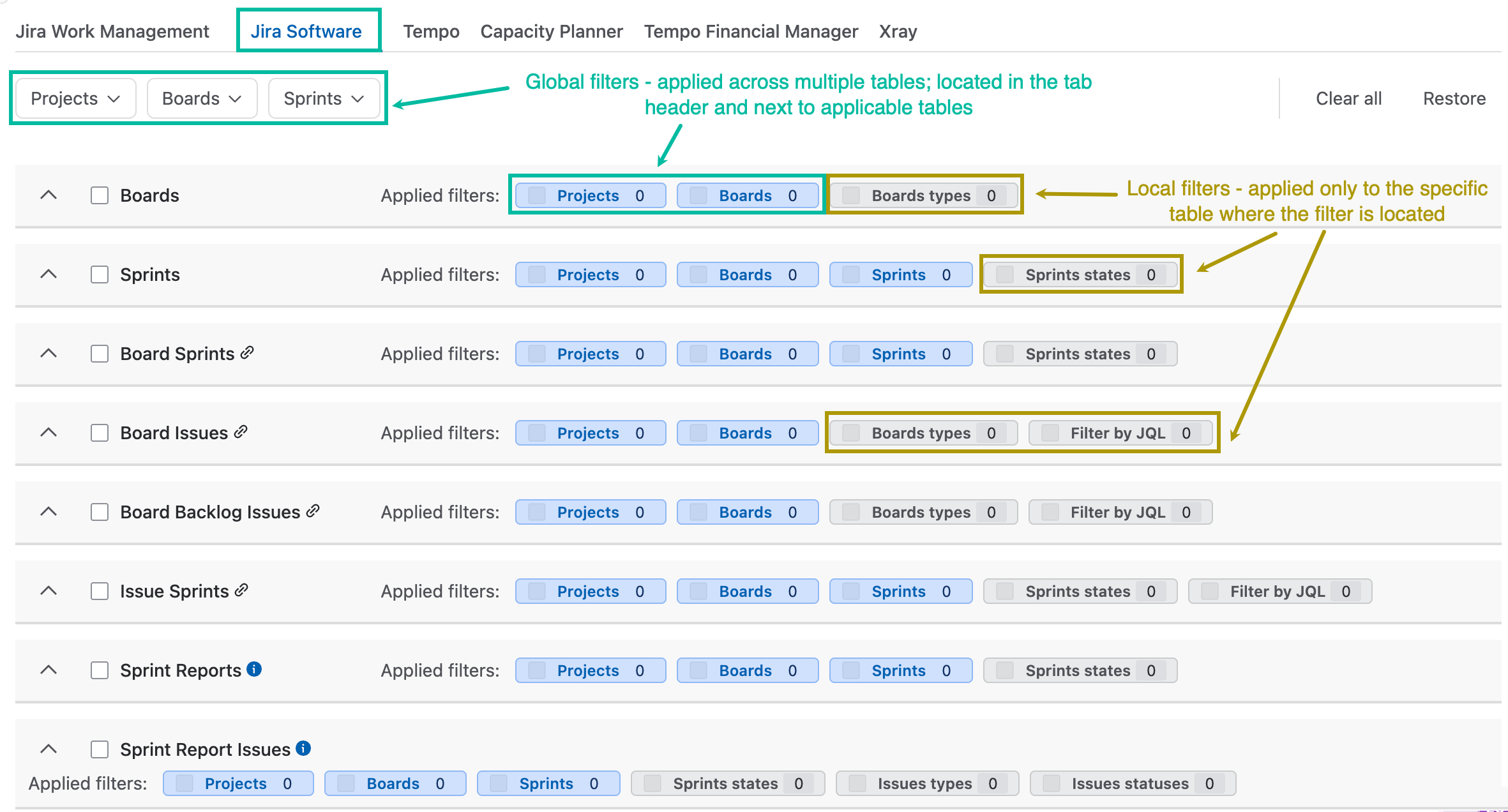
Global Filters
The following global filters are available for Jira Software tables:
-
Projects
-
Boards
-
Sprints
Not all Jira Software tables support all three global filters. Depending on the table, only a subset of these filters may be available. As a result, the filtering logic differs between groups of Jira Software tables.
Tables That Use the Projects and Boards Filters
The following tables support the Projects and Boards filters. The Sprints global filter does not apply to these tables.
-
Board
-
Board Issues
-
Board Backlog Issues
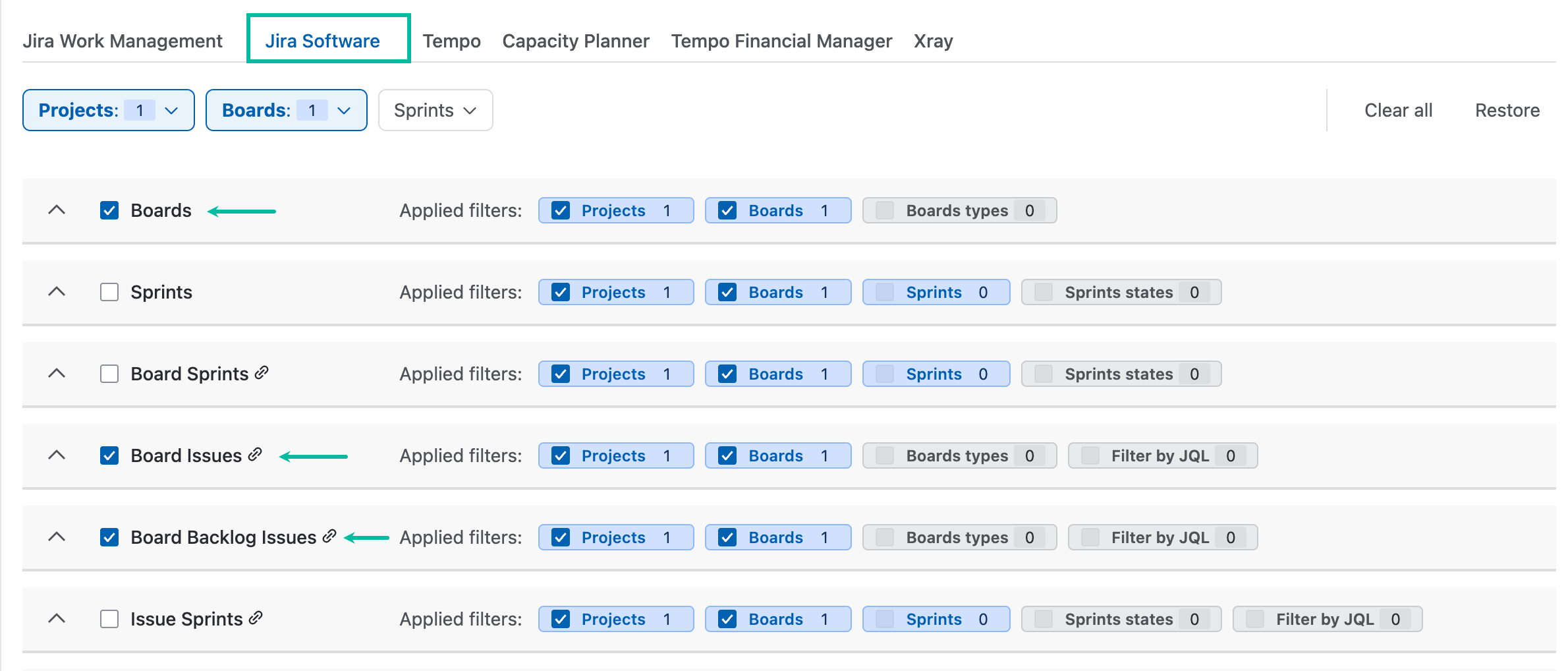
These tables operate on boards. The filtering process builds a resulting set of boards based on the selected filter criteria.
-
Projects: The system retrieves boards associated with the selected projects.
-
Boards: The system retrieves the boards explicitly selected in the Boards filter.
-
The Sprints filter has no effect on the exported data.
Resulting Dataset
The global filters use union logic. The resulting dataset consists of the combined set of boards retrieved by the Projects and Boards filters.
As a result, the final board list contains all unique boards returned by either of the selected global filters.
Tables That Use Union Logic for All Global Filters
The following tables support all three global filters (Projects, Boards, and Sprints).
-
Sprints
-
Issue Sprints
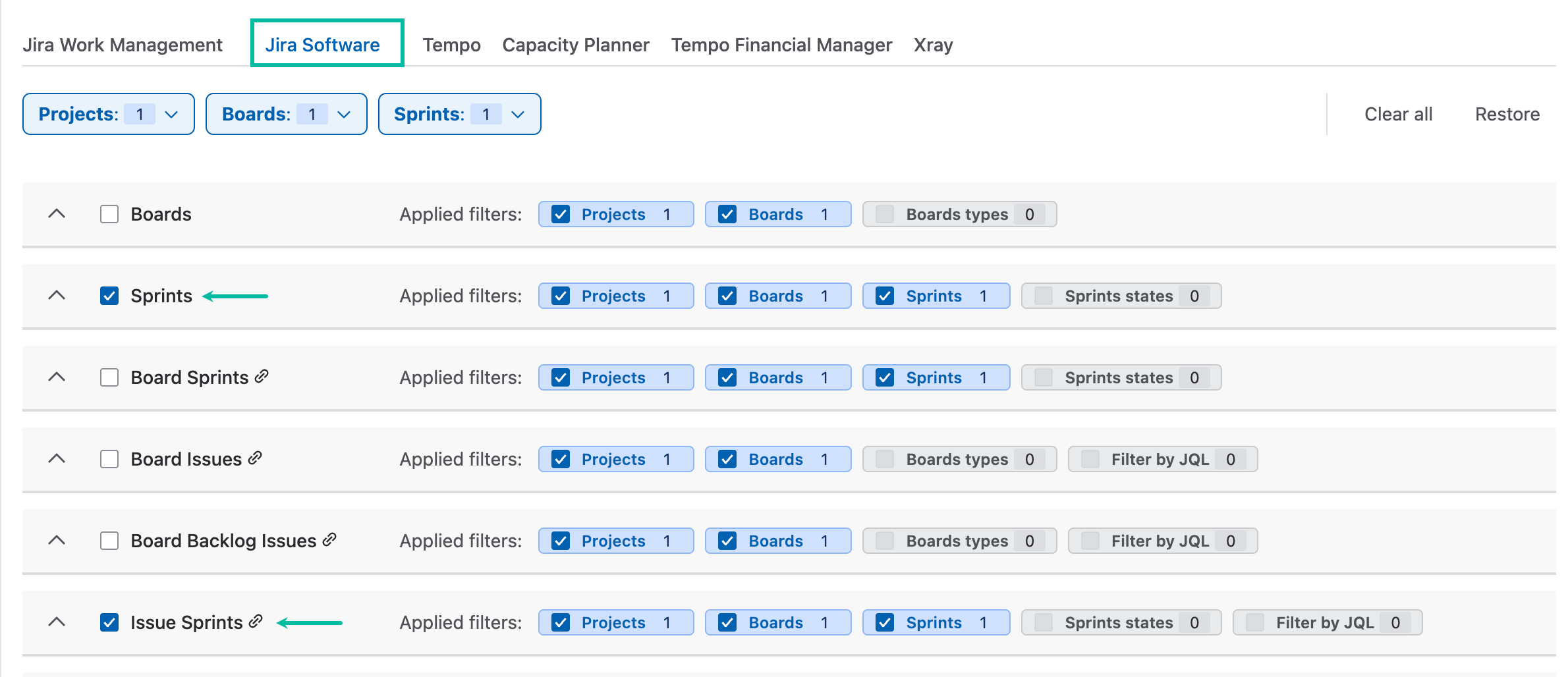
These tables operate on sprints. The filtering process builds a resulting set of sprints based on the selected filter criteria.
-
Projects: The system first collects sprints associated with the selected projects.
-
Boards: The system then collects all sprints associated with the boards selected in the Boards filter.
-
A sprint does not have to be created on a board to be associated with it. Therefore, the filter retrieves all sprints currently associated with the selected boards.
-
-
Sprints: The Sprints filter allows you to explicitly select additional sprints.
-
Any sprints selected in this filter are added to the resulting dataset.
-
Resulting Dataset
The global Jira Software filters use union logic. The resulting dataset consists of the combined set of sprints collected from the selected Projects, Boards, and Sprints filters.
As a result, the final sprint list contains all unique sprints returned by any of the selected global filters.
Tables That Use the Sprints Filter to Narrow the Resulting Data Set
Unlike the previous group of tables, the following tables use the Sprints filter to narrow the dataset rather than extend it.
The following tables support all three global filters (Projects, Boards, and Sprints):
-
Board Sprints
-
Sprint Reports
-
Sprint Report Issues
-
Sprint Report Completed Issues
-
Sprint Report Completed Outside Issues
-
Sprint Report Incompleted Issues
-
Sprint Report Removed Issues
-
Velocity Charts
-
Burndown Charts
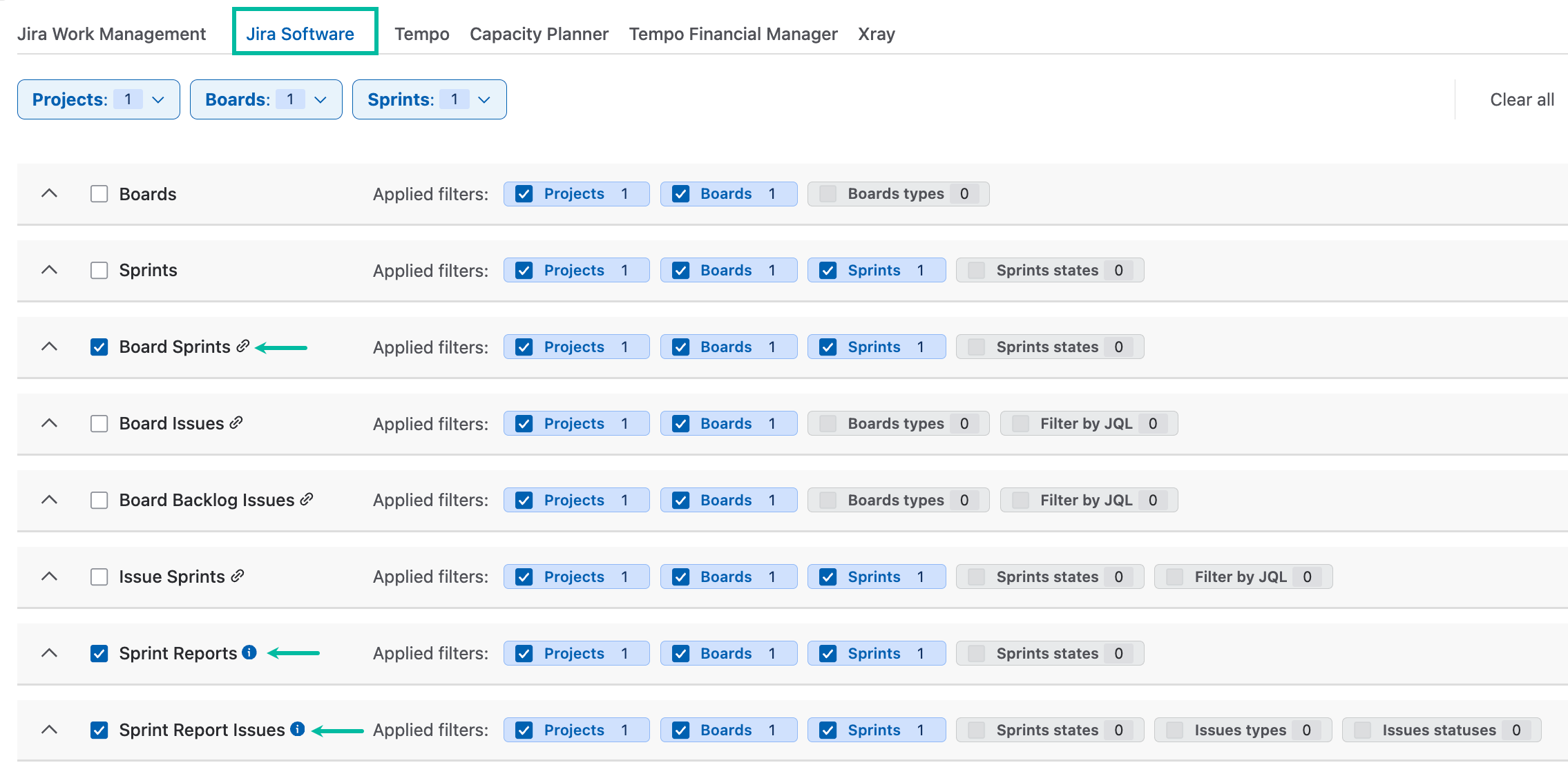
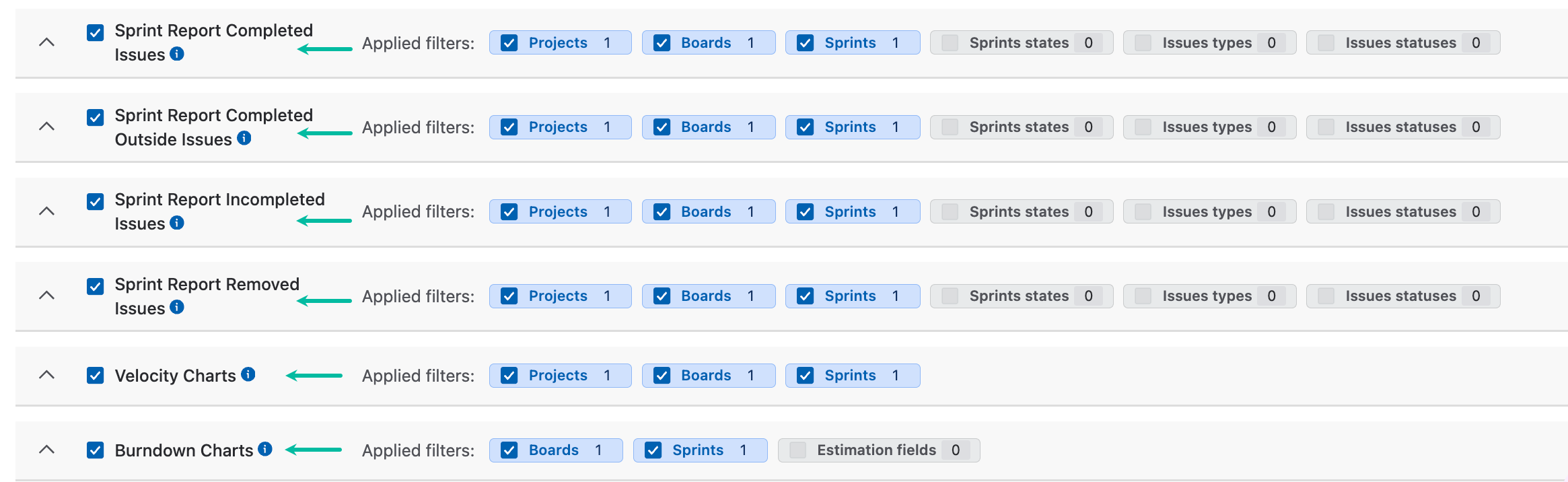
These tables also operate on sprints, but the filtering sequence differs.
-
Projects: The system first collects sprints associated with the selected projects.
-
Boards: The system then collects all sprints associated with the boards selected in the Boards filter.
-
The sprint lists collected by the Projects and Boards filters are combined into a single dataset using union logic.
-
Sprints: The resulting sprint dataset is then filtered by the Sprints filter. Only the sprints explicitly selected in the Sprints filter are retained.
Resulting Dataset
The exported data is generated only for sprints that match the selected values in the Sprints filter after the sprint sets collected by the Projects and Boards filters have been combined.
This is different from the filtering logic used by other sprint-based tables, where the Sprints filter adds additional sprints to the resulting dataset. For these tables, the Sprints filter acts as a filtering criterion rather than extending the sprint set.
Interaction Between Global and Local Filters
For tables that support both global and local filters, the global filters are applied first. Local filters are then applied to the data retrieved from the resulting sprint set.
Example: Boards Table
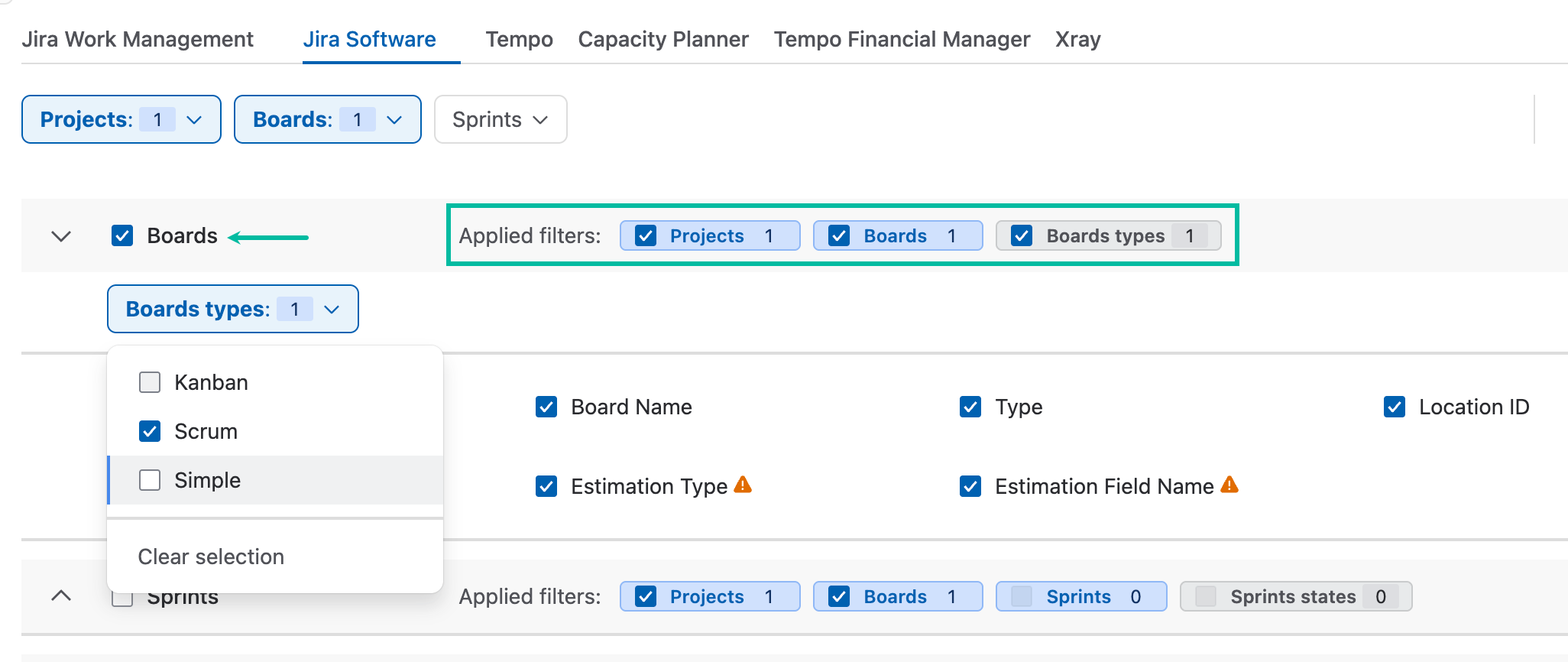
The Boards table supports global filters (Projects and Boards) and a local filter (Board Types).
The filtering process is performed as follows:
-
The system collects sprints associated with the selected projects.
-
The system collects sprints associated with the selected boards.
-
The sprint lists are combined into a single dataset.
-
Boards associated with the resulting sprint set are retrieved.
-
The retrieved boards can then be filtered using the local Board Types filter (Kanban, Scrum, or Simple).
Note on Burndown Charts Table
The Burndown Charts table supports selecting multiple estimation types, such as:
-
Story Points
-
Remaining Time Estimate
-
Original Time Estimate
-
Issue count
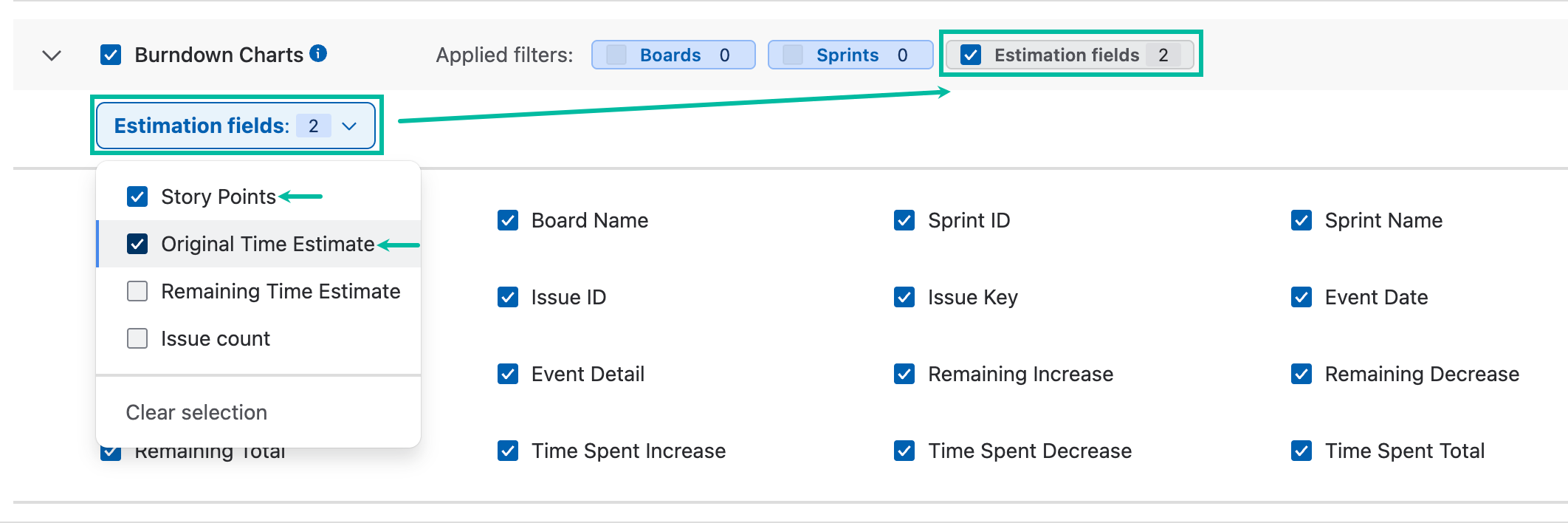
When multiple estimation types are selected, the same set of issues is included for each selected estimation type.
For example, if a sprint contains 10 issues and two estimation types are selected, the resulting dataset contains:
-
10 issues with data calculated using the first estimation type.
-
The same 10 issues with data calculated using the second estimation type.
As a result, the table contains a separate record set for each selected estimation type.
Tables with a Local JQL Filter
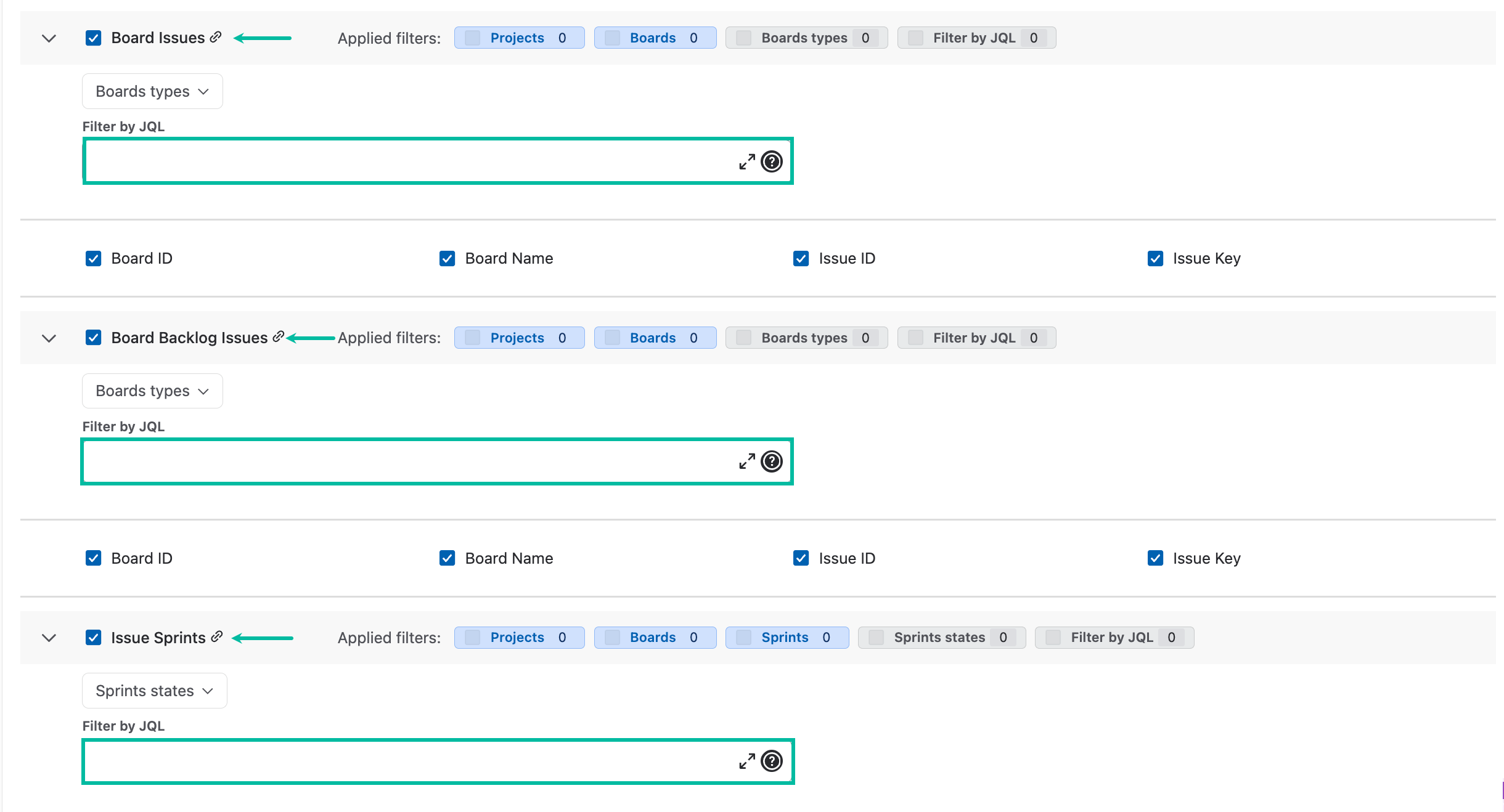
The following tables provide an additional local JQL filter:
-
Board Issues
-
Board Backlog Issues
-
Issue Sprints
Unlike the Jira Software global filters, which operate either on sprints or boards, the local JQL filter operates directly on issues.
This allows you to further restrict the exported data using standard JQL criteria, such as project, issue status, assignee, labels, and other issue attributes.
Example: Board Issues Table
The filtering process is performed in the following order:
-
Global filters (Projects and Boards) are applied to collect the resulting sprint set.
-
Boards associated with those sprints are retrieved.
-
The retrieved boards are filtered using the local Board Types filter (Kanban, Scrum, or Simple).
-
Issues associated with the filtered boards are retrieved.
-
The local JQL filter is applied to the retrieved issues.
It is important to note that a board may contain issues from multiple projects and can include a large number of issues. The local JQL filter is available to help narrow the dataset and export only the issues that match the required criteria.
For example, the local JQL filter can be used to restrict issues by:
-
Project
-
Issue Status
-
Assignee
-
Labels
-
Custom fields
-
Any other criteria supported by JQL
This filtering occurs after the boards have been selected and affects only the issues returned for the table.