Create a Data Source via Tableau Connector for Shopify on the Shopify side. Export the data into Tableau Desktop Worksheet.
Before configuring a scheduled refresh, create a data source via Tableau Connector for Shopify, and then export the data into Tableau Desktop Worksheet.
-
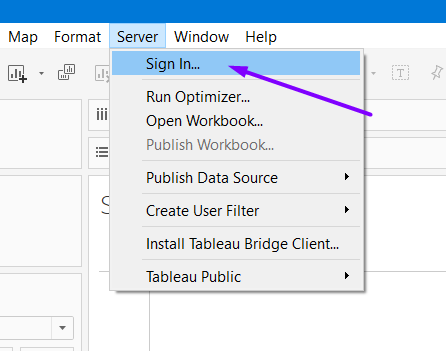
In your Table Desktop, select Server, and then select Sign In.
-
Enter credentials associated with your server account.
-
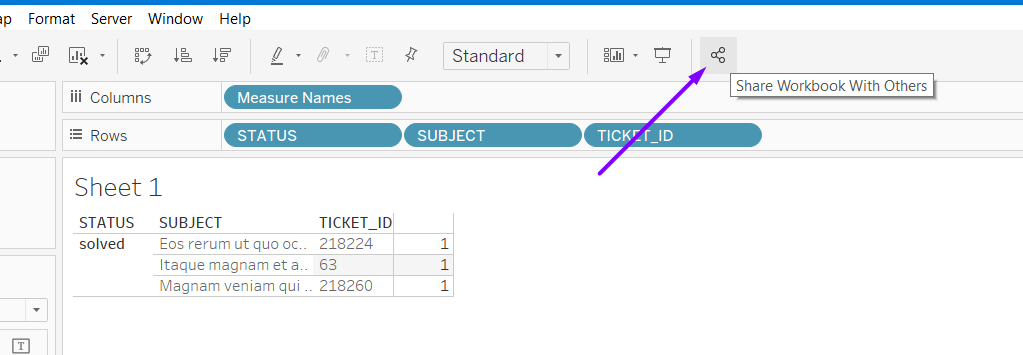
Select Share Workbook with Others.
-
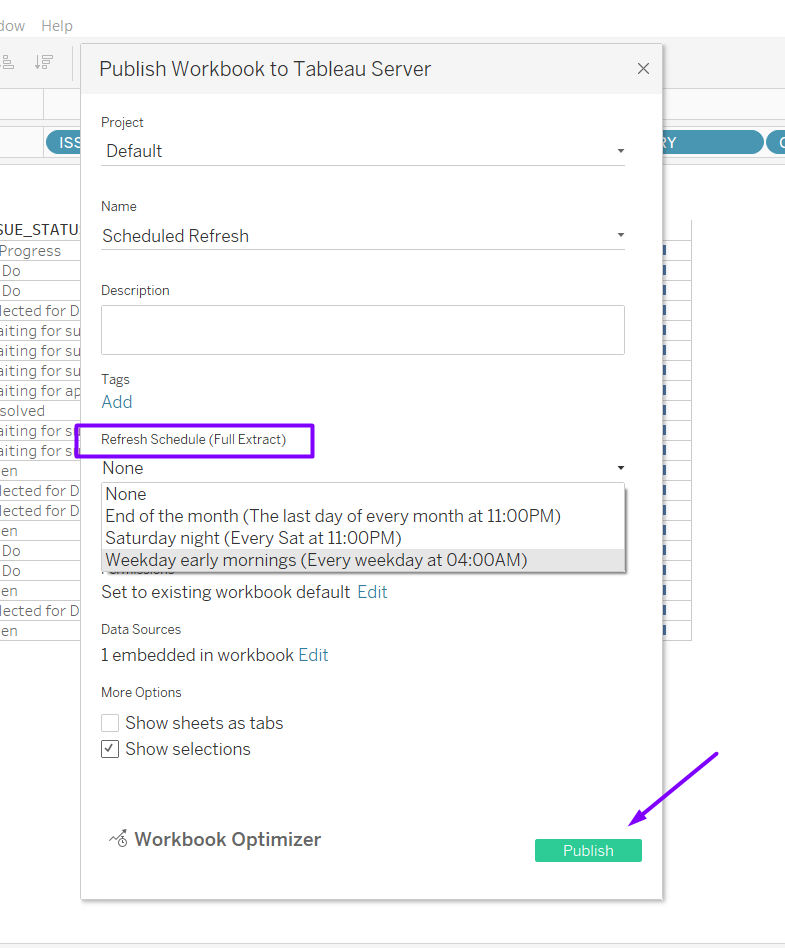
In the Project field, select the project where you want your workbook to be published.
-
In the Name field, provide the name of your workbook.
-
[Optional] In the Description field, provide description for your workbook.
-
Under the Refresh Schedule (Full Extract) section, select the required option of a scheduled period.
-
Select Publish.
The workbook should be published on the server.
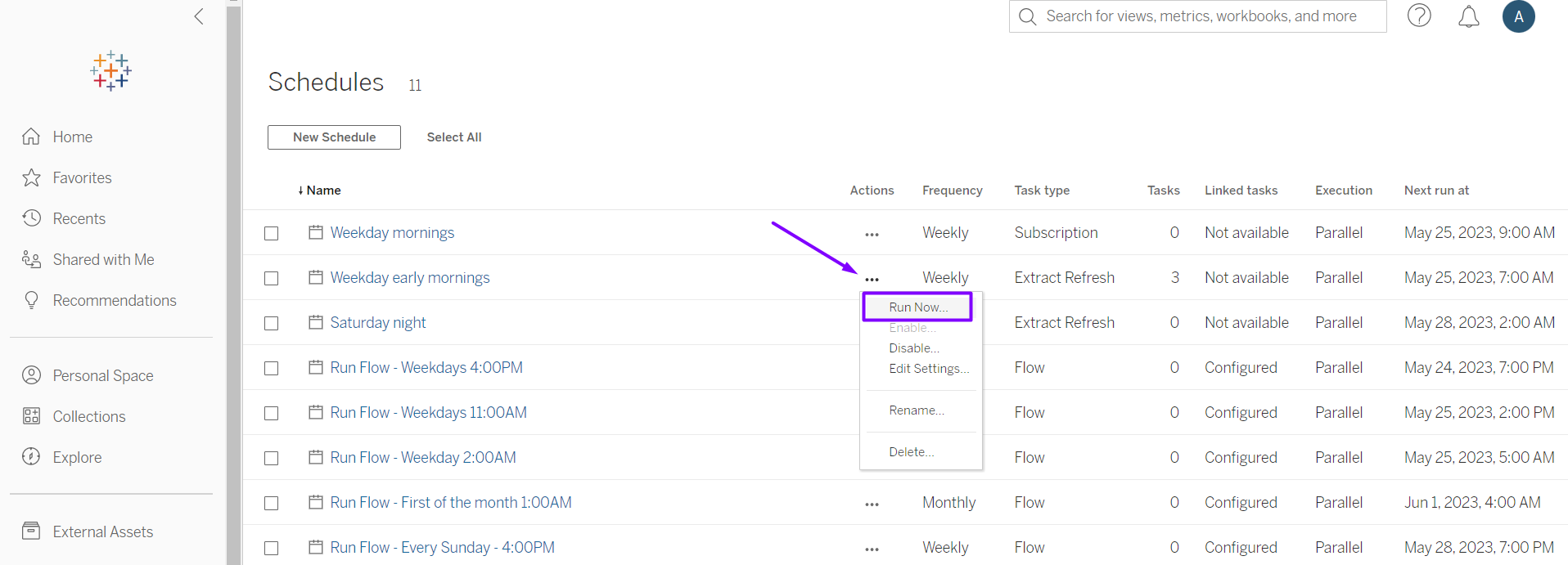
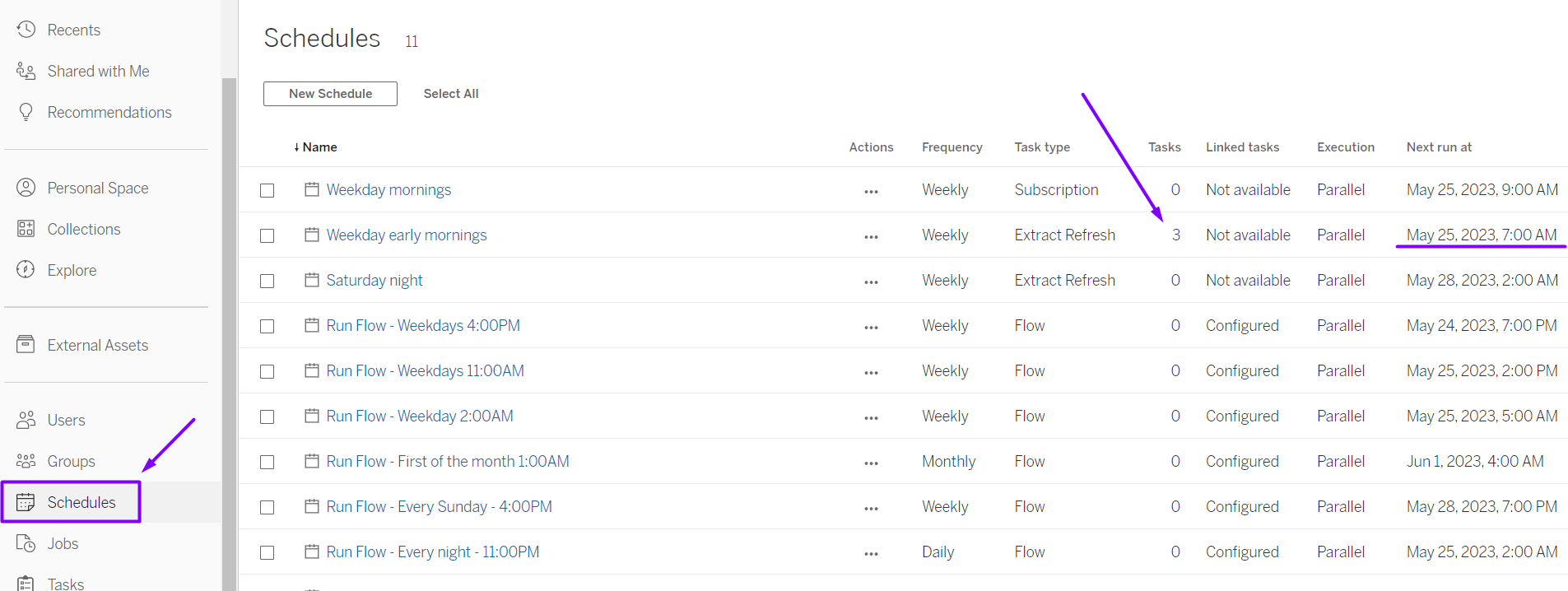
You can check scheduled actions under the Schedules tab.
You can also apply a manual data refresh.