When installing the Tableau Connector, the app provides the default password to connect to Tableau Software. If necessary, the app allows changing the password.
-
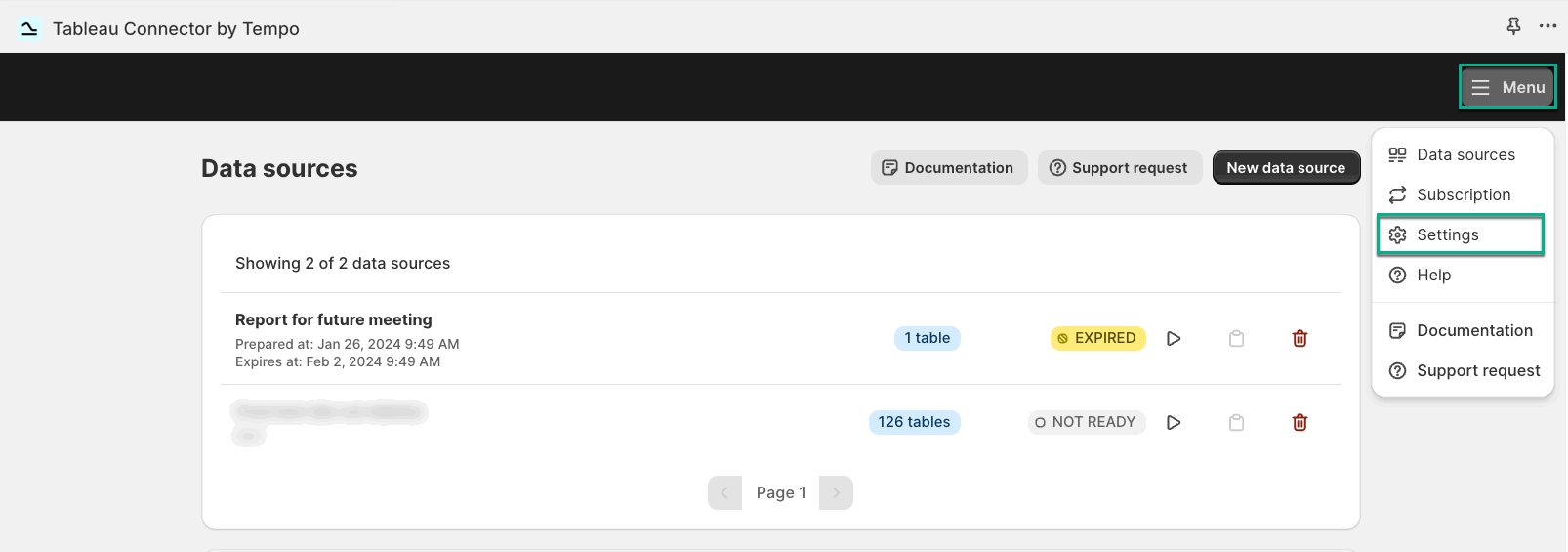
Select Menu, and then select Settings.
-
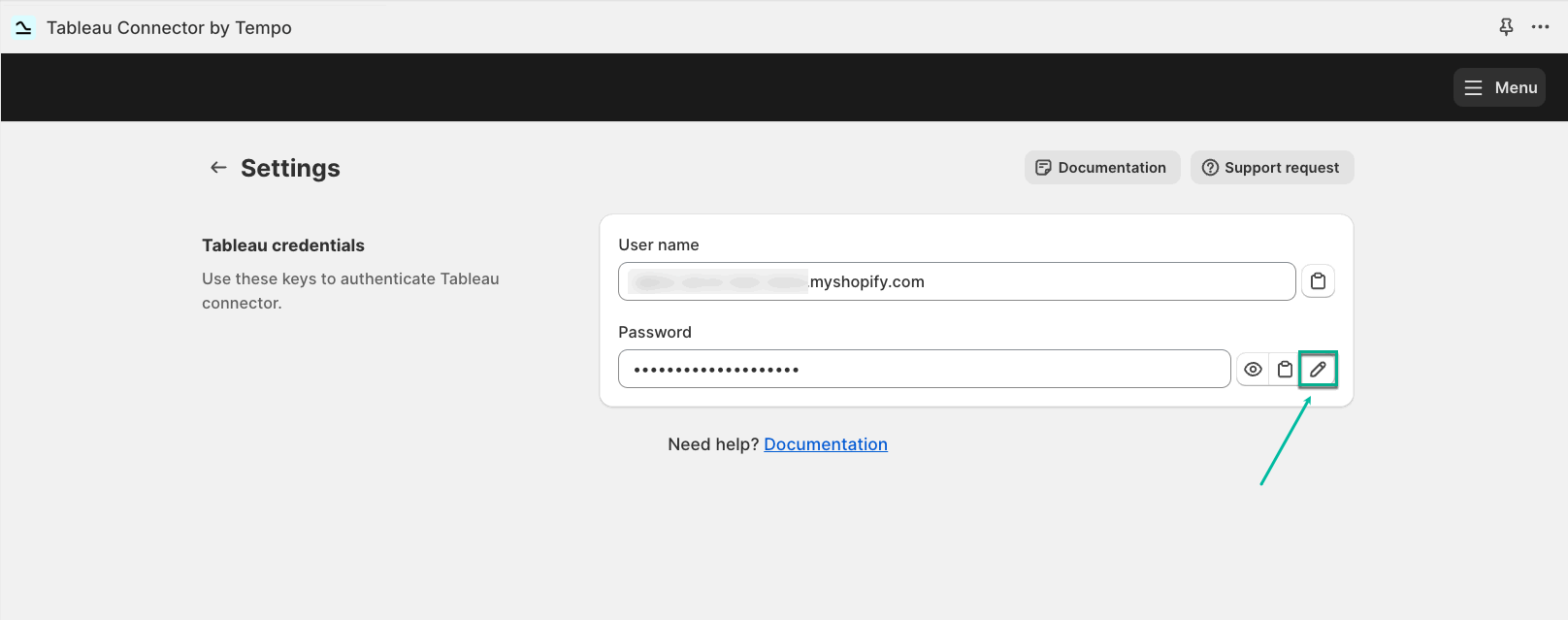
Select the Edit icon.
-
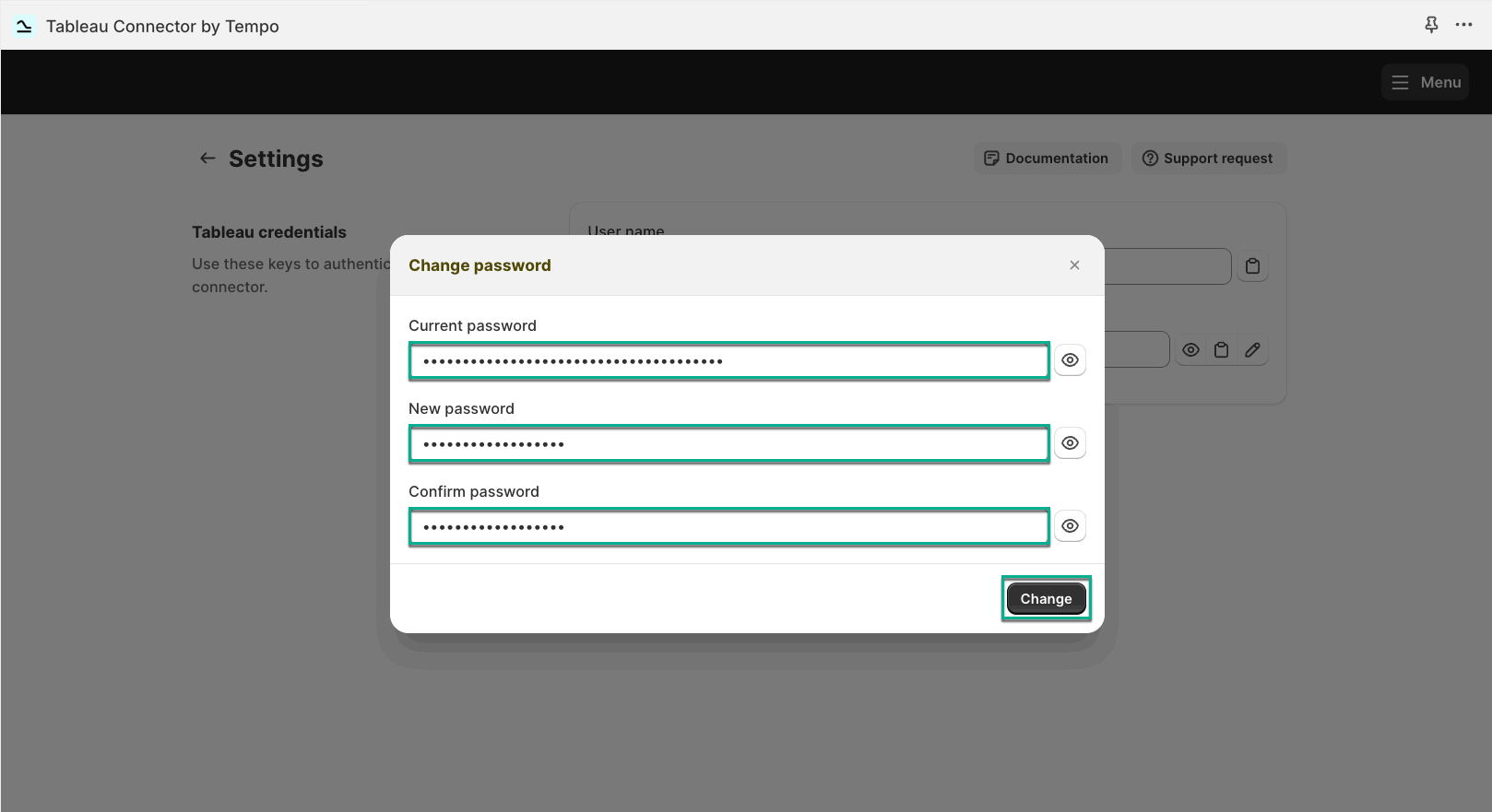
In the Current password field, enter the password you have now.
-
In the New password field, enter your new password.
-
In the Confirm password field, repeat your password.
-
Select Change.
All users can change the password. When it’s changed, it affects all users.