
Problem
You have connected your Google or Office 365 calendars, but the events are not syncing to Tempo.
Solution
Troubleshooting the Google and O365 calendar connections is somewhat limited without the involvement of our development team.
Here are some steps you can try that often help.
Events that are Free or Private are not synced.
When connected to the Enhanced calendar, it displays events 14 days ahead and 14 days back from the current date. If Capacity Planner is also installed, it displays events 90 days ahead.
-
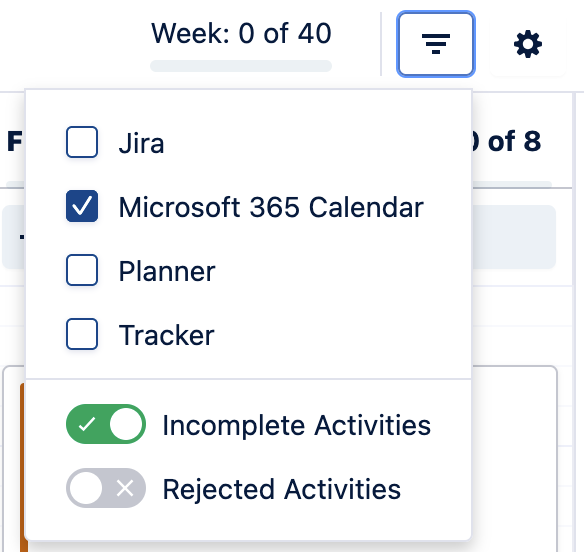
Verify the calendar visibility has not been turned off (must be checked) and that you’re not hiding incomplete activities.
-
-
Disconnect/reconnect the calendar integration.
-
Try both connection types, Basic and Enhanced.
-
-
Try a different browser or in an incognito window.
If those steps don’t help, we’ll need to run it by our development team.
Please include:
-
Screenshots from your My Work calendar and the external calendar
-
The HAR & LOG files when opening Tempo’s My Work view.
Creating HAR and Log files for support