
Problem
When viewing the Time Tracking panel in the work item view, the Remaining time is not correct. It’s not accurately reflecting the difference between the original estimate and logged hours.
Solution
The Remaining time may not be the value you’d expect for a few reasons.
To correct this, you will need to update the hours manually.
Possible reasons:
-
When logging time, a user can manually adjust the remaining estimate.
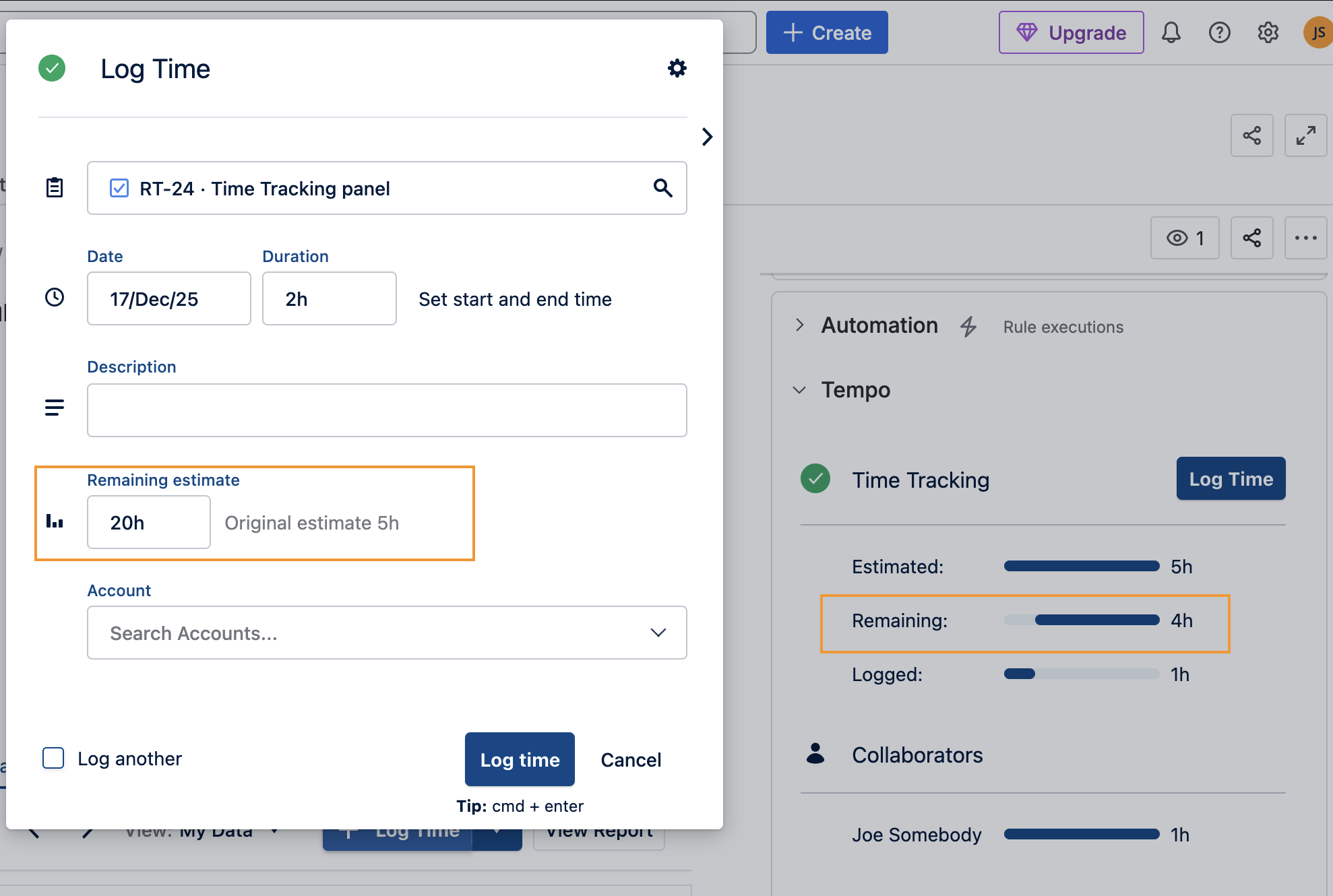
-
If you have logged more hours than the estimate, negative hours are not taken into consideration. The calculation stops at 0. If you were to delete or reduce the time in a worklog, the difference will be added back to the Remaining time.
-
For example:
The Estimated time is 5h with 7h Logged = 0 Remaining (even though you are 2h over)
If you edit the worklog to 6h, the Remaining will be 1 because you added 1h back.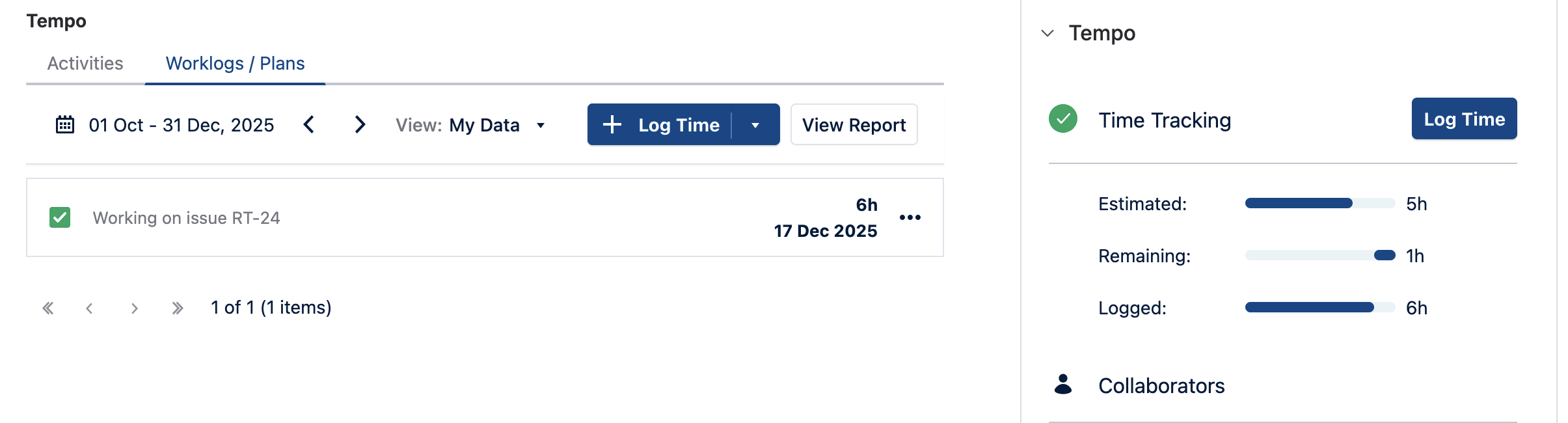
-
The original and remaining values belong to Jira. Jira does not allow negative values.
There is an open improvement request with Atlassian regarding handling values below zero. You can follow or vote for it here: https://jira.atlassian.com/browse/JRACLOUD-42161