
Problem
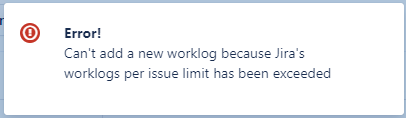
When I attempt to log time, we receive an error stating that the worklog limit has exceeded.
Solution
The error message, “Can’t add a new worklog because Jira’s worklog per issue limit has been exceeded,” is related to an update by Jira limiting the number of worklogs to 10,000 per issue.
To move forward, you have a few choices
-
Create a new issue to track time
-
Move worklogs to a new issue; if you’d like to keep the same Jira issue active.
-
Important: You will need to move or delete worklogs via the Tempo UI (Bulk Edit) or the Tempo Public API.
-
⚠️ Please avoid using the Jira Move API to move worklogs.
Because Jira does not send a deletion notification to Tempo during this process, the original worklogs will remain on the Tempo side, resulting in duplicate entries and data discrepancies. To keep your time records accurate, we strongly recommend using the Tempo UI to move worklogs instead
-
We’ve introduced an Override Mode that will allow Tempo Admins to bulk move or delete worklogs from closed periods, approved timesheets, and worklogs for inactive or deleted users.
-
-
Aggregate Worklogs for Tempo Internal Issues
-
This option significantly reduces the number of worklogs created, effectively extending the usability of an Internal Issue to 10,000 days before reaching Atlassian's limit.
-
You can find more details about this change and our solutions in these announcements: