This article applies to both DC (Data Center) and Cloud.
Tempo Period Management allows users to open or close periods up to 3 years back. In the event customers need to open an older period, given that there is no public API available, they could try using one of the private APIs. See the video recording below for instructions:
-
Go to Tempo Settings > Period Management,
-
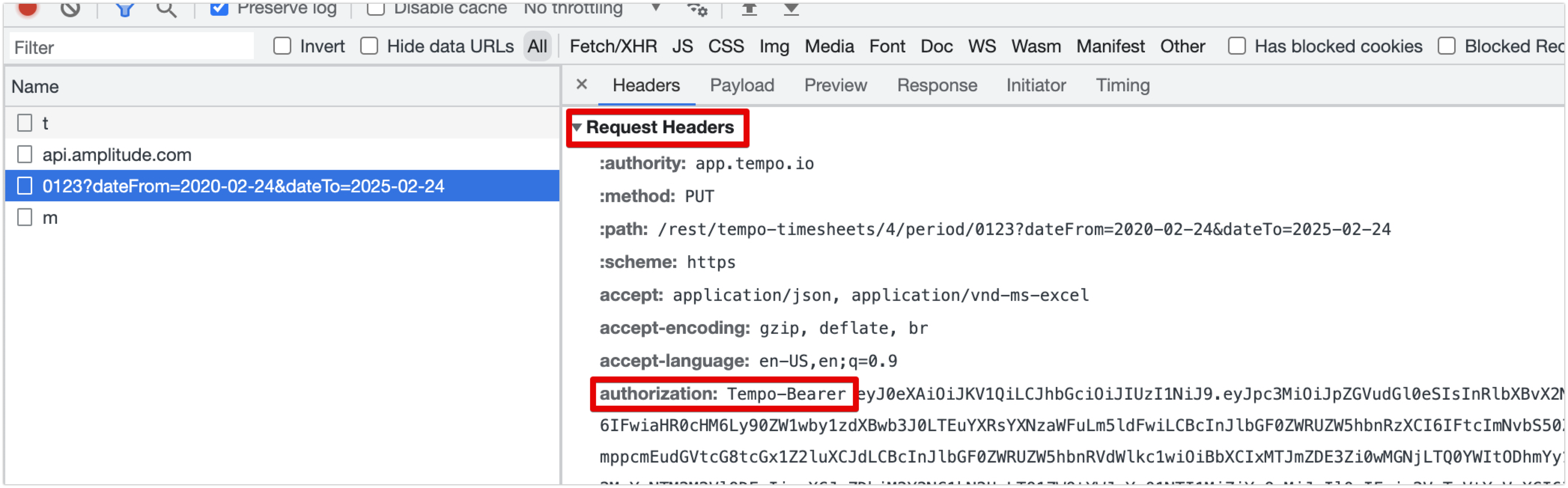
Open the developer tool in the browser and go to the Network tab,
-
Choose “Open for approvers” for any period,
-
Right-click on the relevant API call from the browser console and select “copy > copy as cURL”,
-
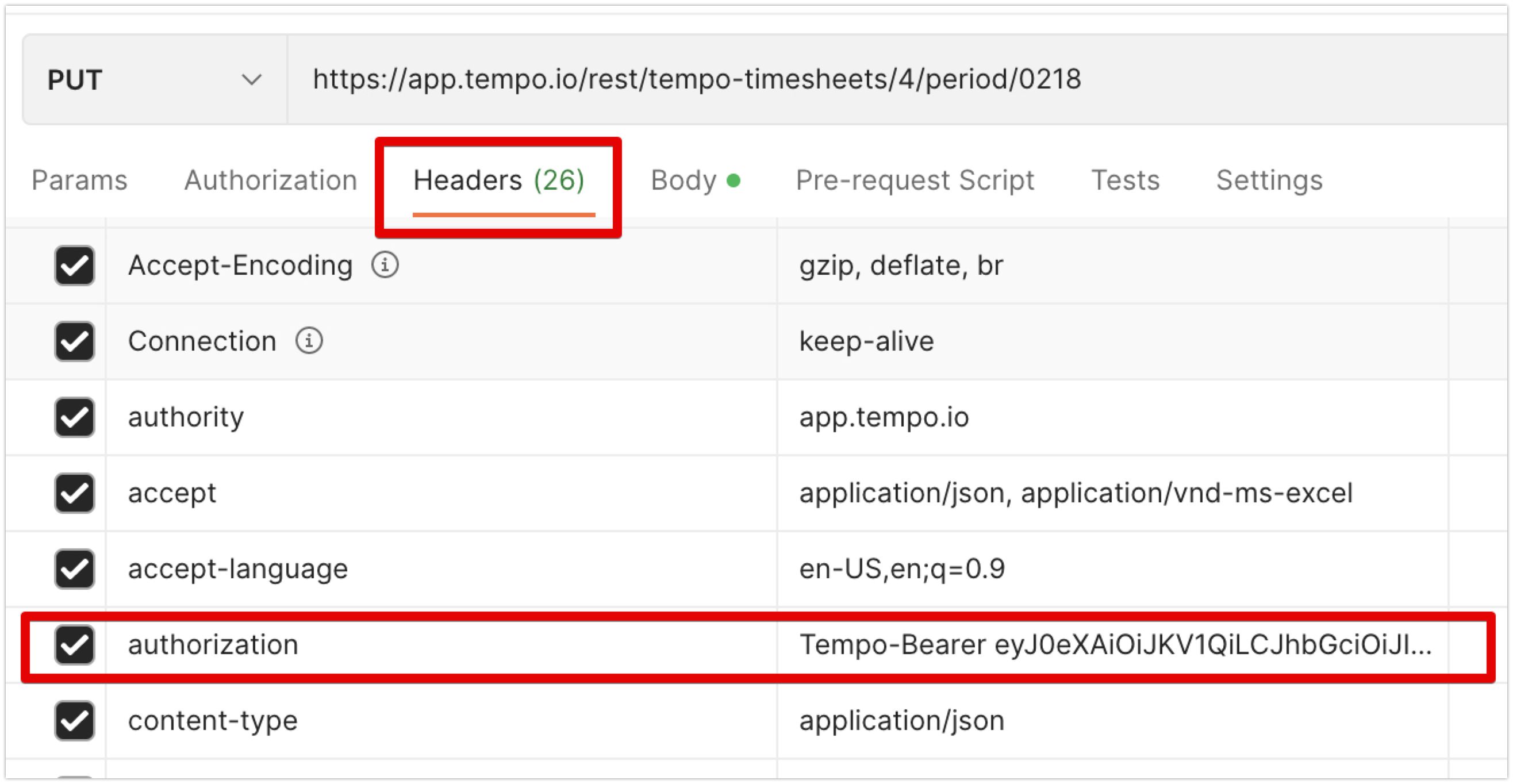
Open Postman and click “Import”,
-
Choose “raw text” and paste in,
-
Hit “Import”,
-
Edit the “body” according to the need,
-
Send.
Note: this does not use the public API bearer token generated in the “API Integration” section of Tempo Settings. The bearer token for this call can be found and copied from the “Authorization” section in the “Request Header”. If this token expires, simply click another radio button on the same page, grab the token from that request, and paste it into the Authorization Header in Postman.