
Tempo Internal work items is one of Tempo Core features that is available for Timesheets and Planner by Tempo on both the Cloud and Data Center platforms. Due to limitations with Jira Cloud, the required permissions for Internal work items are different between Cloud and Data Center, to managing them varies depending on your business workflow.
Similarities:
Internal work items need to be configured in Tempo Settings > Configuration and require no Remaining Estimate. When work items are configured as Internal in Tempo, they are not considered as billable hours (with Timesheets).
Differences:
Internal Work items on Cloud
-
Users need to have Browse Project and Work on issues permissions of the Internal Space(s).
-
New UI for the Internal Work items page
-
Aggregating Internal Work items' worklogs when syncing with Jira due to Jira 10K worklog limit.
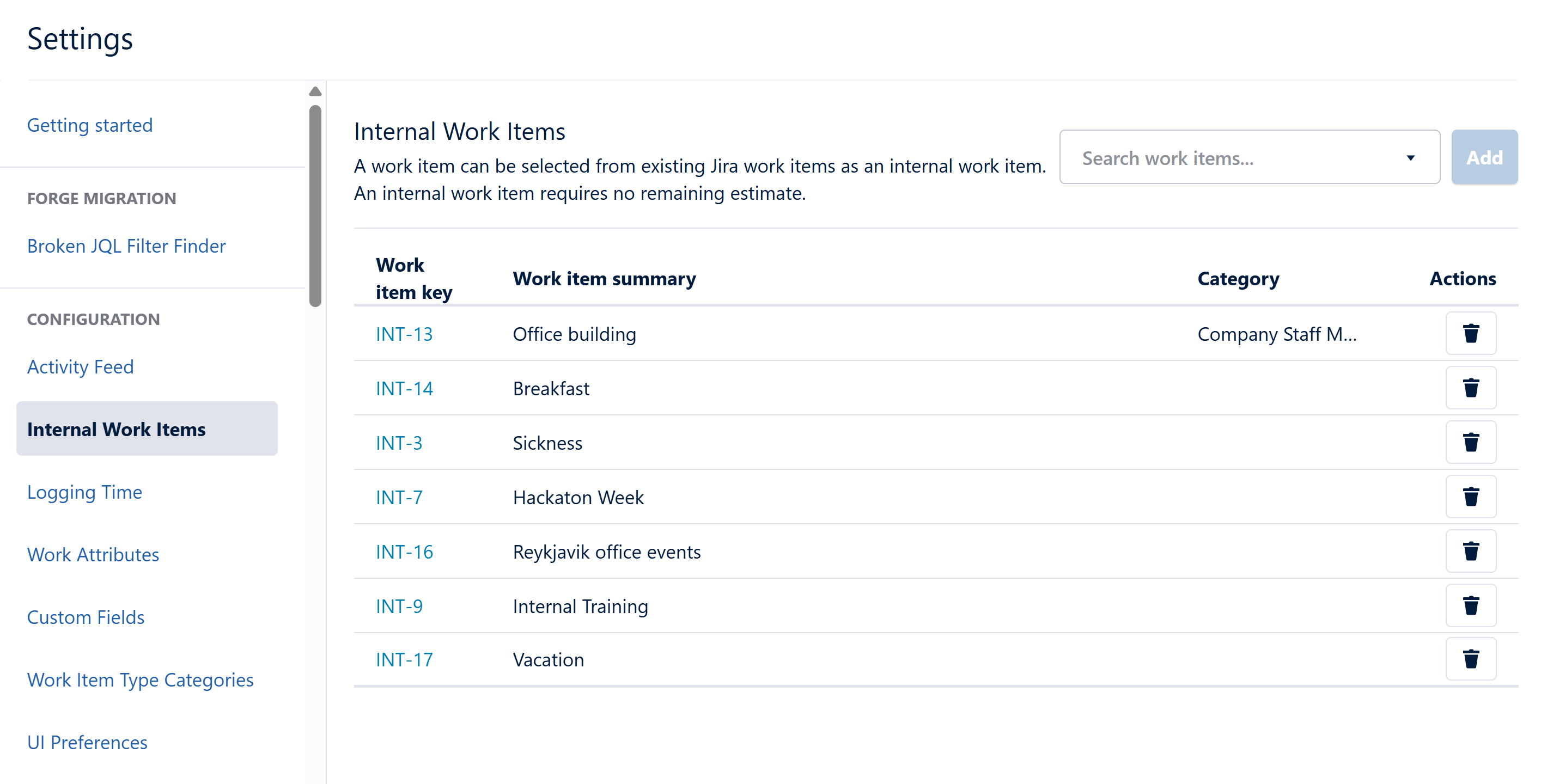
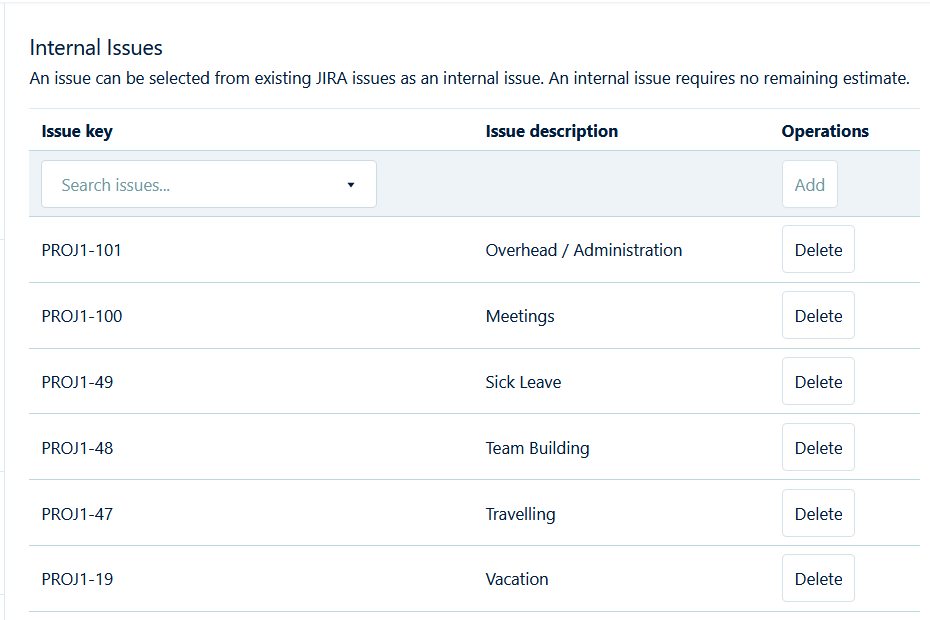
Internal issues on Data Center
-
Users need to have Work on issues permission of the project(s).
-
UI for Internal Issues page is not updated
Here are some more details about the permission differences for Internal Work items between the Cloud and Data Center, which changes how Internal Work items are used on each hosting platform:
-
Permissions for Internal Work items are fully granted by Timesheets on Data Center; on Cloud, the permissions are granted to users with Space permissions (Browse Project and Work on issues). Due to these permission differences, managing the Internal Work items' permissions may take more steps on Cloud than on Data Center.
-
As a result of the required Space permissions on Cloud, it’s not as easy to share Internal Work items with all users when these Work items live in different Jira Spaces, especially if a company has strict standards on controlling what can be seen by whom. This is why it’s recommended to keep all Internal Work items in the same Jira Space - it’s simpler to manage and allows you to give the necessary Space permissions to all users.
-
In contrast, on Data Center the Browse Project permission for Internal Work items is granted by Timesheets, even if Internal Work items are in different Jira projects. Users don’t specifically grant the Browse Project permission to view the Work items so that they can work on them. Project admins only need to grant the Work on issues permission to all users for the Jira projects that have Internal Work items. The advantage of Timesheets giving the Browse Project permission is that users are allowed to view and log time on only the Internal Work items, but they are not allowed to see the whole project(s), and it’s easy to manage Internal Work items coming from different Jira projects. The disadvantage is that Timesheets bypasses Jira’s permission rules.
Different ways to manage Internal Work items based on permission differences on Cloud vs Data Center
-
Using JQL - If you have Internal Work items coming from different Jira Spaces, it’s best to group them by JQL and run in Tempo Reports. This is recommended for both Cloud and Data Center.
-
Using Jira Spaces - To keep it simple to manage Space permissions for Internal Work items on Cloud, it’s recommended to put them all in a single Jira Space. This is also recommended for Data Center if Timesheets bypassing Jira’s Browse Project permission does not conform to company policies/standards.
-
Using Tempo Accounts - Instead of using JQL to maintain the Internal Work item list manually, linking Tempo Accounts to Internal Work items lets you easily group/filter them in Tempo Reports for both Cloud and Data Center.