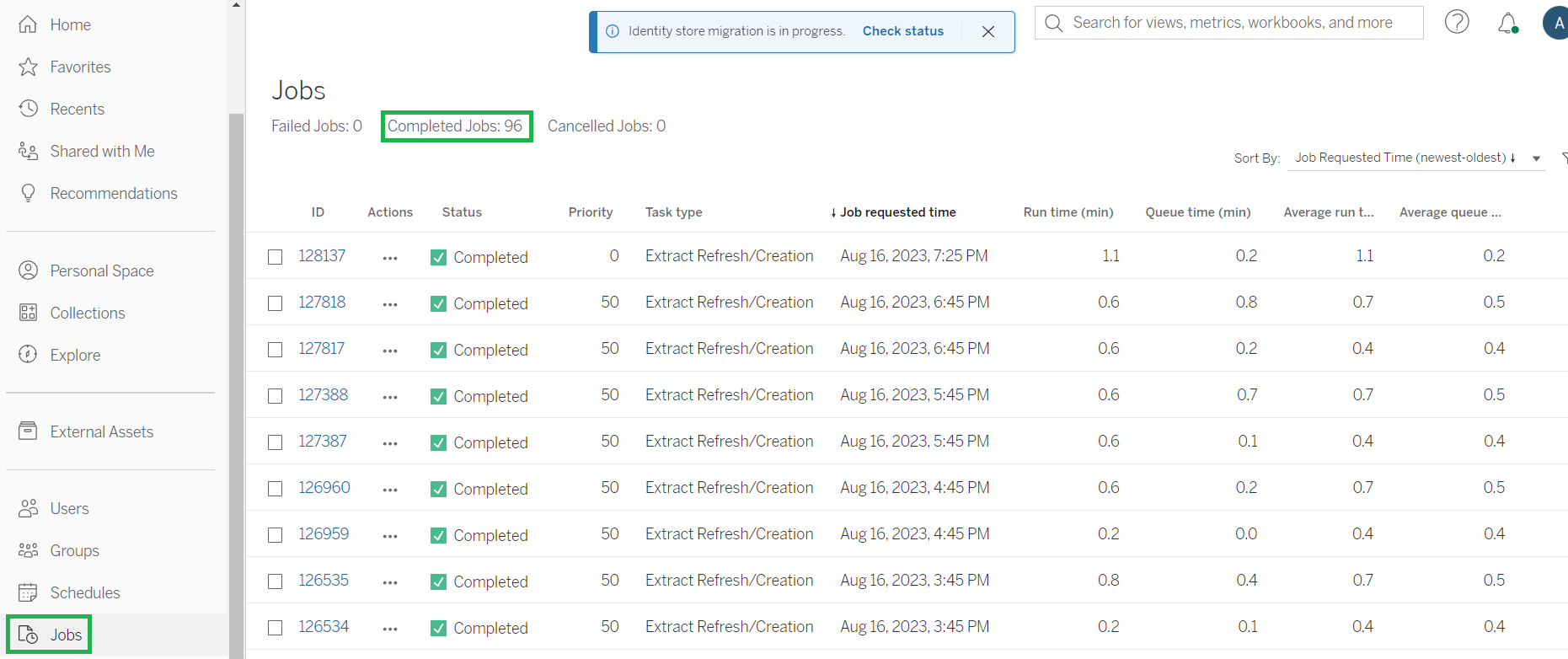
-
Sign in to Tableau Server. Enter server access credentials in the browser tab and check if you logged in successfully.
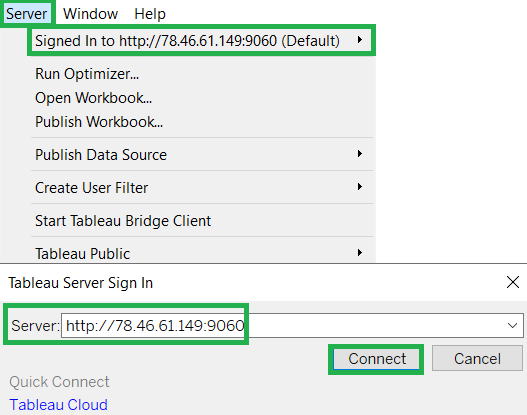
-
In Tableau Desktop, create a new workbook or select the existing one to be refreshed. Publish it to Tableau Server.
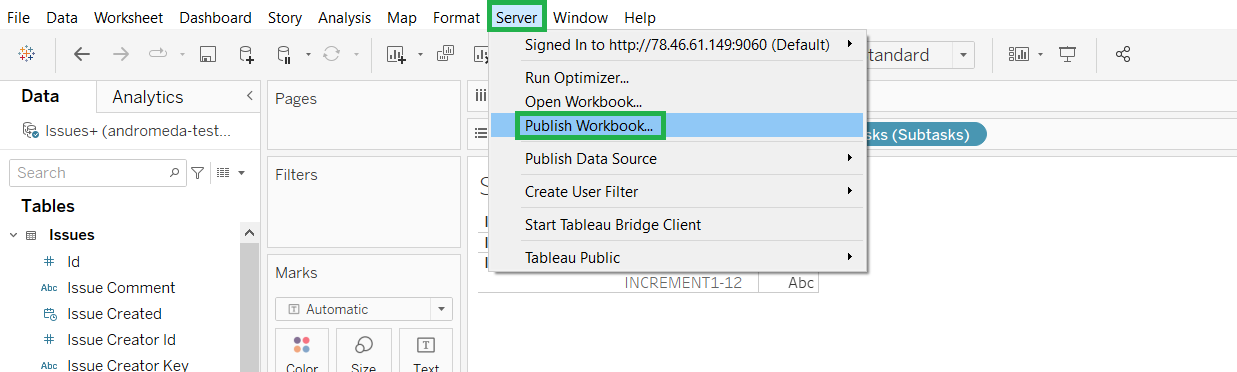
-
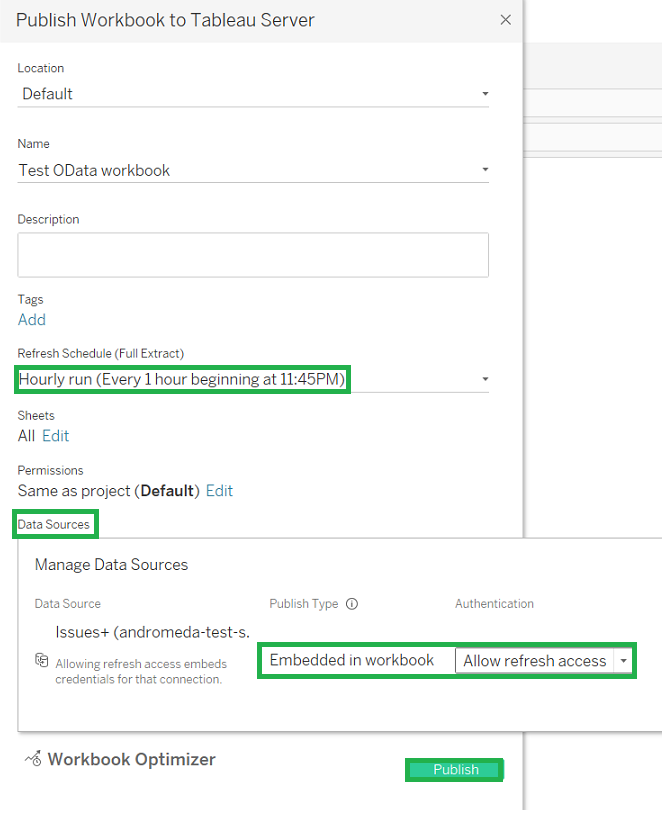
Adjust all the needed information, such as:
-
Select the Location where you would like to publish the workbook;
-
Give it a Name and Description (optionally);
-
Add a scheduled period (optionally);
-
Click the Edit link next to the Data Sources section to manage the data source publish type and authentication;
-
Set the Publish type = “Embedded in workbook” and Authentication = "Allow refresh access";
-
Click Publish to publish the workbook.
-
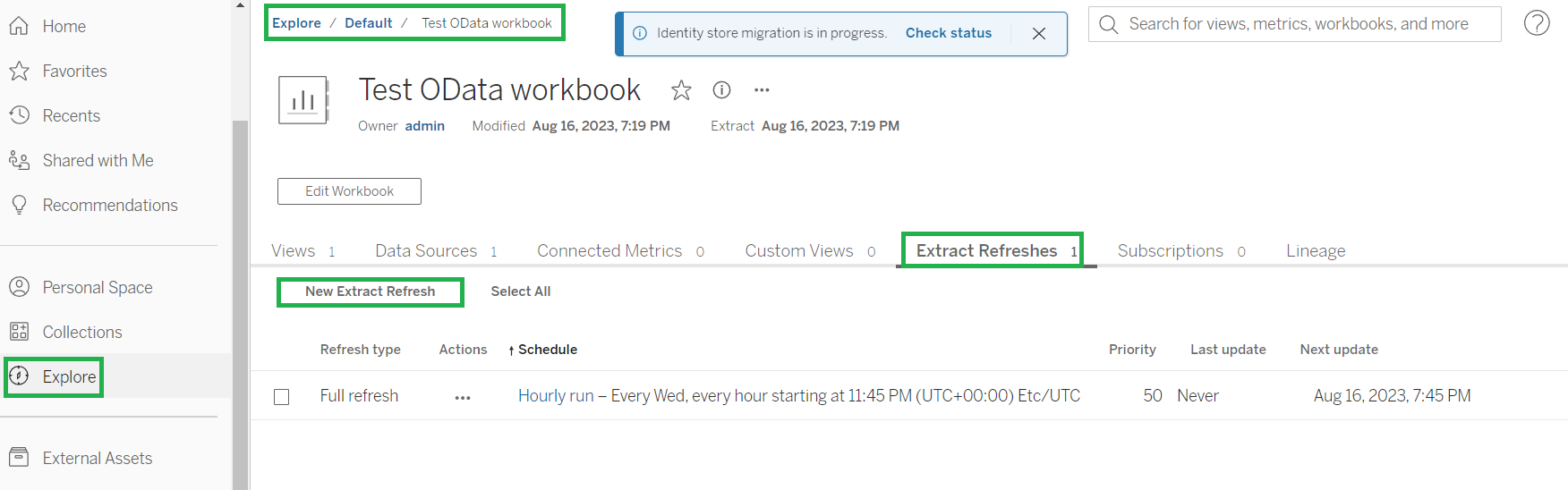
In Tableau Server, navigate to the published workbook. Check your existing scheduled refreshes in Extract Refreshes. Use New Extract Refresh to create a new one.
-
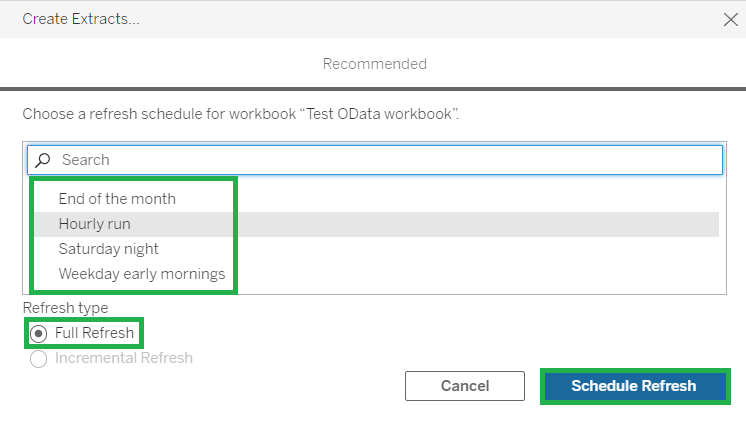
Determine a schedule for Full Refresh and press Schedule Refresh.
-
Examine the scheduled refresh progress in Jobs.