This PAT (Personal Access Token) can be used as a password to connect to Tableau Desktop and export data using the OData feed.
-
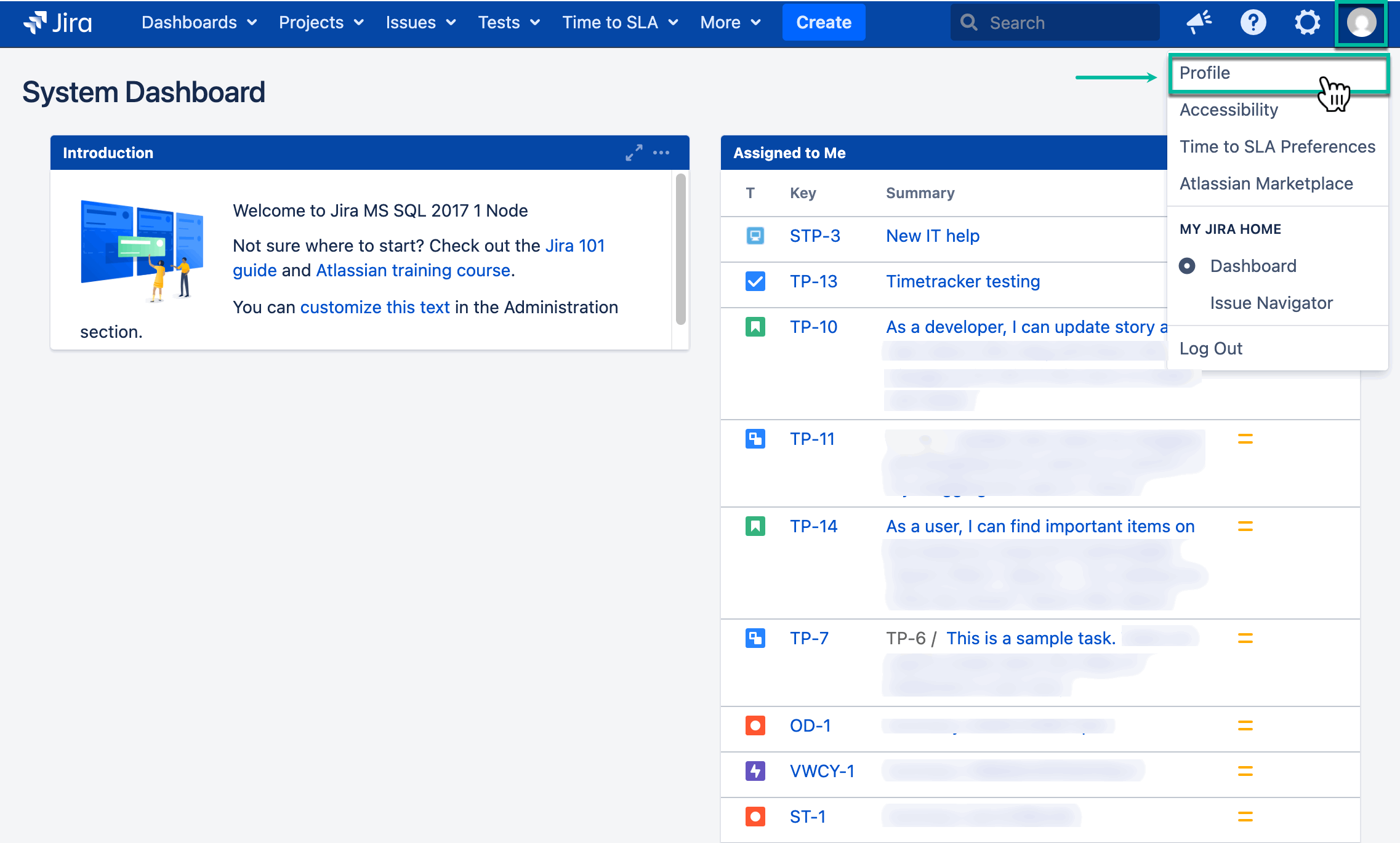
Being signed in to your Jira instance, select your profile picture, and then select Profile.
-
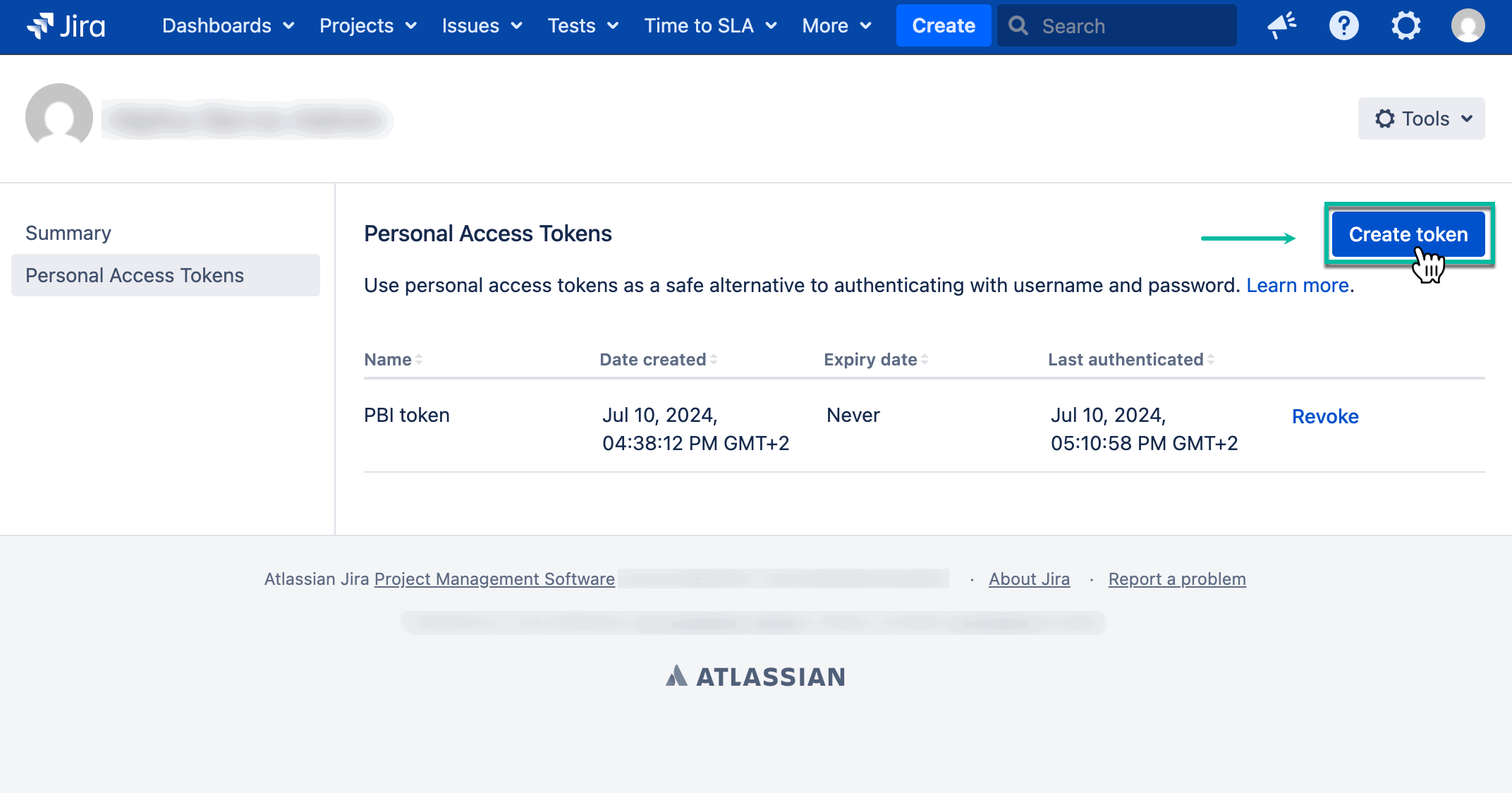
Select Personal Access Tokens, and then select Create token.
-
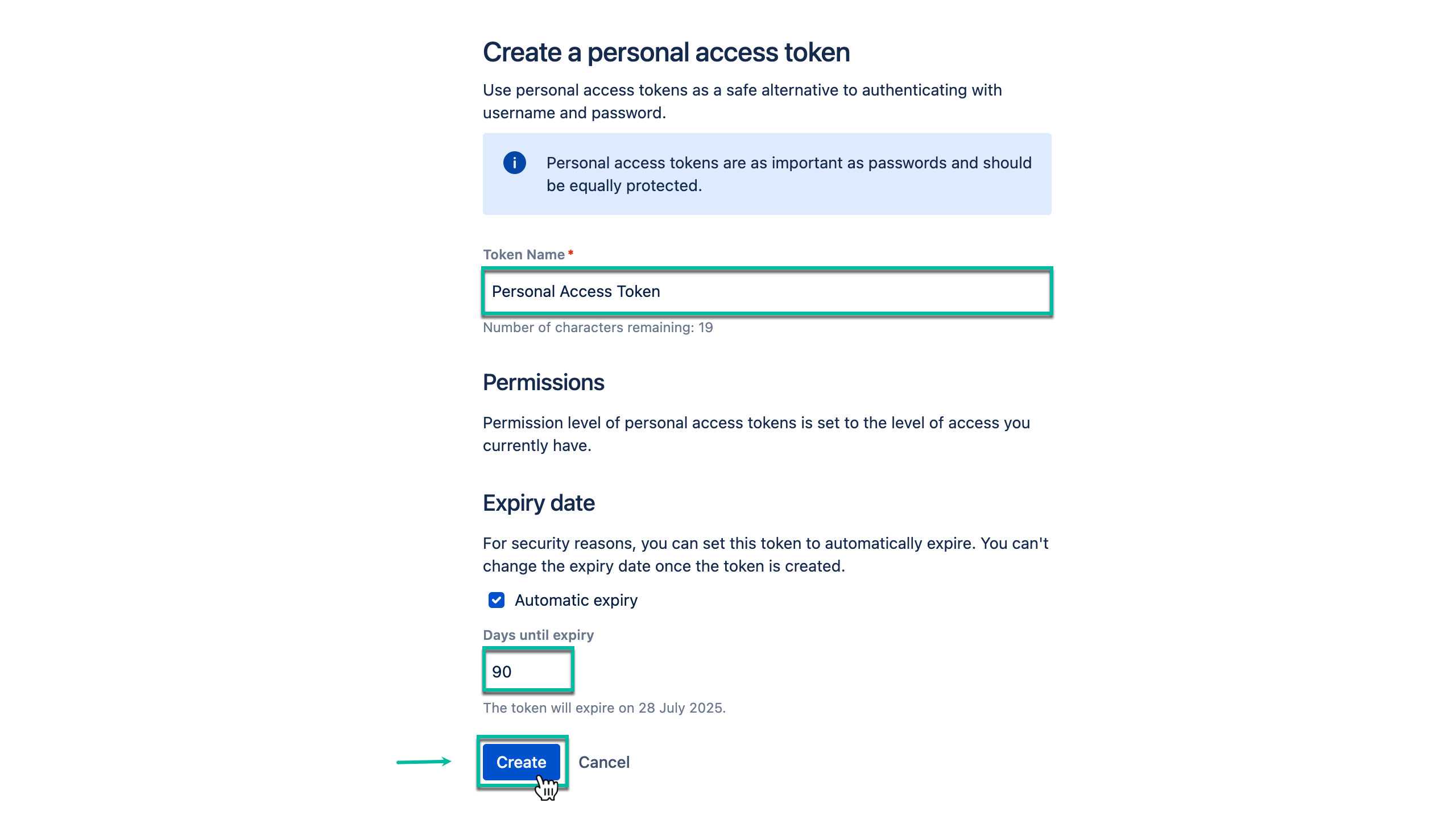
In the Token Name* field, enter the name of your token.
-
Enter the expiration date for your token if needed, and then select Create.
-
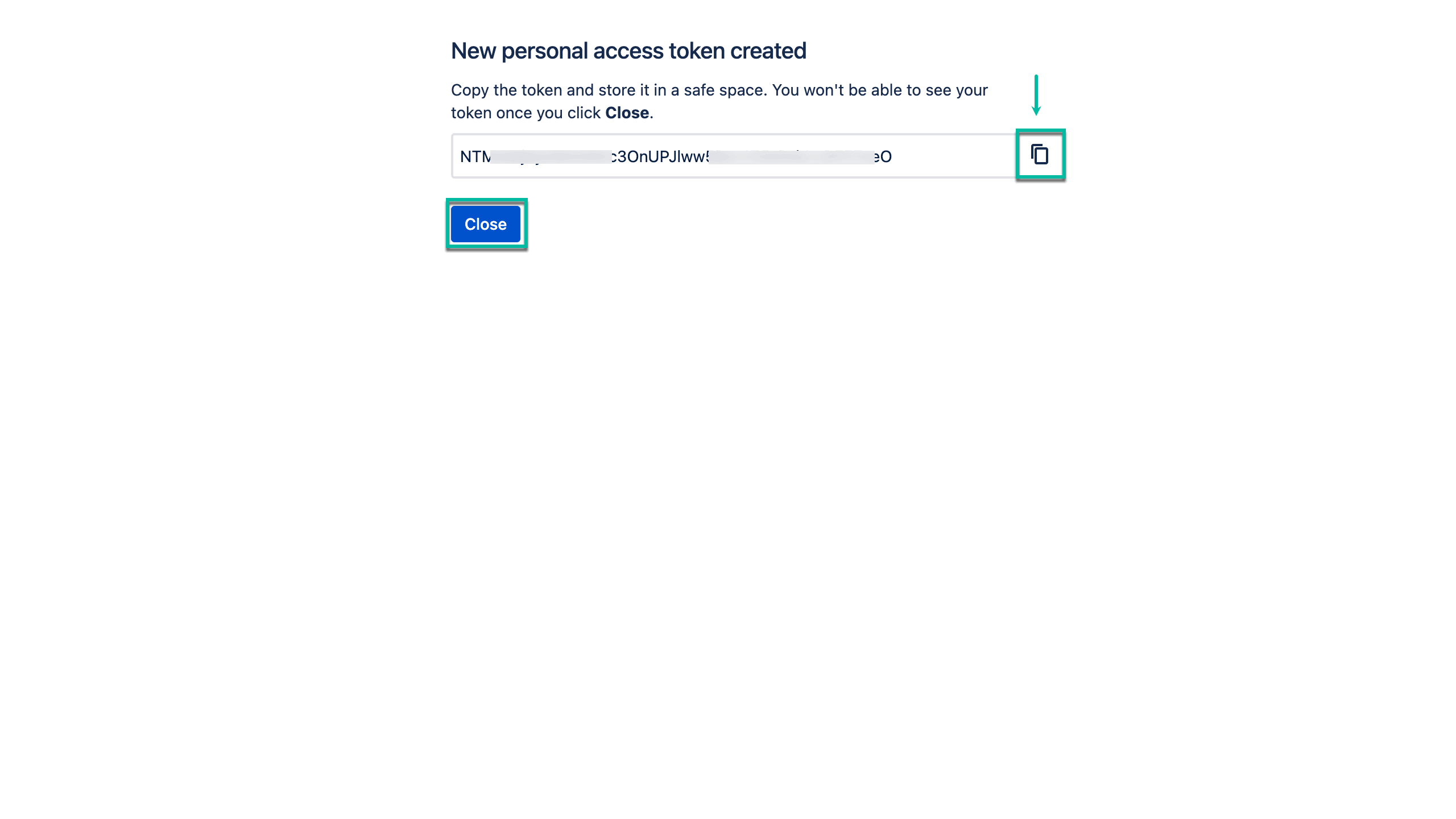
Copy your token, and then select Close.
Before closing the window, make sure to copy your token and store it in a secure place. You won’t be able to see your token once you select Close.