
This article is for Tempo for Cloud
There might be a need to set a Tempo Account on an work item based on certain rules. With Automation for Jira this can easily achieved and there are several options to choose from. In this tutorial we focus on setting a Tempo Account in the event of the creation of a Jira work item. We will set the Tempo Account based on the Account that is set on the parent work item for the work item we will create.
Instructions with Connect on Forge (old)
-
Set up an automation rule under Space settings >Automation.
-
As the trigger for the automation choose “Work item created”.
-
Add a new component IF.
-
Select “Related work item condition” and set “Related work items” field “Parent” and “Condition” field “Exists”.
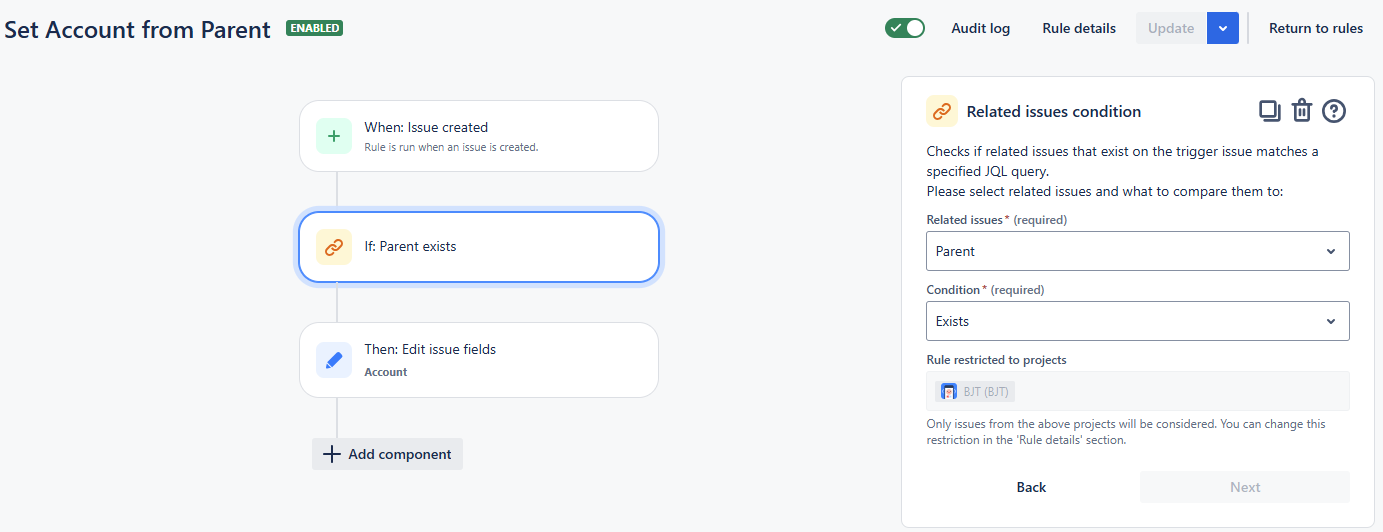
valid Parent work item link -
Add a new component THEN.
-
Select “Account” field with “COPY” option and set “work item to copy value from” field with “Parent work item”.
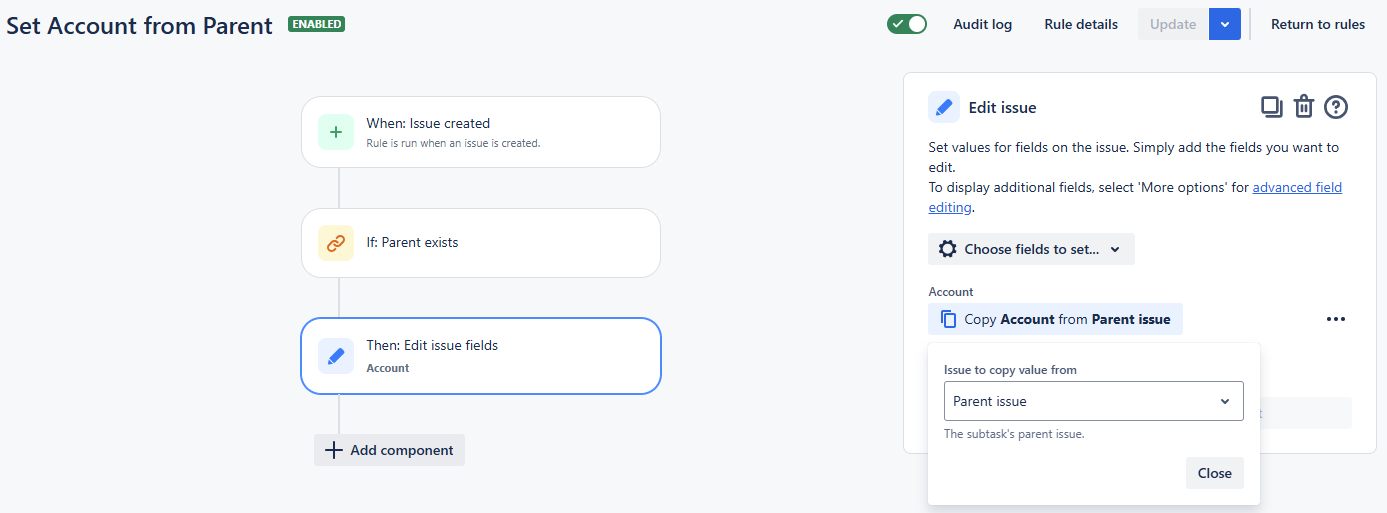
Copy Account from Parent work item
-
Save and publish the automation.
-
You will notice that the Tempo Account value has been inherited from Parent.
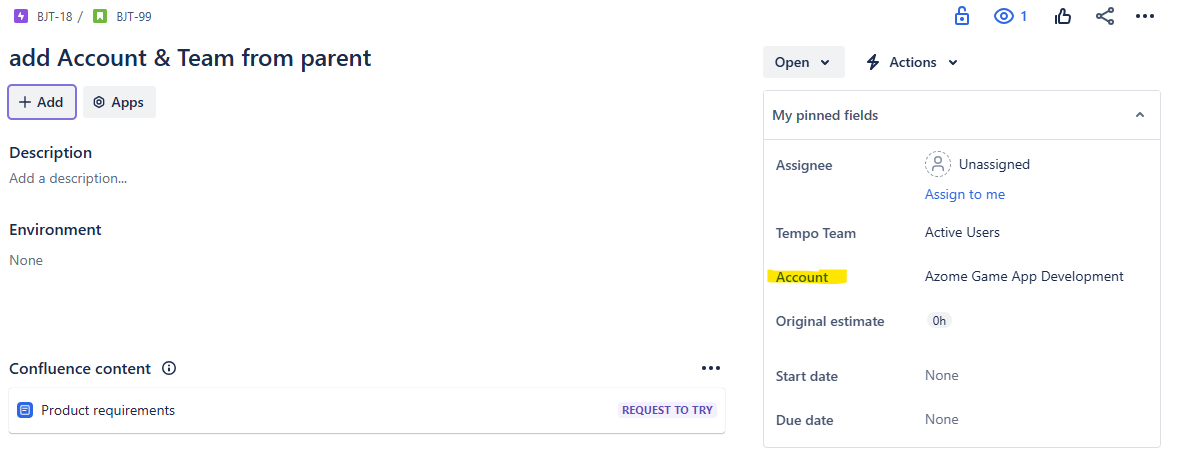
Account inherited from Parent
Instructions with Forge Remote (new)
-
Set up an automation rule under Space settings > Automation.
-
As the trigger for the automation choose “Work item created”.
-
Add a first condition if Parent exists.
-
Select “Related work item condition” and set “Related work items” field “Parent” and “Condition” field “Exists”.
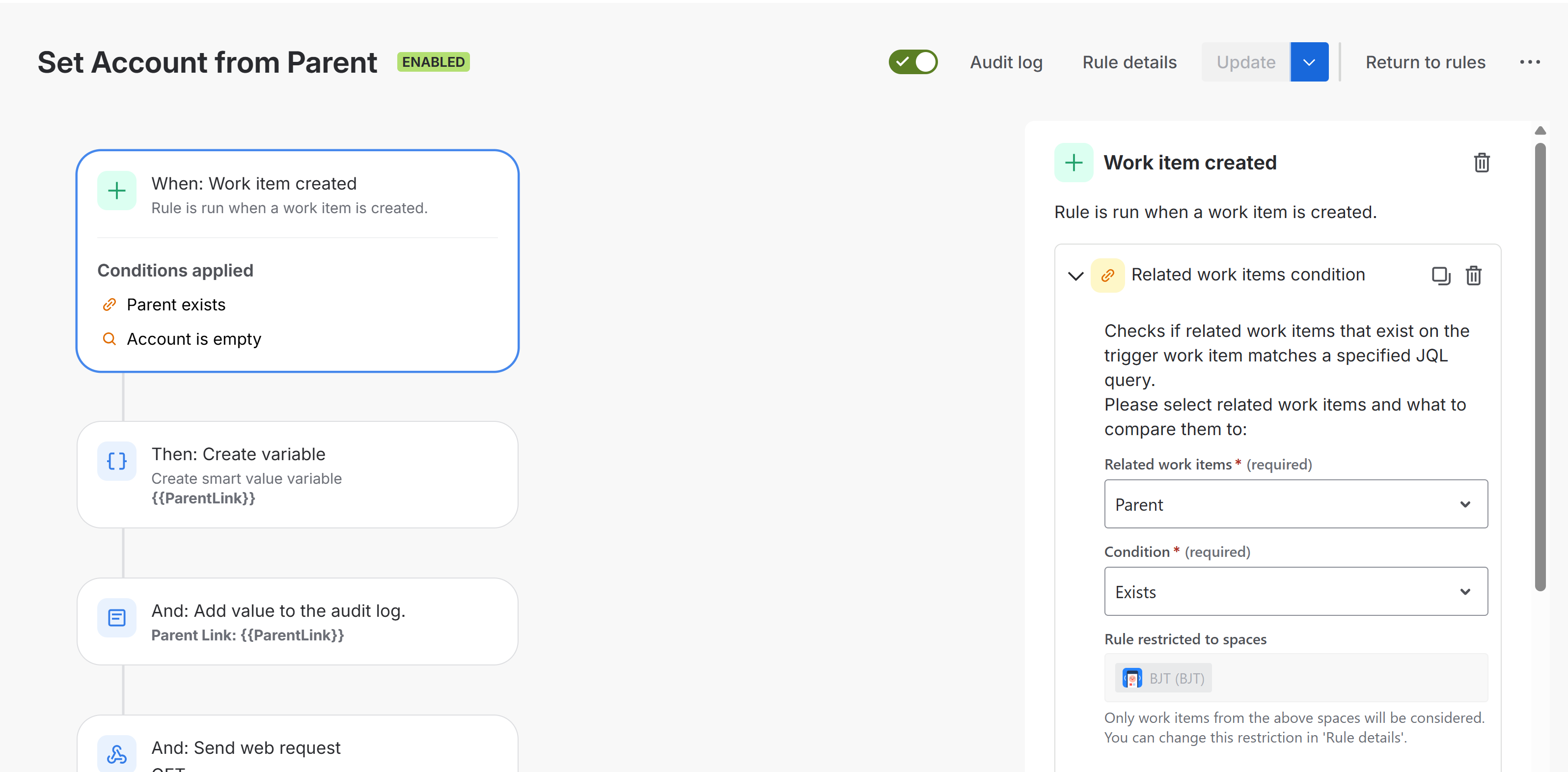
valid Parent work item link -
Add a second condition if Account is empty by adding a JQL condition to set the Account IS EMPTY and validate it.
Account is empty
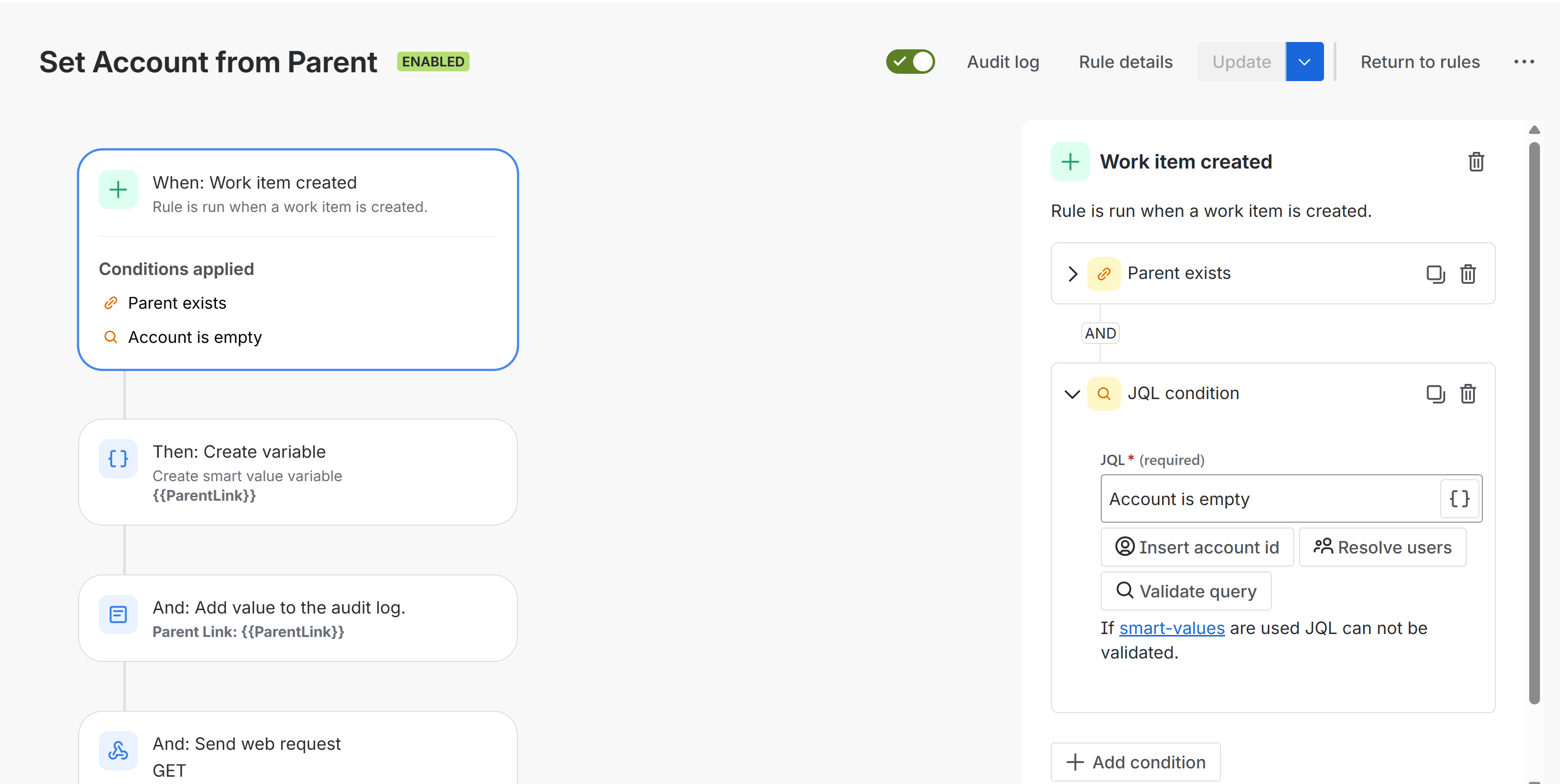
validate empty Account -
Add Account value to the audit log. (Optional for troubleshooting)
Tempo Account = {{issue.parent.Account.id}}
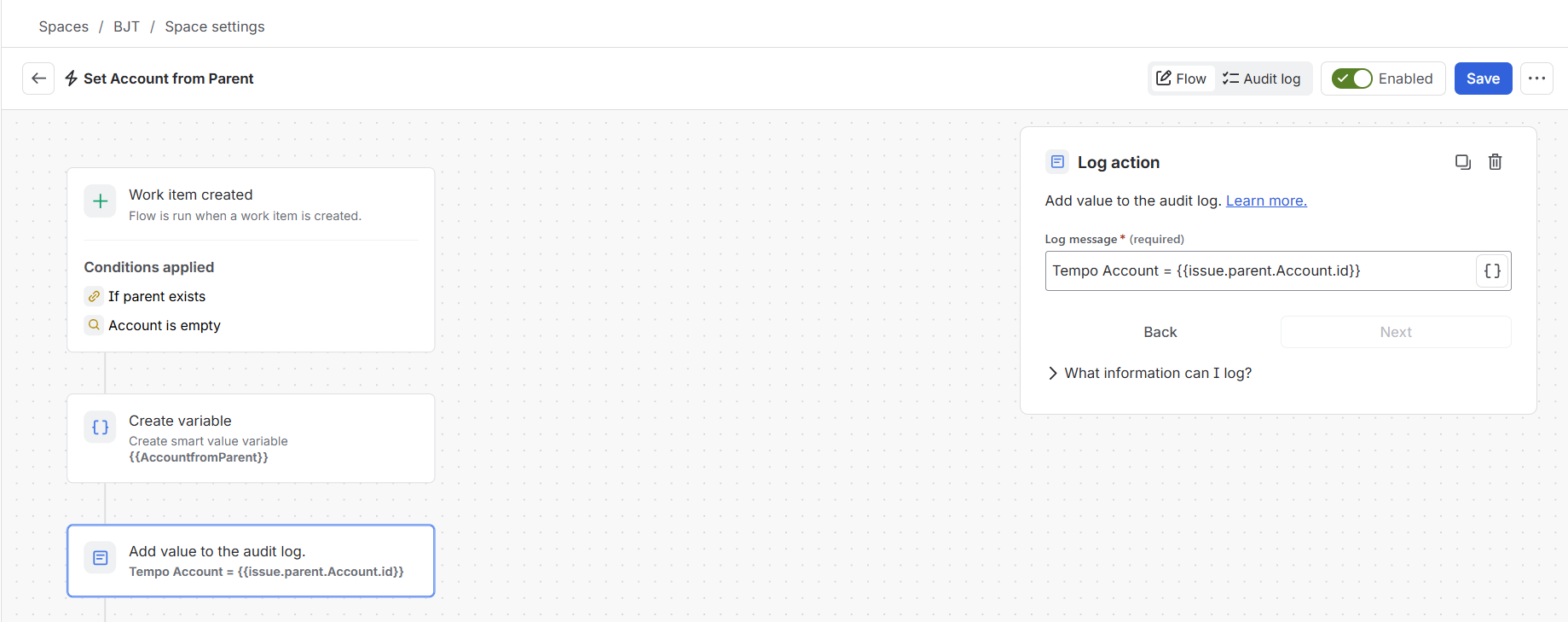
Add Account to audit log for troubleshooting
-
Assign the Account to the work item by edit work item fields > More options > Additional fields.
{
  "fields": {
    "Account": {
      "id": "{{issue.parent.Account.id}}"
    }
  }
}
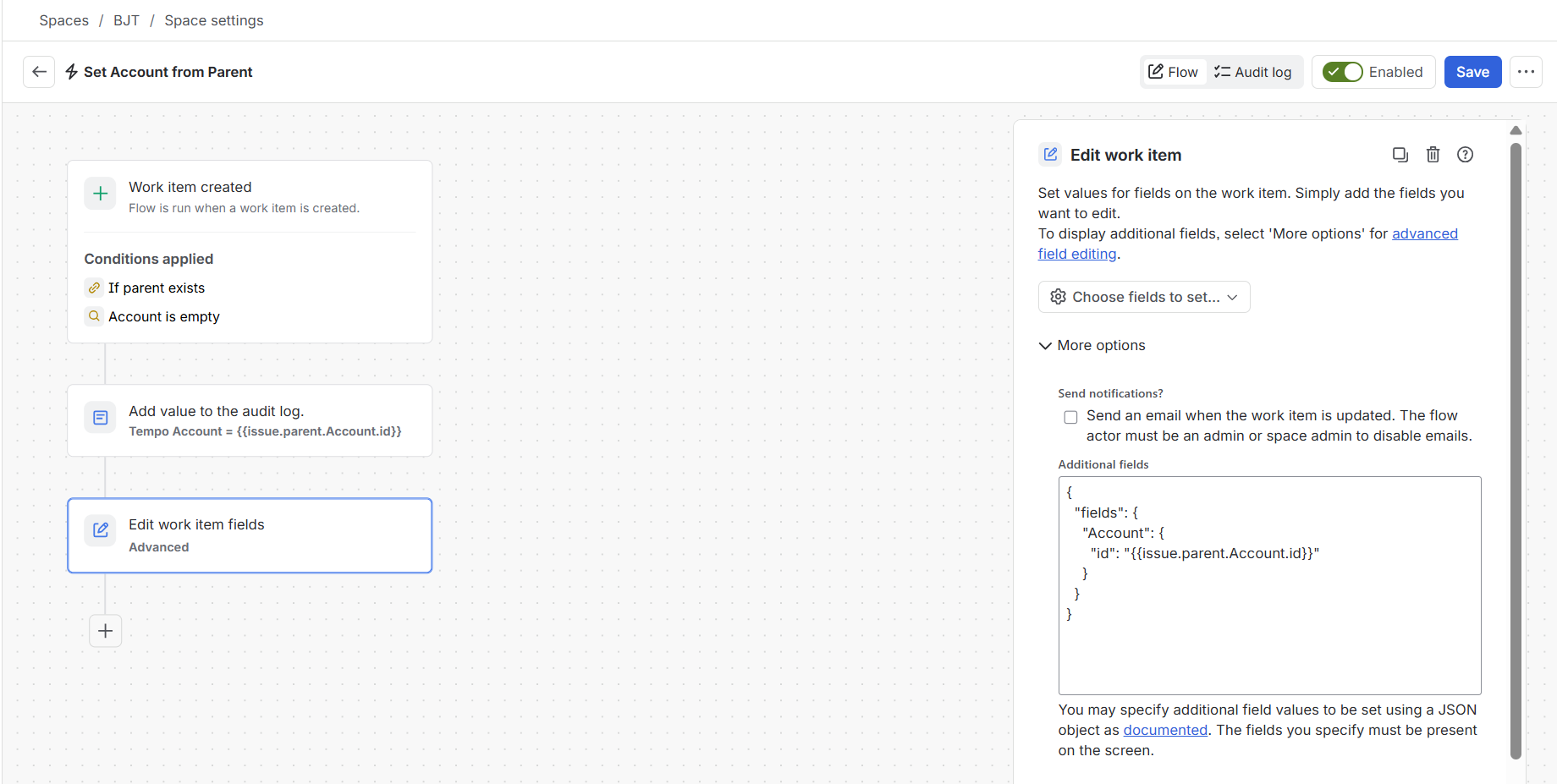
-
Save and Enable the flow.
-
You should see that the Tempo Account value has inherited from Parent when creating a new work item.
Account inherited from Parent
There are many rules available and the approach above could be used for many other use cases.