
Problem
Structure integrated roadmap suspended.
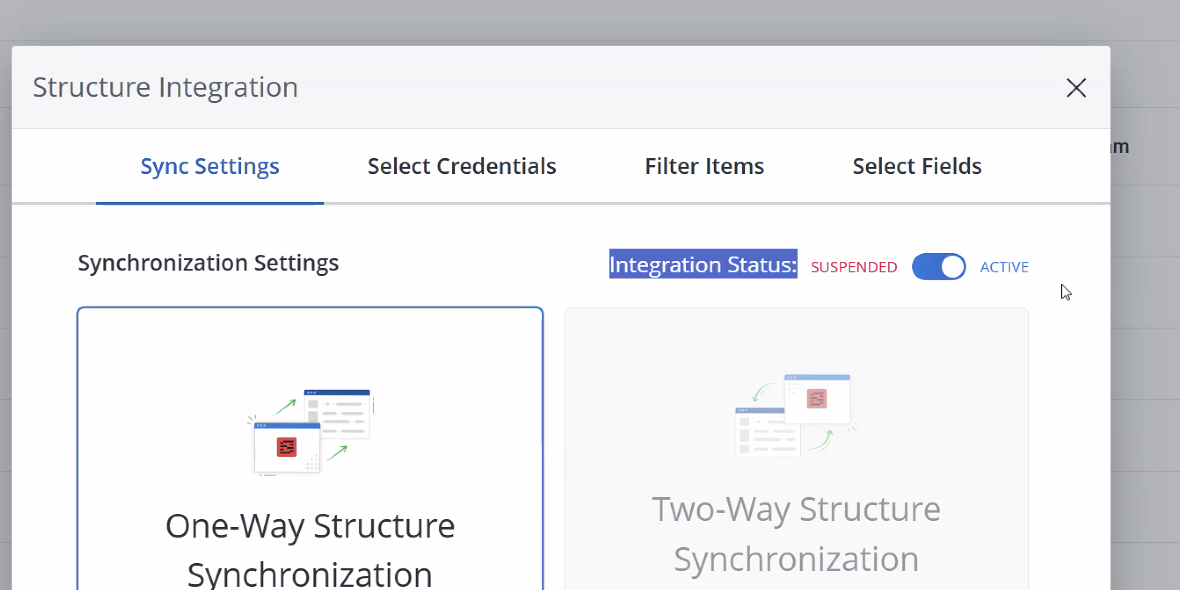
When an integration fails, the roadmap gets suspended. The system automatically suspends a roadmap’s integrations after 10 failed sync attempts.
Usually, we see this issue happening when:
-
The owner of the roadmap has left the organization, and/or the token is no longer valid.
-
The roadmap has been duplicated.
-
Credential-related issue
Solution
Verify the following:
--> Check that the current roadmap owner still exists in the account and has access to Jira/Structure.
--> Check for Account‑level suspension:
-
As an Account Admin, go to Account settings > Integrations > Structure.
-
Ensure Suspend Roadmap Syncing is not enabled for the affected roadmap.
-
If it was enabled, turn it off and confirm the roadmap sync resumes.
--> Re‑sync data:
-
From the roadmap, open the integrations tab and use the Synchronize Now option (if available) to refresh data.
-> Check Credentials, if the issue continues:
-
Go into the Structure integration settings on the affected roadmap
-
Click the toggle to unsuspend the roadmap
-
Select the Credentials tab
-
Selecting Edit on the integration credentials
-
Click Delete
-
Click + Add Credentials and follow the on-screen prompts