
Question
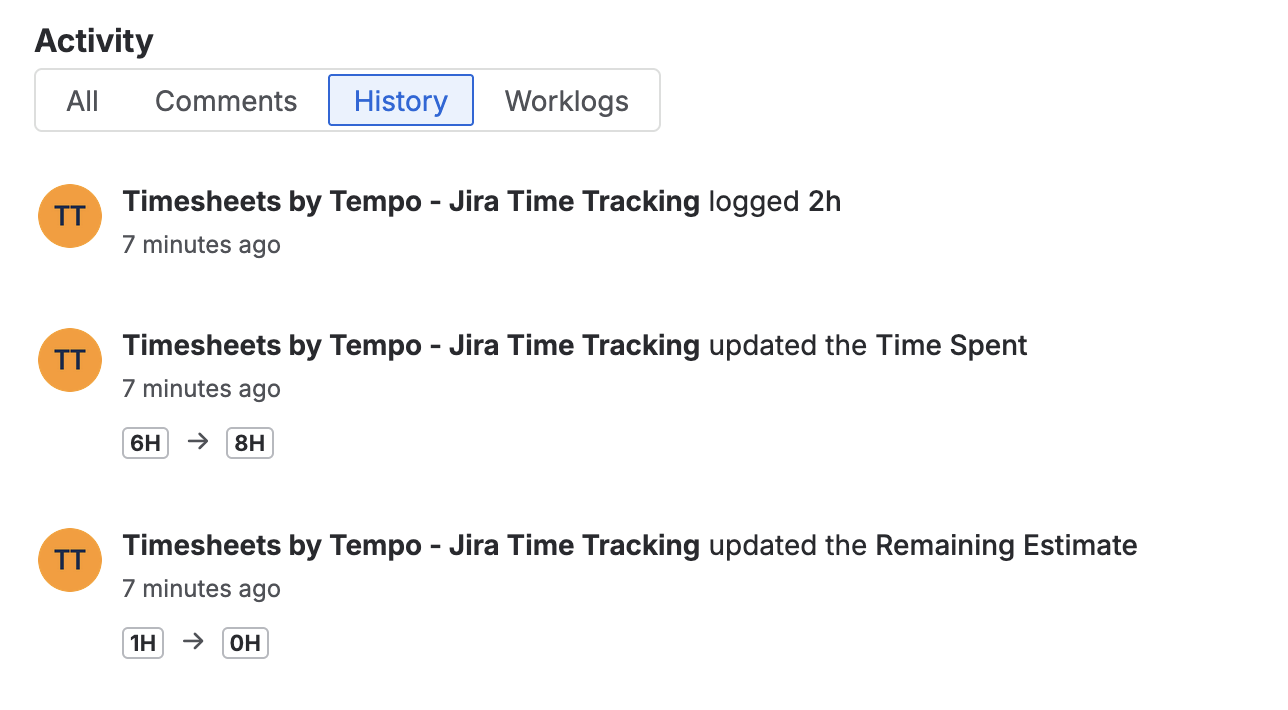
Why does the worklog author appear as “Timesheets by Tempo - Jira Time Tracking” instead of the user's name?
Answer
On Jira Cloud, Tempo operates as an independent system with its own database separate from Jira. To ensure strict data privacy, Tempo acts as a "middleman" (a 3rd-party plugin user) that manages all worklogs. When worklogs are synced to Jira, they are anonymized to protect sensitive information:
-
Author: Listed as "Timesheets by Tempo - Jira Time Tracking"
-
Comment: Defaulted to "time tracking"
This allows you to control permissions in Tempo (e.g., hiding specific time details from users with only "Browse Project" access) while still showing that time was logged on a Jira ticket. To see complete worklog information, you will need to have permission to view others' worklogs.
Because of this privacy layer, standard Jira features have some limitations.
-
Searching via JQL using
worklogAuthorwill not identify specific individuals. -
The Jira REST API will only return the anonymized "Tempo Timesheets" data.
-
Jira-specific views (History tab in the work item, Activity feed gadget) will show that Tempo created/edited the worklogs
To view complete, accurate worklog information, use the Tempo panel in the issue view, the Logged Time Report, or the Tempo REST API, rather than the Jira API.