
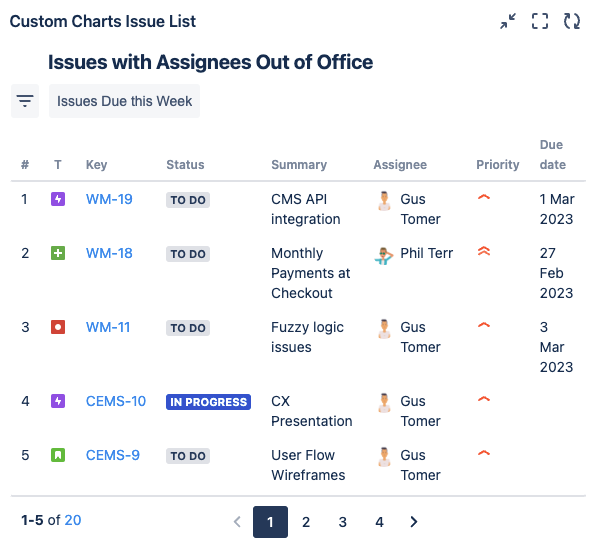
This chart shows a list of issues assigned to users who have indicated they’re out of office using Out of Office Assistant. A Quick Filter has been added to show the issues due this week that are assigned to OOO users so the team can easily target and reallocate those issues, or, move their Due dates.
Recreate this Chart in Your Instance
-
Add the Issue List gadget or macro to your dashboard or page
-
Set the Source to Advanced (JQL) and enter the following JQL statement: assignee.outofoffice.until > endofweek(1)
-
Add the following fields as columns to the list:
-
Priority
-
Due date
-
-
Navigate to the “Quick filters” tab (Quick Filters refresher here) and create a Quick Filter with the following JQL:
-
duedate > startofweek() AND duedate <= startofweek(5d)
-
-
Optional: Give your chart a title and combine or rename any segments
-
Click Save or Insert