
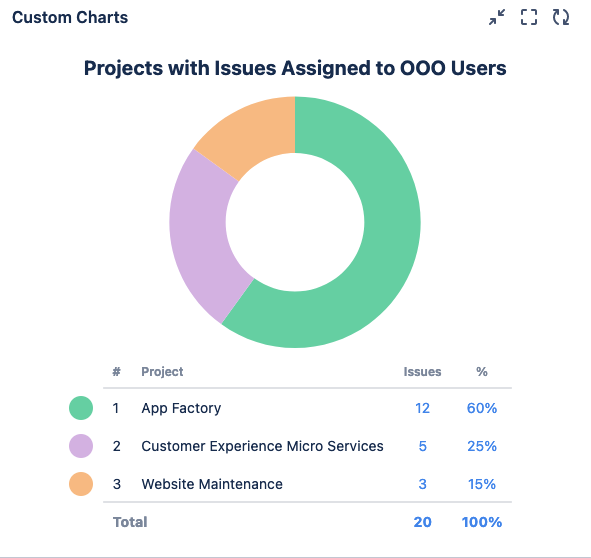
This chart shows a list of Projects with Assignees who have indicated they’re out of office using Out of Office Assistant. If a project has a lot of issues assigned to OOO users, other teams can come together to assist with those issues.
Recreate this Chart in Your Instance
-
Set the Source to Advanced (JQL) and enter the following JQL statement: assignee.outofoffice.until> endofweek(1)
-
Set the Chart type to Pie Chart
-
Set the Chart by dropdown to Projects
-
Optional: Give your chart a title and combine or rename any segments
-
Click Save or Insert