
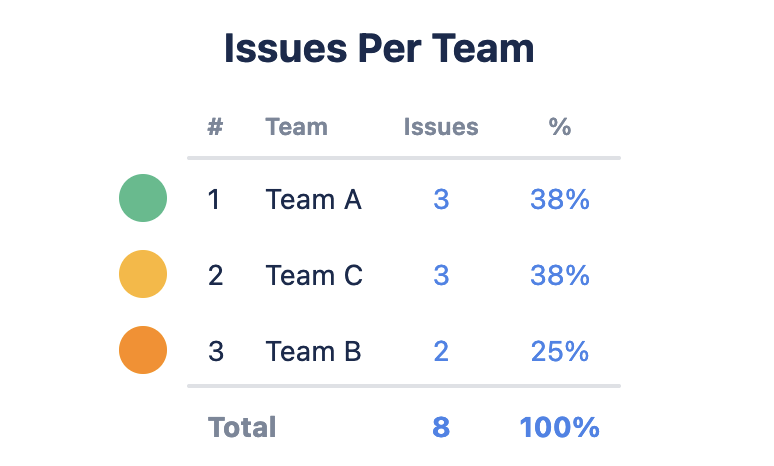
This chart shows the amount of issues in a project broken down by the Plans field, “Team”. This chart helps the organization understand workload and capacity.
Recreate this Chart in Your Instance
-
Set the Source to Project(s) and select the Jira projects you’d like to pull in issues from
-
Set the Chart type to Table Chart
-
Set the Chart by dropdown to Team
-
Optional: Give your chart a title and combine or rename any segments
-
Click Save or Insert