You can create unique work item types in each Jira space. For example, a space could have a Customer Bug, while another space has specific categories for bug types, such as iOS Bug, Android Bug, or Safari Bug. These disparate work item types can make Tempo reports hard to understand since there are so many different bug types between Jira spaces.
Using Tempo Settings, you can create categories for similar or duplicate work item types. The categories can then be used in Tempo reports to group work items more efficiently.
Create a Work Item Type Category
All work item types from your Jira spaces are listed. If you use the same work item types in multiple Jira spaces, duplicate entries are listed.
-
Navigate to Tempo Settings.
-
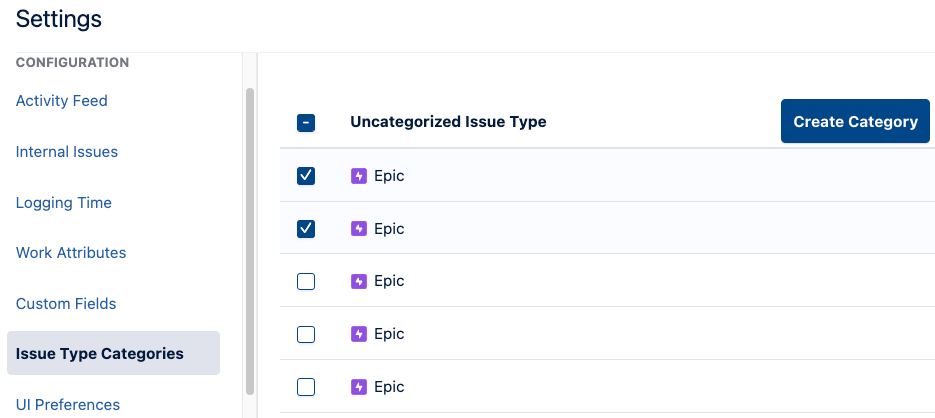
Under Configuration, select Work Item Type Categories.
-
Select at least one uncategorized work item type. You can add more work item types to your category later.
-
Click Create Category.
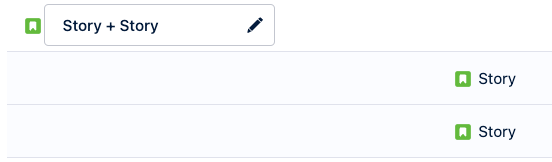
The Work Item Type Category is created with any selected work item type added to it. We highly recommend renaming the Work Item Type Category by clicking the name field.
Add Work Item Types to Categories
-
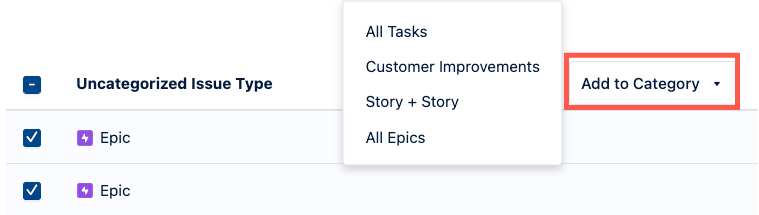
In the Work Item Type Categories, select an uncategorized work item type.
-
Expand the Add to Category menu, and then select the category you want to add the work item type to.
Remove Work Item Types from Categories
You can remove work item types from categories to add them to a different category or to keep them uncategorized. Uncategorized work item types are included when you group by Work Item Type Category.
-
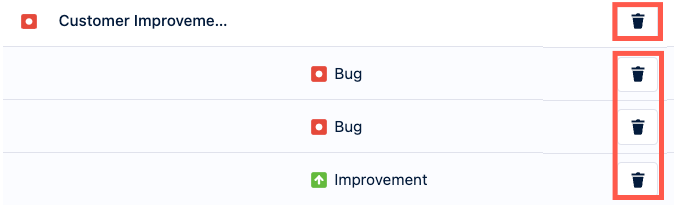
Use the Remove Work Item Types button to remove work item types from categories.
-
If you want to remove the entire category, use the Remove Category button for the entire category. Work item types associated with the category are returned to the Uncategorized state.