Question
We have been importing the Jira data through Power BI connector to Power BI. For building the reports, we are using historical issue information, and while selecting the dropdown options in the connector, we are able to get the Histories table for single-value select fields:
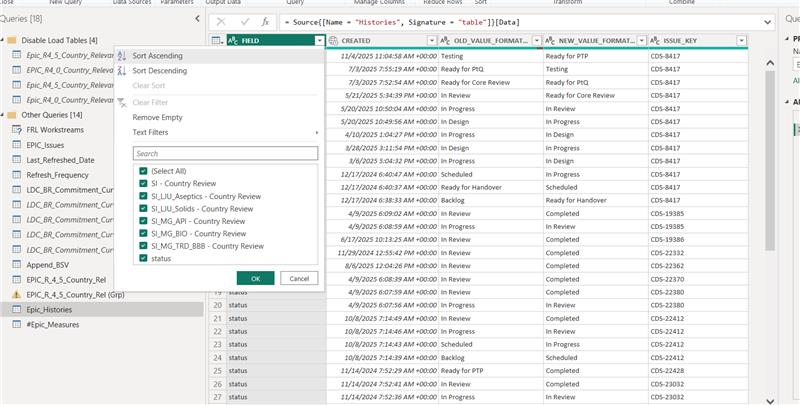
All the above fields are single-value select fields in Jira. Now, we are trying to get the historical records of the multiple-value select field “R4.5 Country Relevance“, but we are not able to get the value in the list of the Histories table in Power BI:
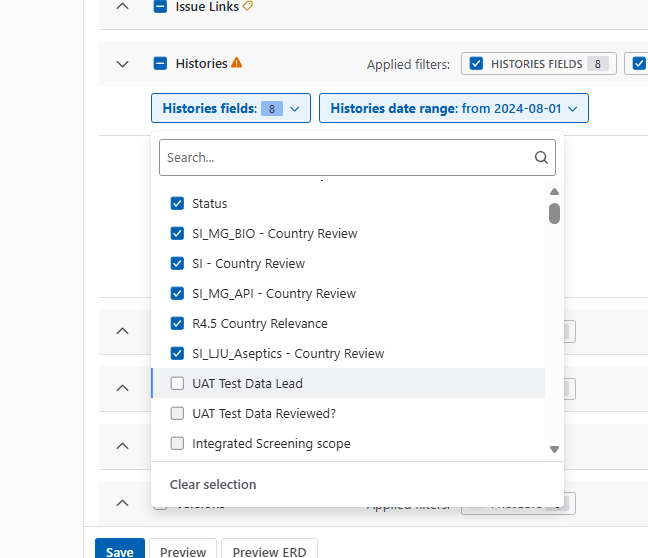
How can we get the Histories table in Power BI for a multiselect field used in Jira?
Answer
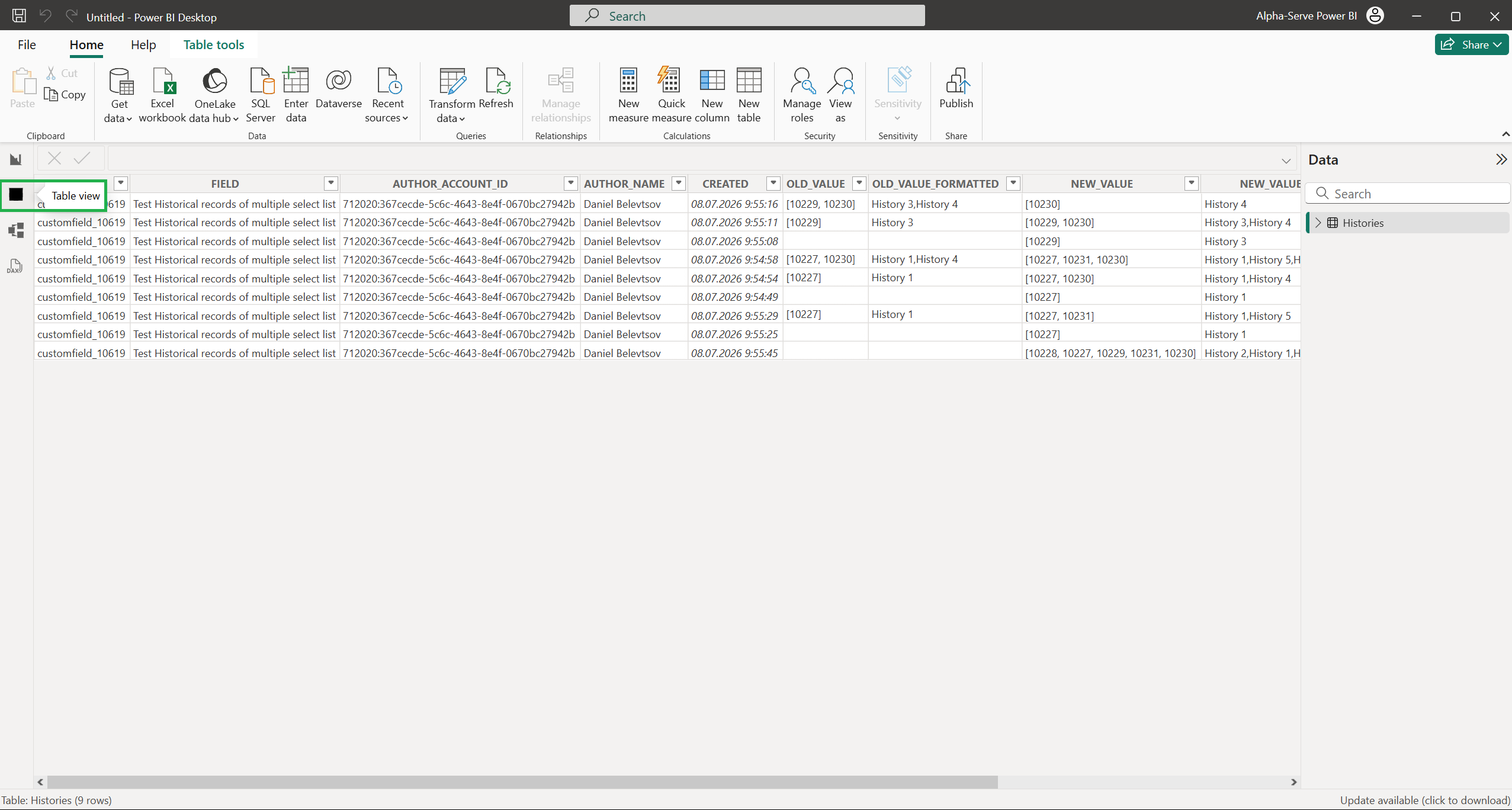
We tested the export of historical records for multiple-value select custom fields and can confirm that the "Histories" table contains all entries for such fields:

If you are not seeing the expected data in Power BI, this is likely due to one of the following:
-
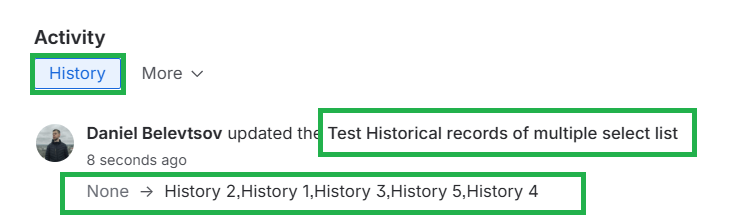
No historical records exist: There are no historical records for the affected field in Jira, which is why nothing appears in Power BI:
-
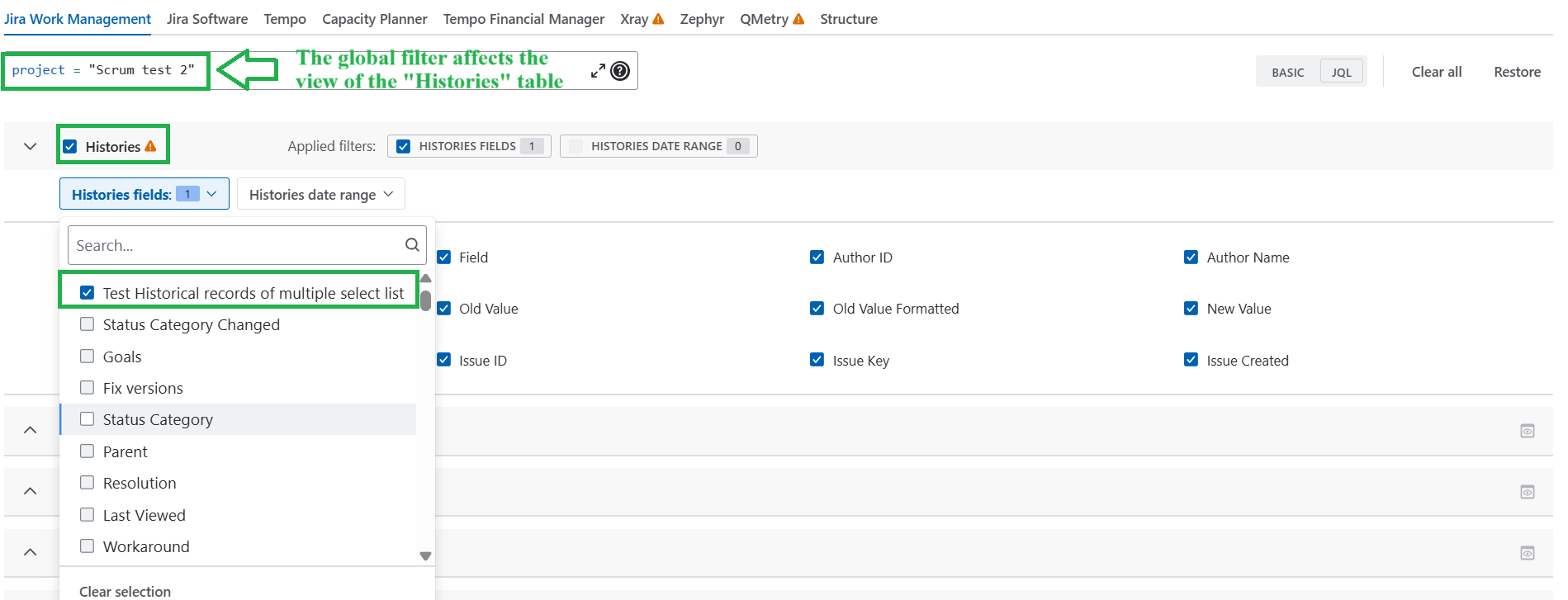
Data source filtering: Your data source is filtered (Basic or JQL) in a way that excludes the relevant entries. For example, a JQL query scoping the data to a specific project would return nothing if that project has no records for the field in question:
-
Limited data view: We noticed you're currently checking historical data in Power Query, which is limited to a 1000-record preview. Please click "Close & Apply" to actually export the data into Power BI Desktop, then check the output for your field in the "Table" view: