
Question
Unable to clone data source in Power BI Connector for shared with me data sources.
Answer
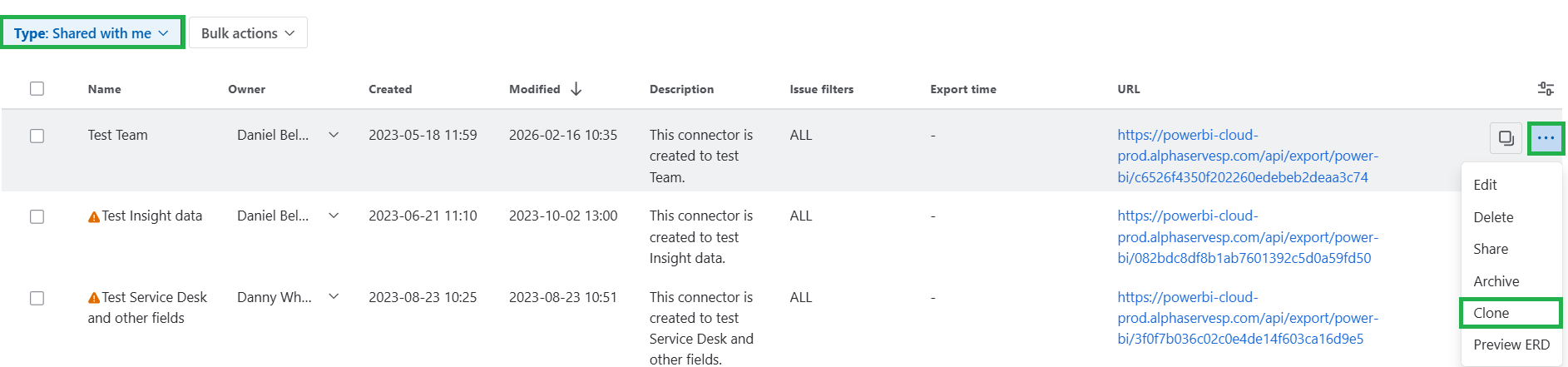
It should be possible to clone both your own and shared data sources. For such purposes, go to the list of the existing sources, switch to the “Shared with me” tab, click a three-dot button next to the source you want to clone, and select the “Clone” option:
If something does not work as expected, contact our Support team for further assistance.