
To edit an existing view:
-
Click the name of your current view at the top of the Portfolio screen.
-
Mouse over the view you want to edit.
-
Click the three dots to the right of the view name.
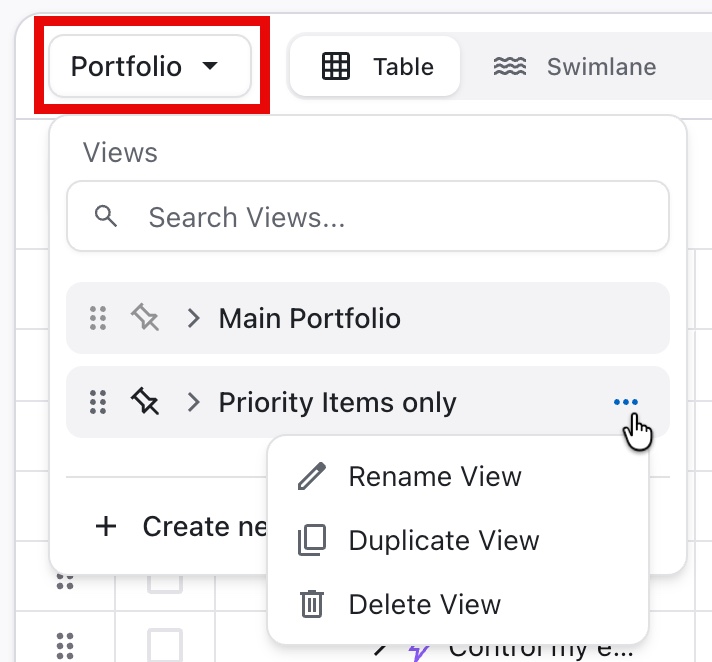
You can:
-
Rename View - update the view's name
-
Duplicate View - create an exact copy of the view, which can be customized without affecting the original
-
Delete view - delete the view (this cannot be undone!)
You cannot rename or delete the Main Portfolio view.