Deleting Loop-native Items
To delete an item created in Loop:
-
Locate the item in the Portfolio.
-
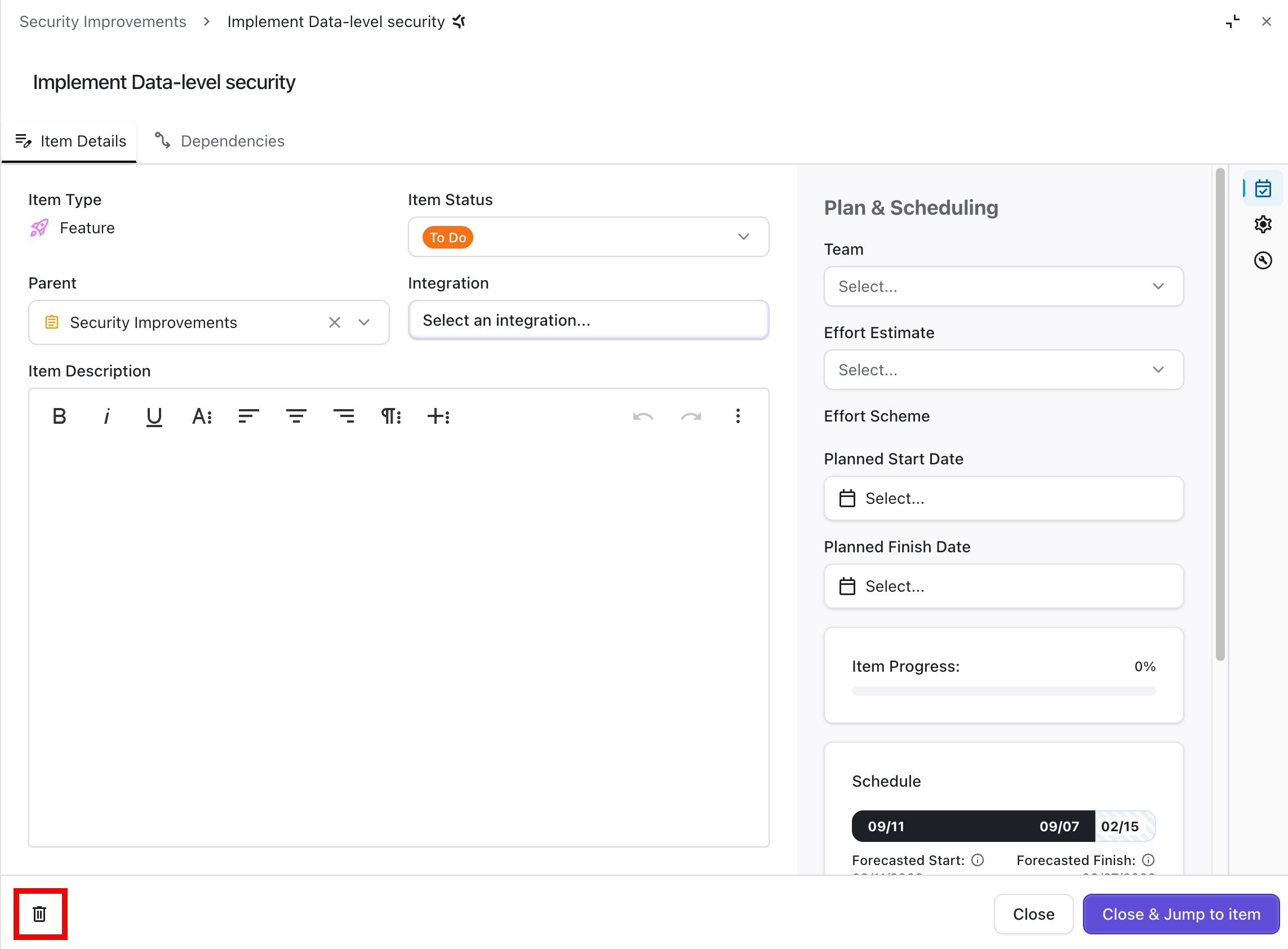
Click the item’s name to open the Item Panel.
-
Click the trashcan icon at the bottom of the Item Panel.
This action cannot be undone.
Delete Integrated Items
Integrations rely on filters to determine which items are imported into Loop, and whenever the integrations are refreshed, new items that match those filters are added to Loop. For this reason, if you simply deleted an item from Loop, it would reappear the next time the integration refreshed.
Instead, you either have to delete the item in the integrated platform or adjust the integration filter to prevent the item from being added again.
Adjusting an Integration Filter
To delete items added to Loop through an integration:
-
Open Integrations.
-
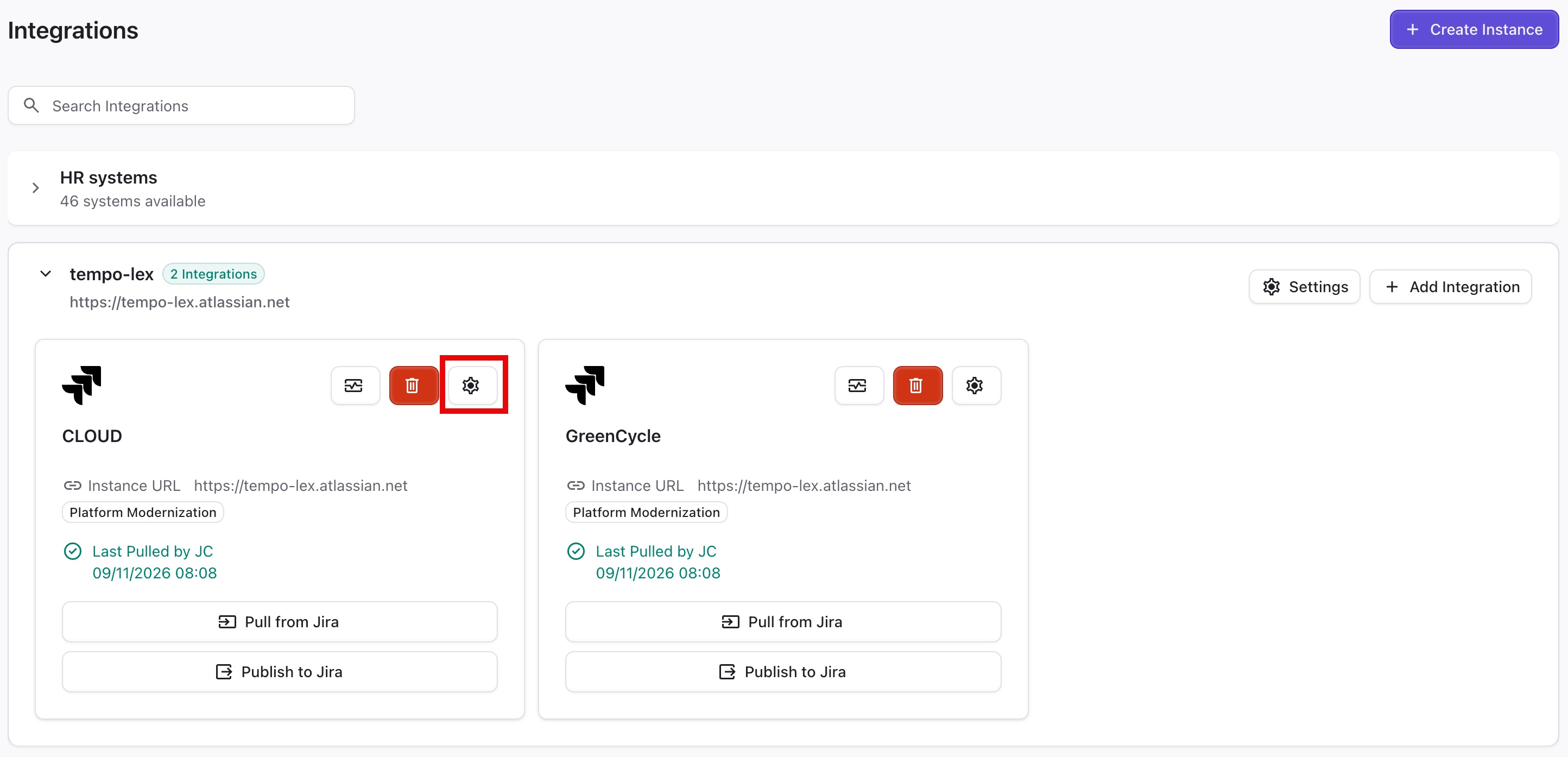
Locate the integration used to import the item(s) to loop and click the Settings (gear) icon.
-
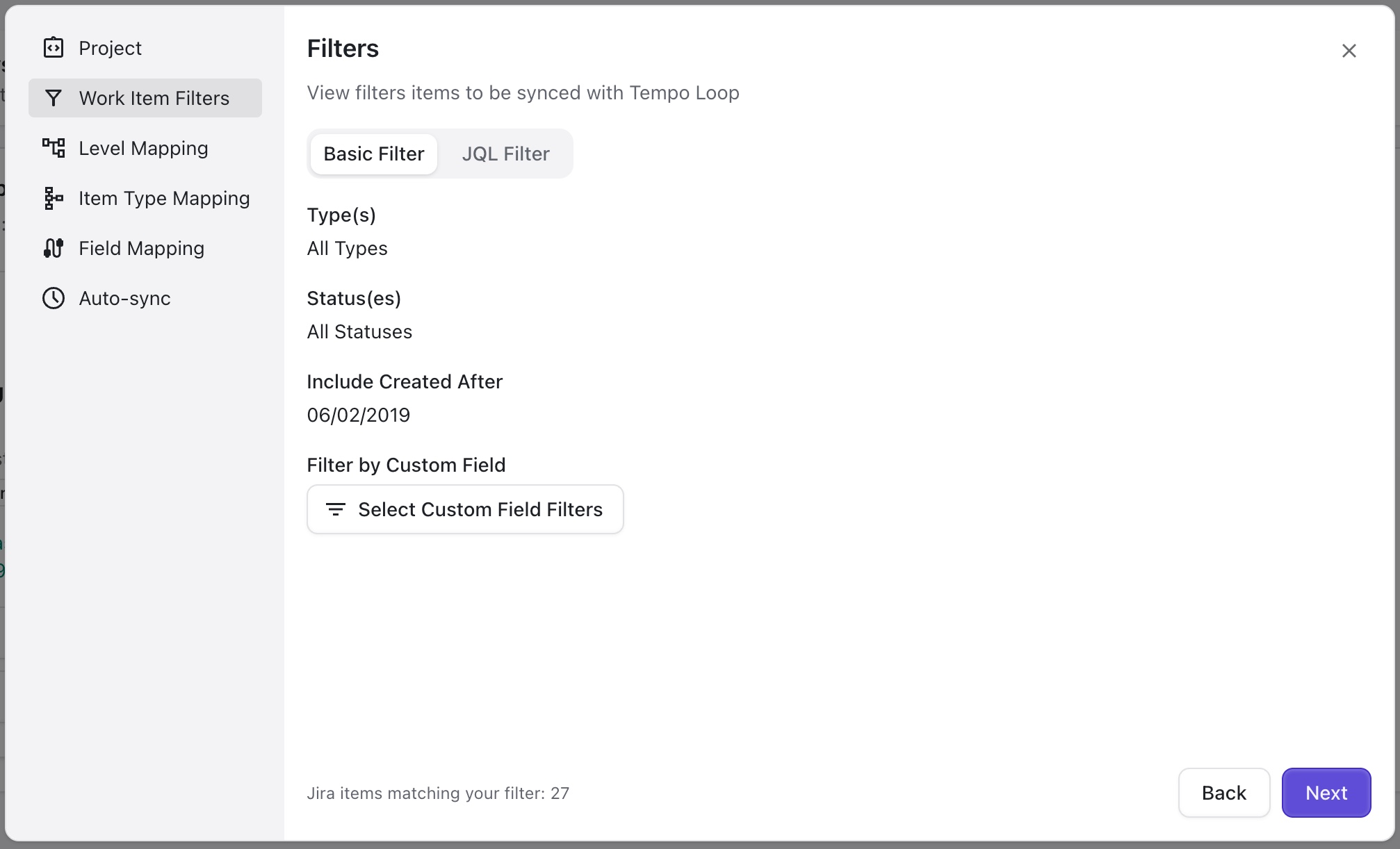
In the integration settings, go to the Work Item Filters screen.
-
Adjust the filters to exclude the item(s).