
To create a new view:
-
Click the name of your current view at the top of the Portfolio screen
-
Enter a name for the new view
-
Select the visualization types you want to include (you can also add more later!)
-
Click Create
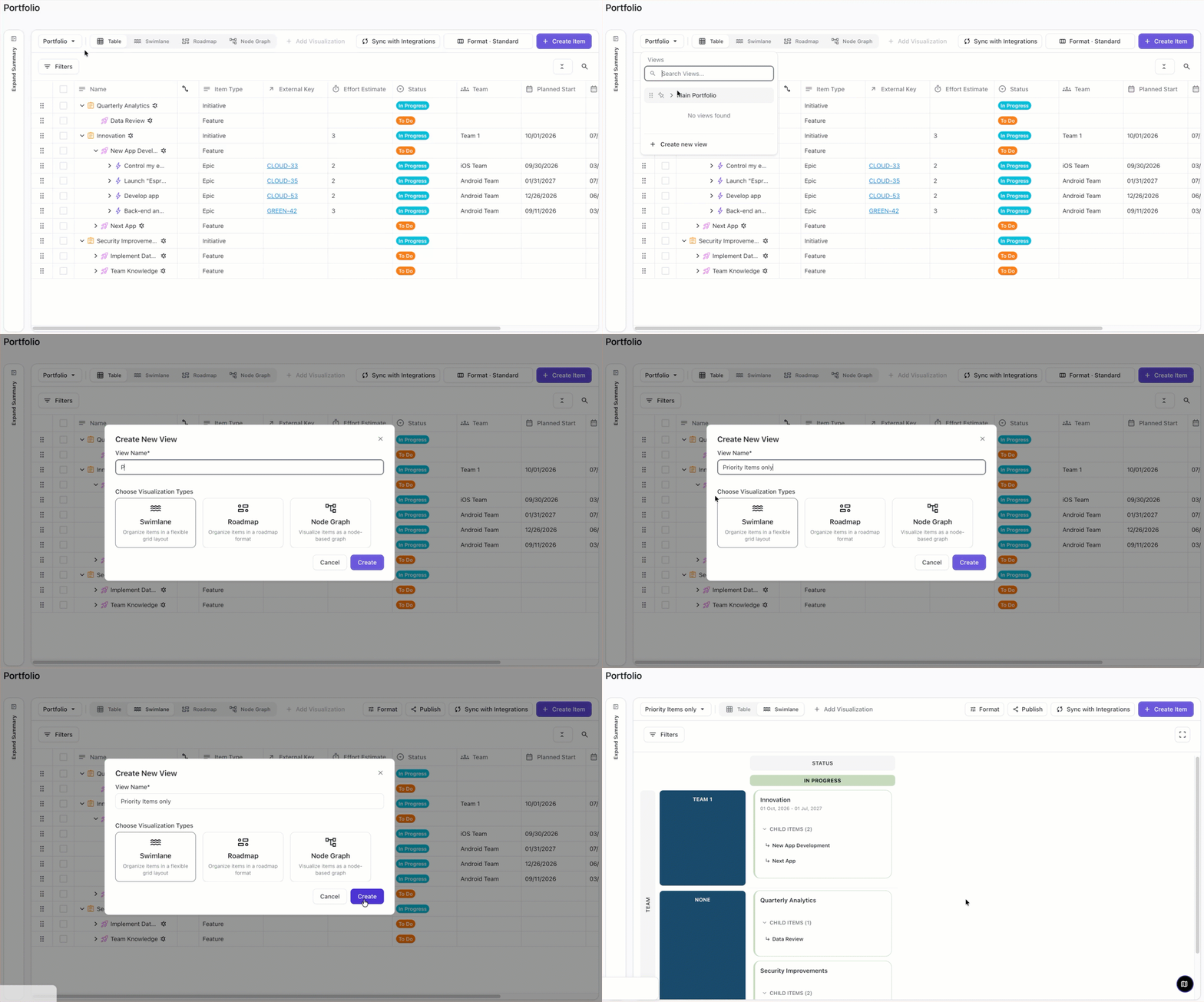
Once your new view has been created, you can apply custom filters, formatting, and more!