Problem
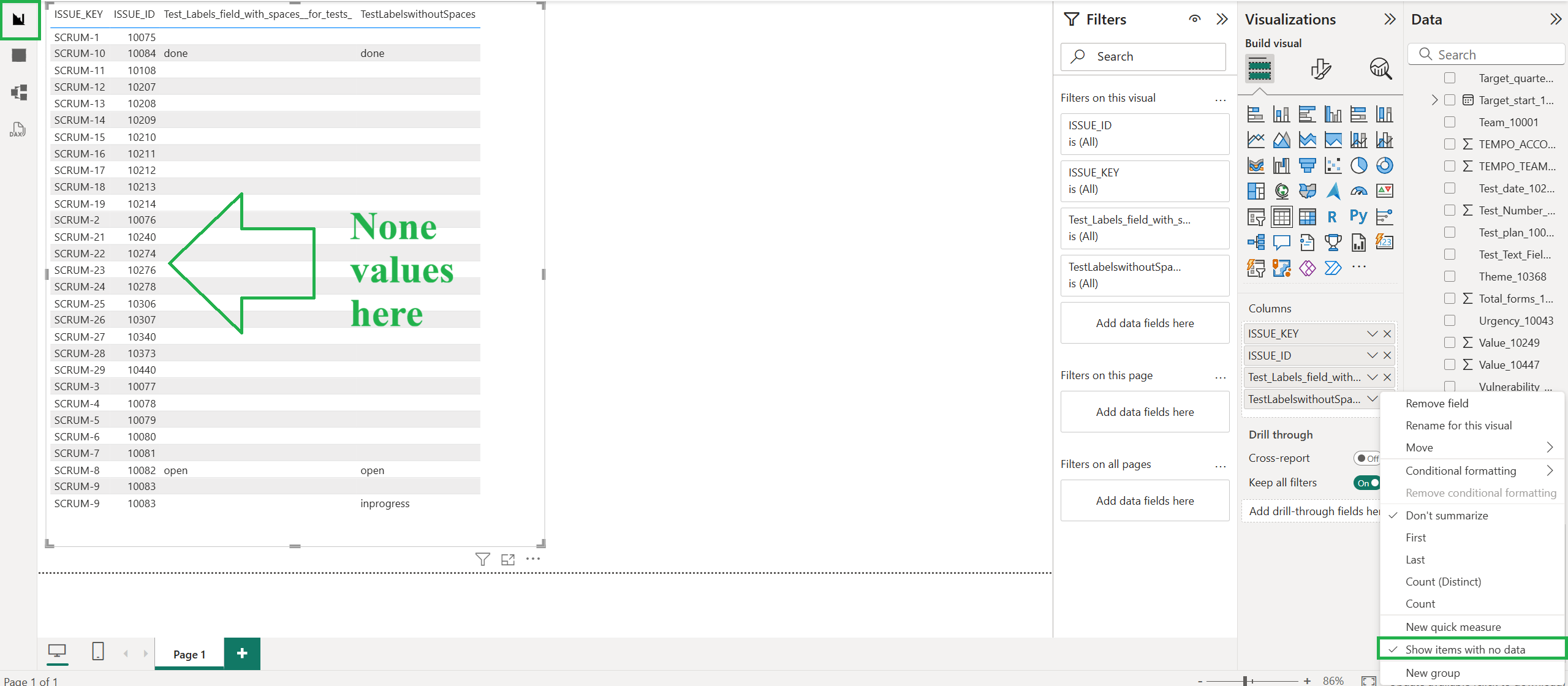
We face an issue pulling data from Jira to Power BI. Custom fields with the "None" value do not appear in Power BI.
Is there an internal filter in the connector that we must remove?
We have fields filtered by the default value - "None”. I would appreciate help from your support team to get them in Power BI.
Solution
"None" represents the default state of an empty custom field, not an actual stored value. Since it is not a real value, our application excludes it when exporting to Power BI, as pulling and processing every empty field across all issues would add unnecessary time and resource overhead.
That said, here are two ways to work around this, depending on how the field is exported:
-
Field is part of the "Issues" table
No extra steps needed: issues with no value for this field will already appear as expected. -
Field forms its own table
-
In the “Table” view, the "None" issue won't appear, since it is excluded by design.
-
In the “Model” view, connect your custom table (based on this field) to the "Issues" table using the
ISSUE_IDcolumn. Power BI usually detects this relationship automatically: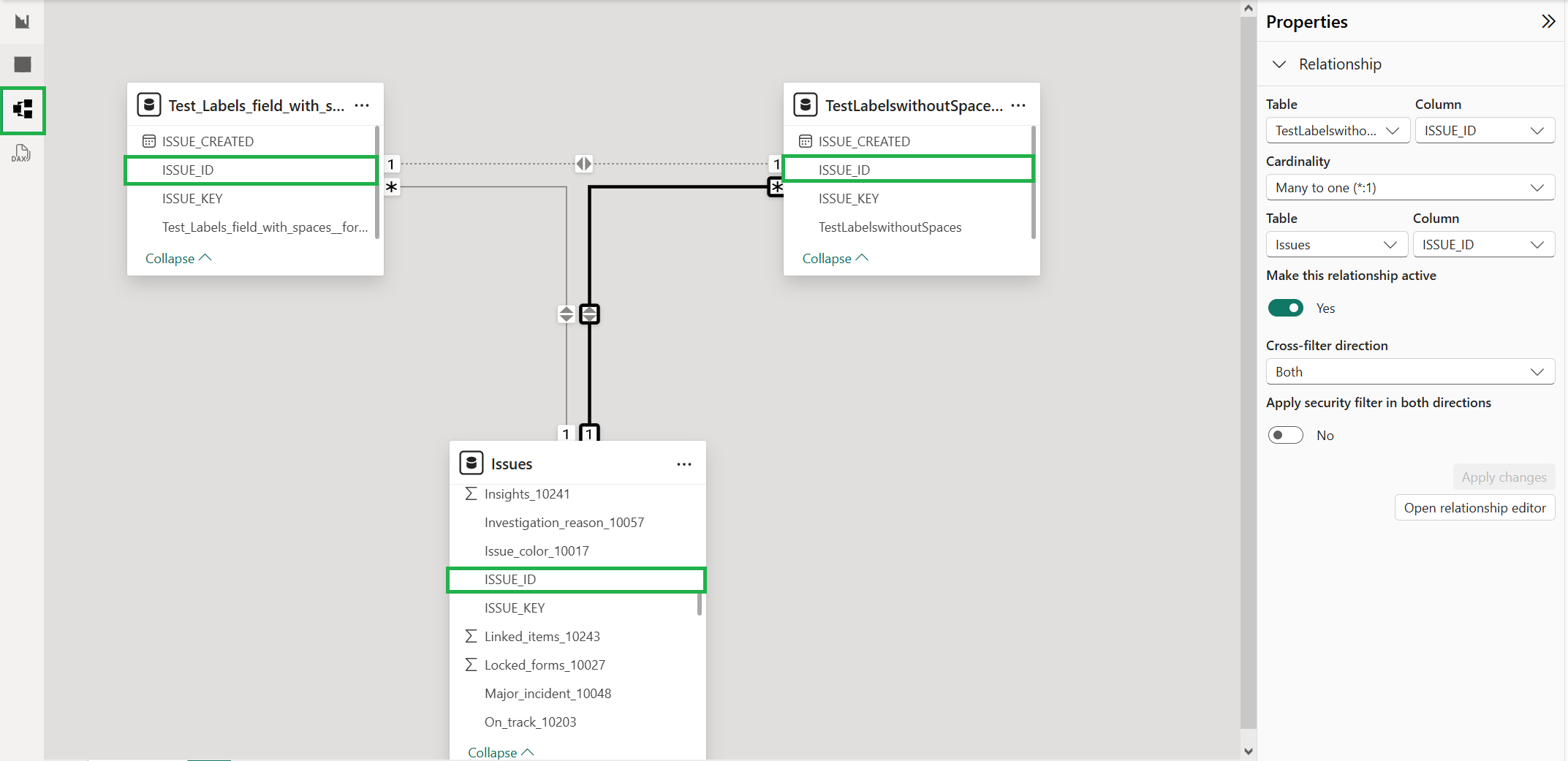
-
In the “Report” view, select
ISSUE_ID,ISSUE_KEY,ISSUE_SUMMARY, and any other needed columns from the "Issues" table, along with the[FIELD_NAME]_[FIELD_ID]column from your custom table. -
Expand the
[FIELD_NAME]_[FIELD_ID]column and enable "Show items with no data". This will surface the issues with no value for that field: