
The Custom Statuses page allows you to manage and create custom statuses used within the Loop workflow.
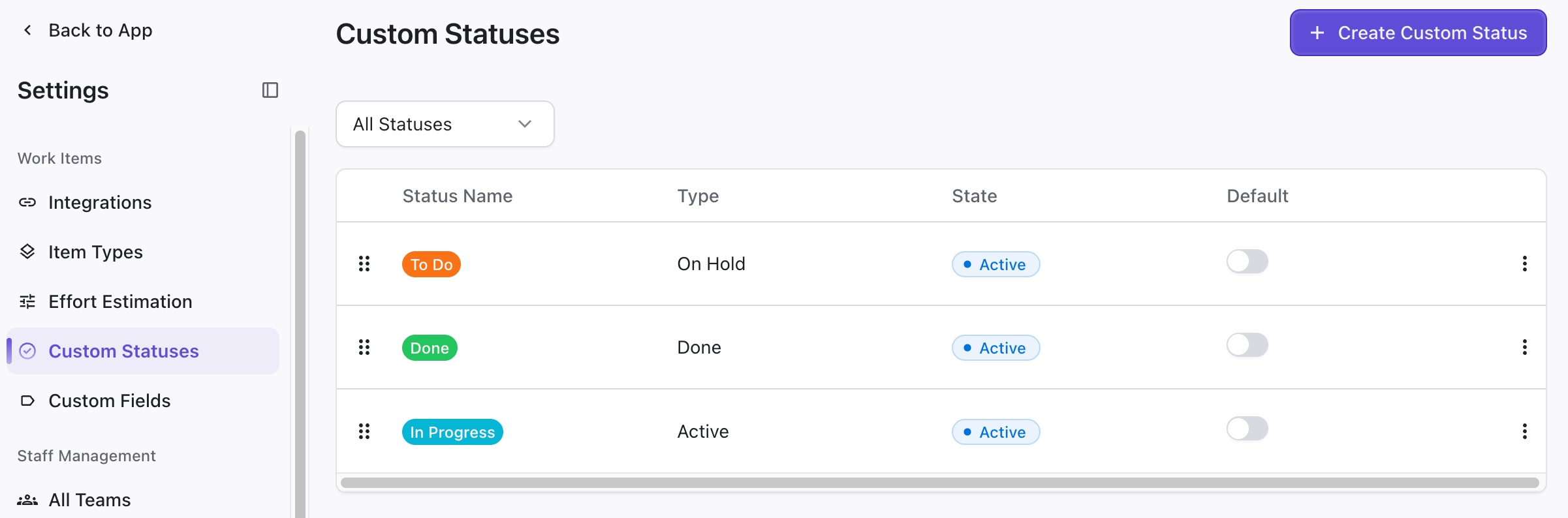
Here you can:
-
Create new statuses - Click + Create Custom Status
-
Reorder statuses - Drag statuses to the desired positions using the dragbar on the left
-
Assign a default status - Click the Default toggle to assign a default status for new items
-
Edit a status's details - Click the three dots on the right
-
Delete a status - Click the three dots on the right
Editing a Custom Status
To edit a custom status, click the three dots on the far right of its row and select Edit status.
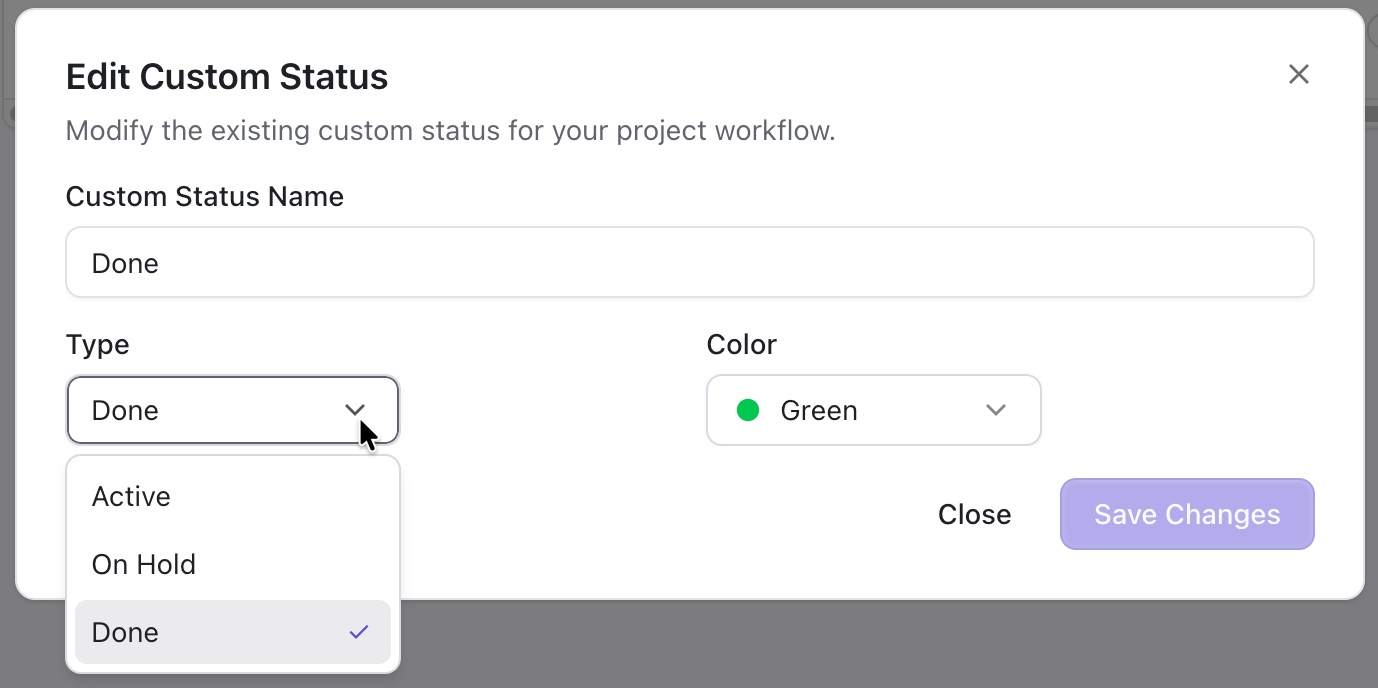
You can edit:
-
Custom Status Name
-
Type - three types of statuses are available in Loop:
-
Active - the item is either being worked on or waiting to be worked on
-
On Hold - work on the item has been paused
-
Done - work on the item has been completed
-
-
Color