
To manage your Jira integrations, go to Settings | Integrations.
Manage Existing Integrations
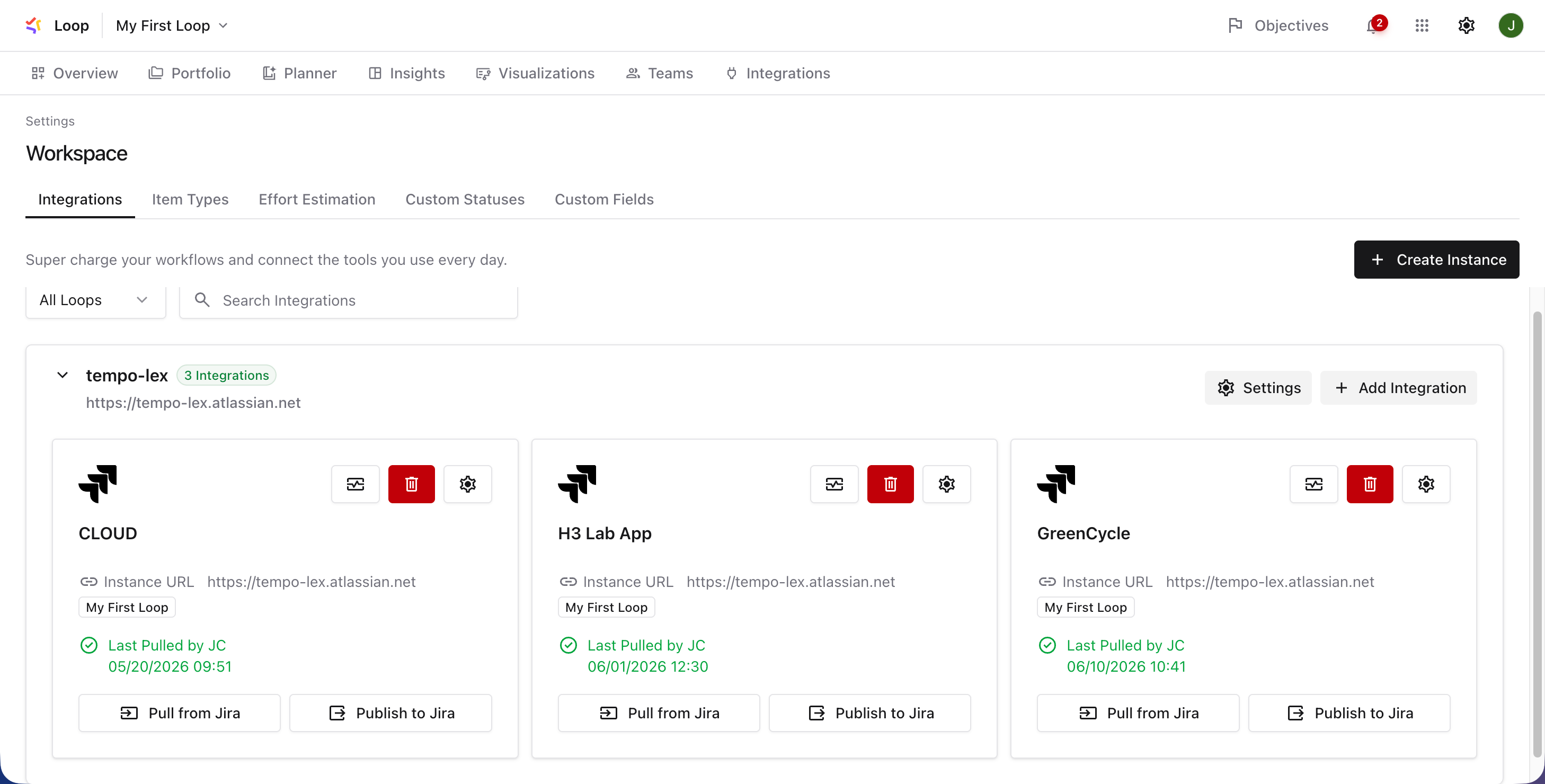
All of your existing integrations are listed here, along with details of the last sync between Tempo Loop and Jira.
For each integration, you can:
-
Pull from Jira - Update Tempo Loop with the most current data in Jira.
-
Publish to Jira - Update Jira with the most current data from Tempo Loop.
-
Delete - Click the trashcan icon to remove the integration from Tempo Loop. Any plans that include this integration will need to be updated.
Create a New Integration
If you need to add additional spaces to your Portfolio, locate the Jira Integration square and click Get Started. Follow the steps in this guide: Import Jira Spaces
You can integrate as many Jira instances and spaces as you need. As you import additional spaces, Tempo Loop will update the Portfolio to include the new work items and any links between them.
Your Jira spaces don’t have to use the same work item types or custom fields - during the integration process, you can map work types and fields for each space, and Tempo Loop will manage the rest.