
Go to the Data Sources tab in admin settings to select additional, non-Jira sources of data.
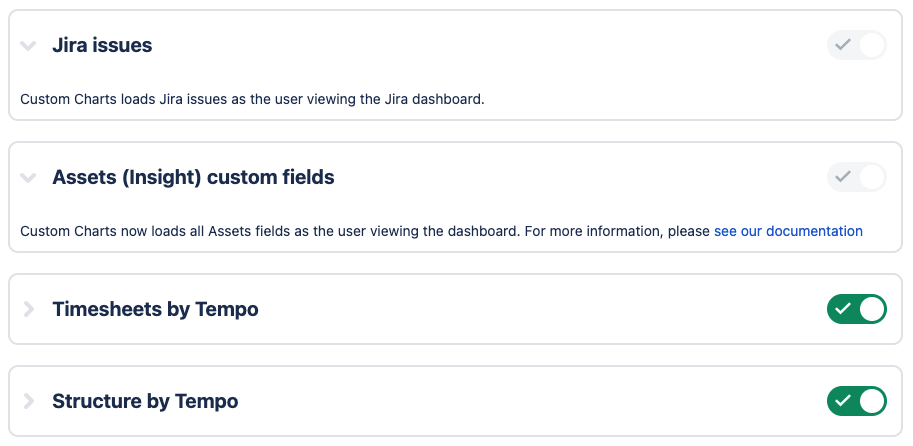
Jira and Assets (formerly Insight) data sources are enabled by default and cannot be turned off. If you use the Custom Charts integrations with Tempo Timesheets or Tempo Structure, you can enable them as data sources.
Assets Data Security
Custom Charts uses OAuth 2.0 for Assets data. As a result:
-
Assets data uses your personal Jira permissions in Custom Charts.
-
Custom Charts for Confluence users can enable user impersonation to display Assets data to viewers without licenses.
-
Users must have one of the following roles to view Assets data in Custom Charts:
-
Object schema user.
-
Object schema developer.
-
Object schema manager.
-
If a user does not have access to Assets, you must send them an invite to join your instance.
Contact our support team if you have further questions.