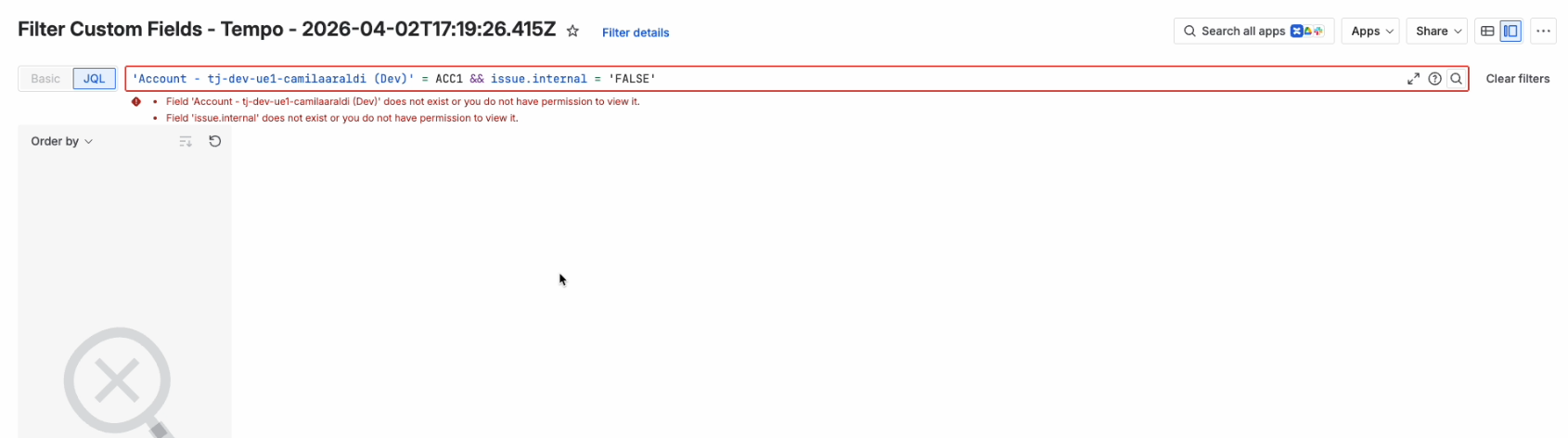
After upgrading to Jira’s Forge platform, some saved JQL filters may no longer work as expected because of the new JQL filter syntax. The Broken JQL Filter Finder helps you quickly identify and review any filters that contain invalid JQL by scanning your filters and highlighting the ones that need attention, so you don’t have to track them down manually.
The Broken JQL Filter Finder will locate all broken JQL filters, not just those affected by the Forge migration.
For Jira administrators: As a Jira admin, you can also view Private filters. This feature uses overrideSharePermissions, an experimental flag available to users with Administer Jira global permissions that overrides share permissions to enable filters to return any share permissions.
What This Tool Does
The Broken JQL Filter Finder:
-
Finds filters that contain invalid or broken JQL
-
Displays a list of affected filters in one place
-
Provides direct links so you can open and update each filter
-
(Where available) shows error details to help you understand what needs to be fixed
Depending on your permissions, the finder will display either only the filters you own or all filters you have access to. For larger Jira instances, a large number of filters may be displayed, but results are returned quickly and only include filters that require attention.
To access and use the Broken JQL Filter Finder:
-
Select Settings in the Tempo sidebar.
-
Under Forge Migration, select Broken JQL Filter Finder.
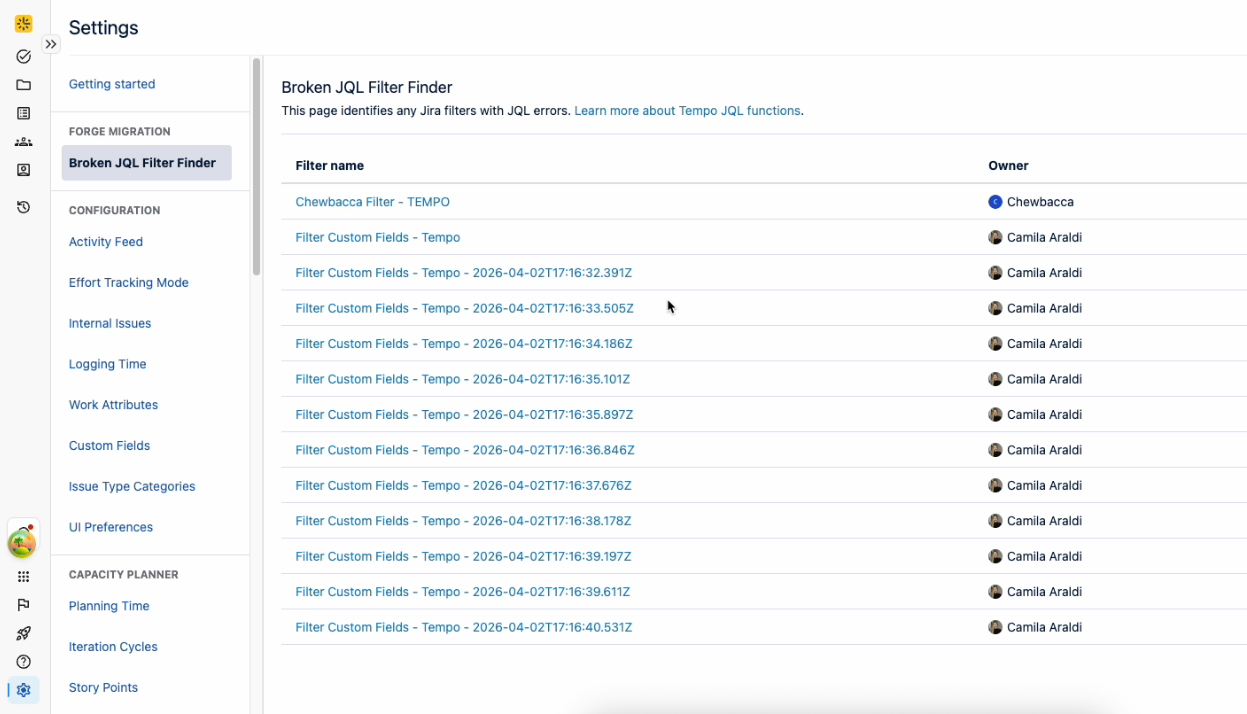
-
Select a filter from the list to open it on a new page in Jira, where you’ll see any errors along with the broken filter. From there, you can make any edits you need.