
The Multi-space Overview preset allows you to visualize multiple spaces with a section for each space.
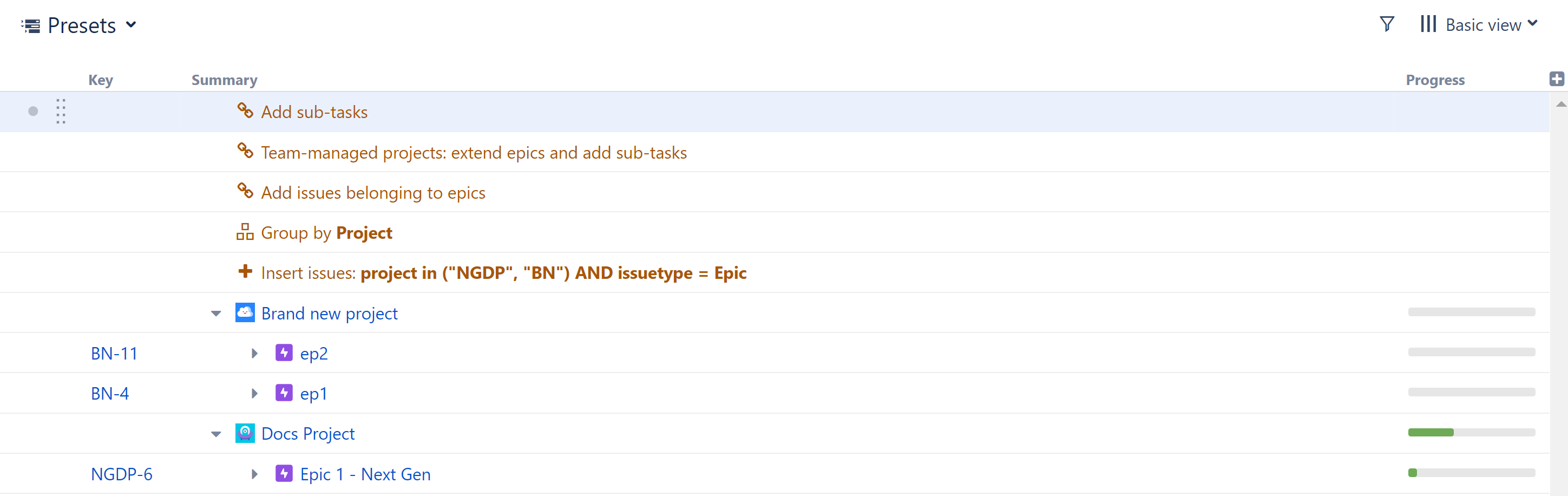
The Multi-space Overview preset works for both Company-managed and Team-managed spaces, and it allows you to combine both types of spaces into a single structure.
Build a New Structure Using the Multi-space Overview Preset
To build a new structure using the Multi-space Overview preset, open the Add menu, select Preset, and choose Multi-space Overview.
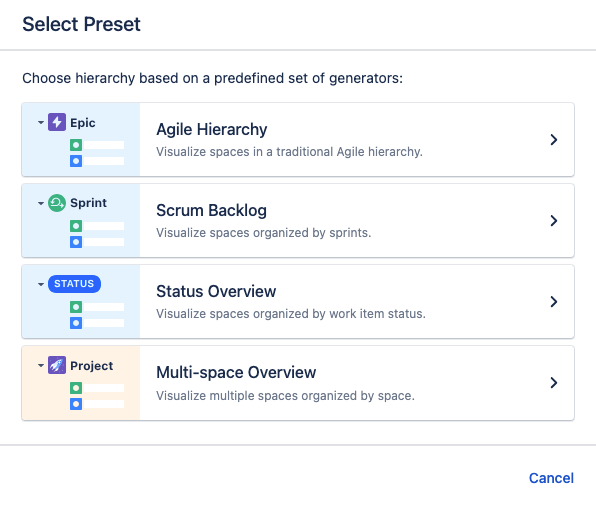
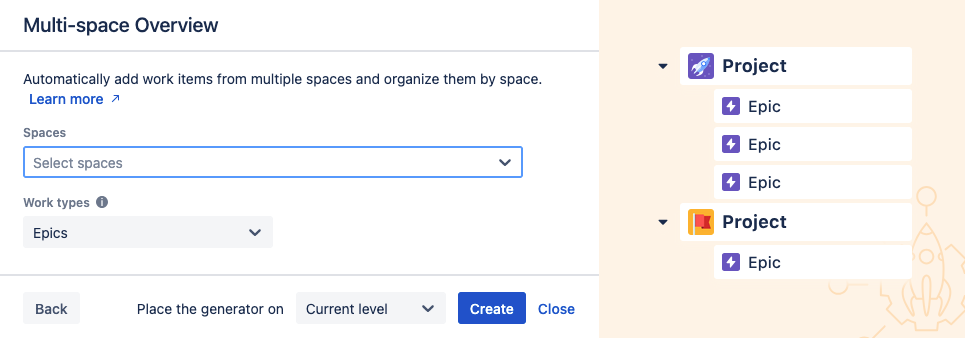
You can select which spaces and work types to include in your hierarchy.
Runs As
When a generator runs, it runs as the structure owner. This is important because the generator will have access to the same spaces, work items, etc. as the user listed here – if they don’t have permission to view a work item, it won’t be added to the structure.
Spaces
Select which spaces you want to include.
Work Types
Select the types of work items to add to the structure. The hierarchy will be constructed with these work items beneath their respective spaces.
Place the generator on
Select where the generators should be placed within the structure hierarchy. This will determine the location of your Multi-space Overview hierarchy.
You have three options:
-
Current level - The generators will be placed on the currently-selected level.
-
Level below - The generators will be placed on the level below the currently-selected item.
-
Top level - The generators will be placed at the top of the structure.
Once you click Create, Structure will add a series of generators to:
-
Add work items from the selected spaces (JQL/Text Insert)
-
Add stories or tasks under each epic (Child Work Items Extend)
-
Add sub-tasks beneath the stories and tasks (Child Work Items Extend)
-
Group work items by space (Group by Field)
Adding the Multi-space Overview Preset to an Existing Structure
The Multi-space Overview preset can also be added to existing structures. In this case, in addition to creating the selected hierarchy for the selected spaces, it will also group existing work items by space, provided they are in its scope (see Generator Scope for details).